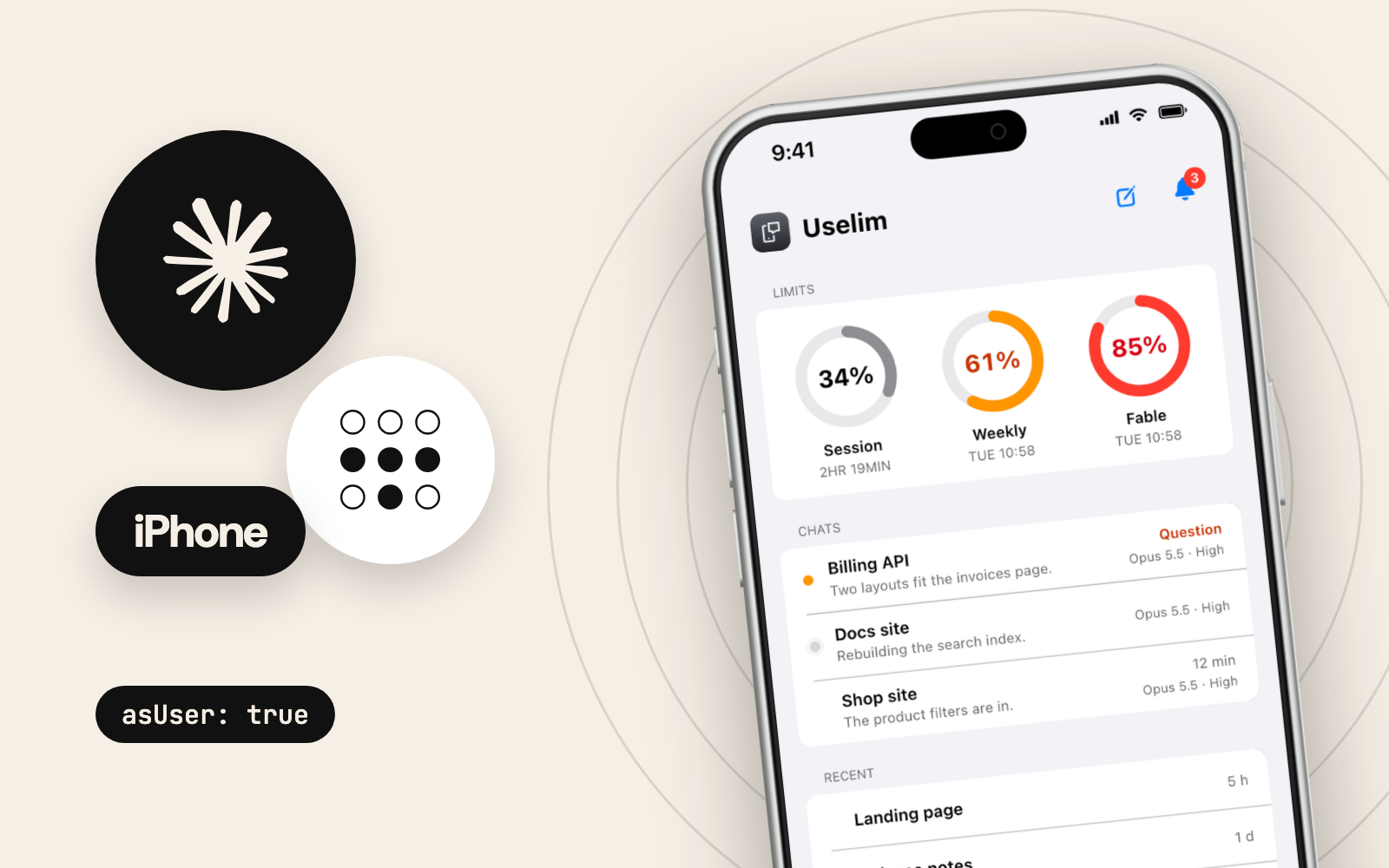
Claude Code in VS Code, from a phone
A day of work in VS Code can hold a dozen Claude Code chats, one per project and topic. Away from the desk, each of them stops the moment it asks a question or needs a permission. This episode explains a self-hosted Claude Code relay for remote access that puts those same chats on an iPhone, an iPhone coding assistant built from the chats already running: what each part is, how the parts talk, and the code behind the parts people most often build themselves, a mod inside every chat and a small web server inside a Mac app.
Get the app: everything here ships in Uselim, an independently built app separate from Anthropic’s own products, free on GitHub. Culpmit installs it from its Claude limits switch, and How to Use Uselim walks through the setup.
The goal
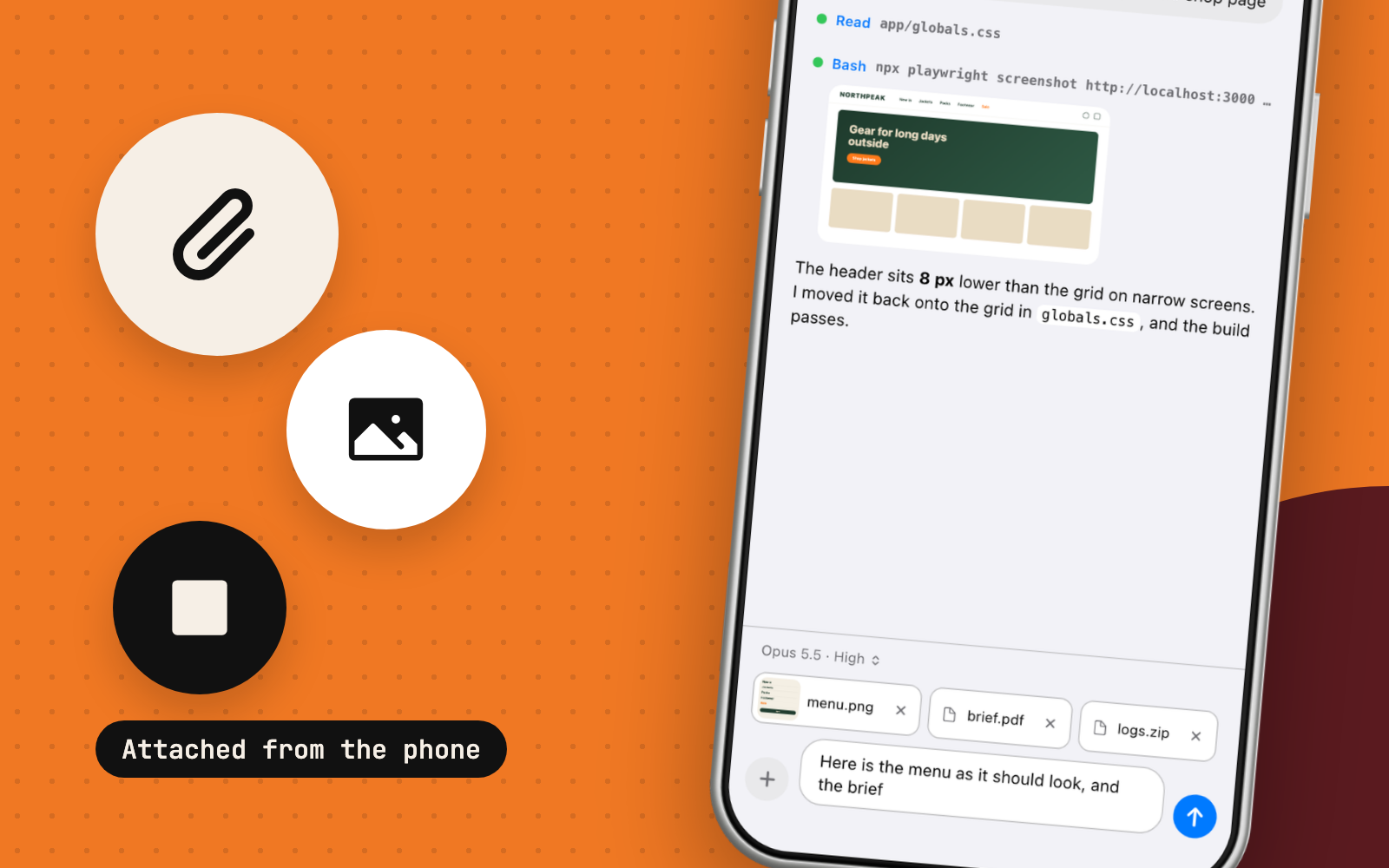
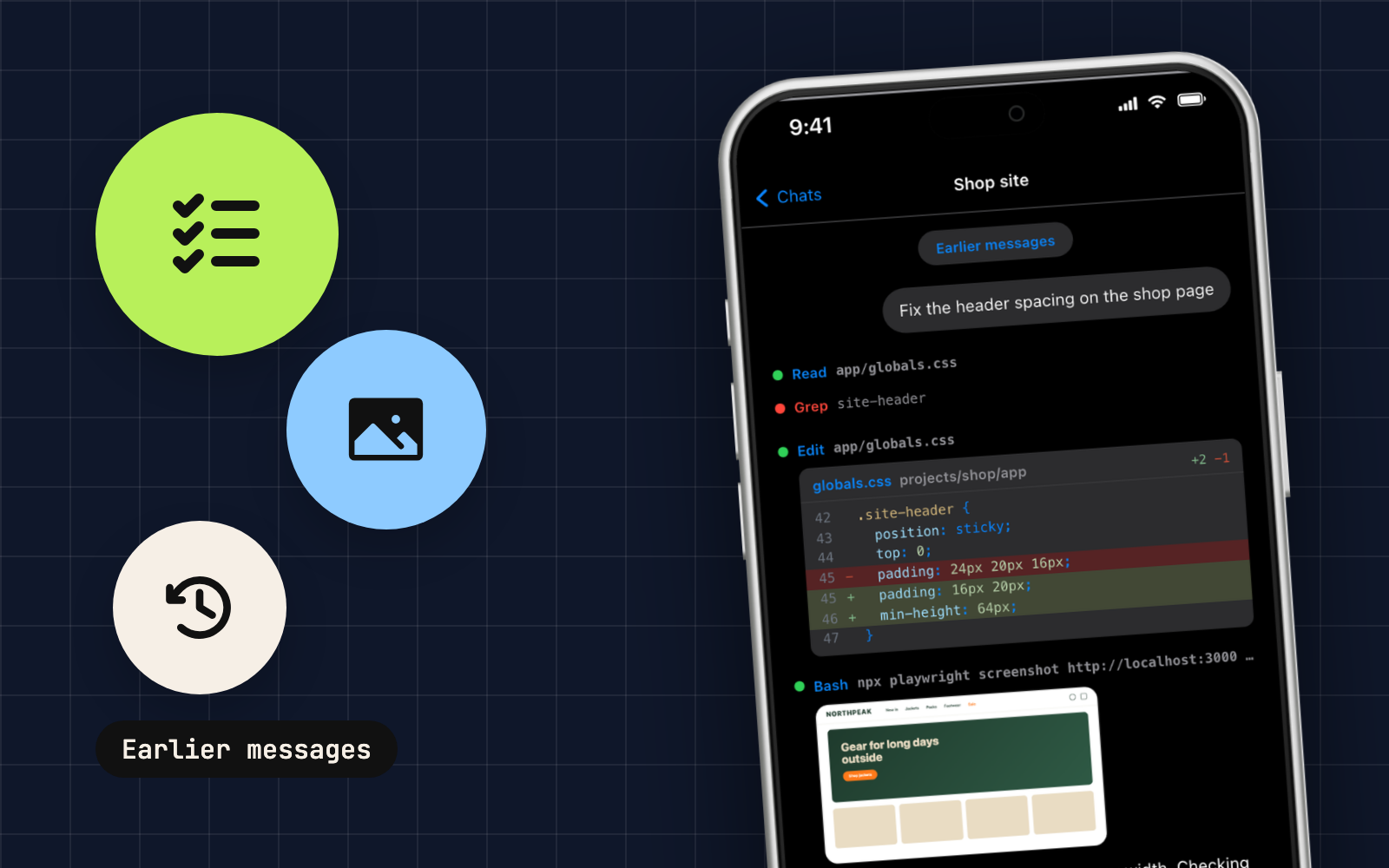
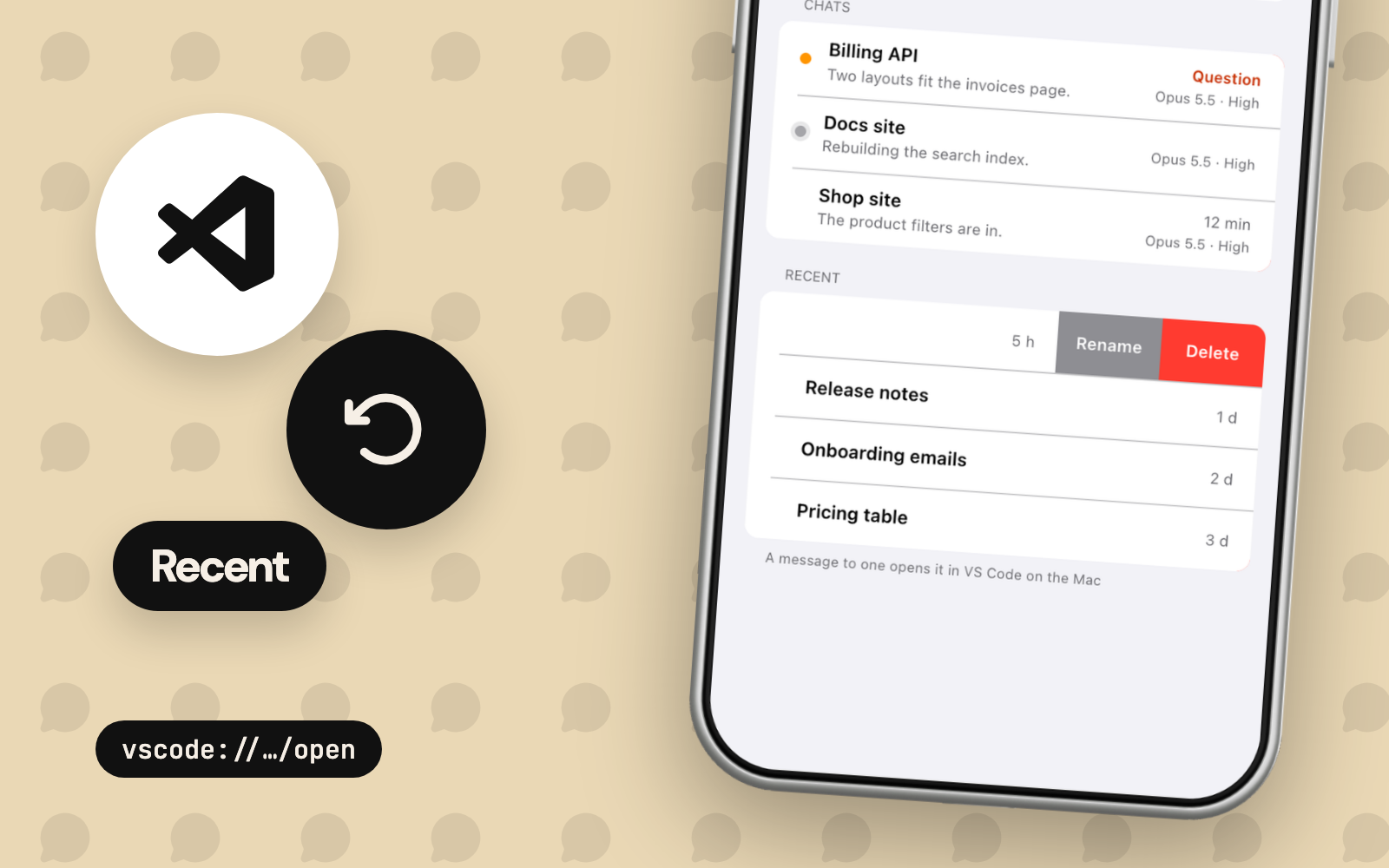
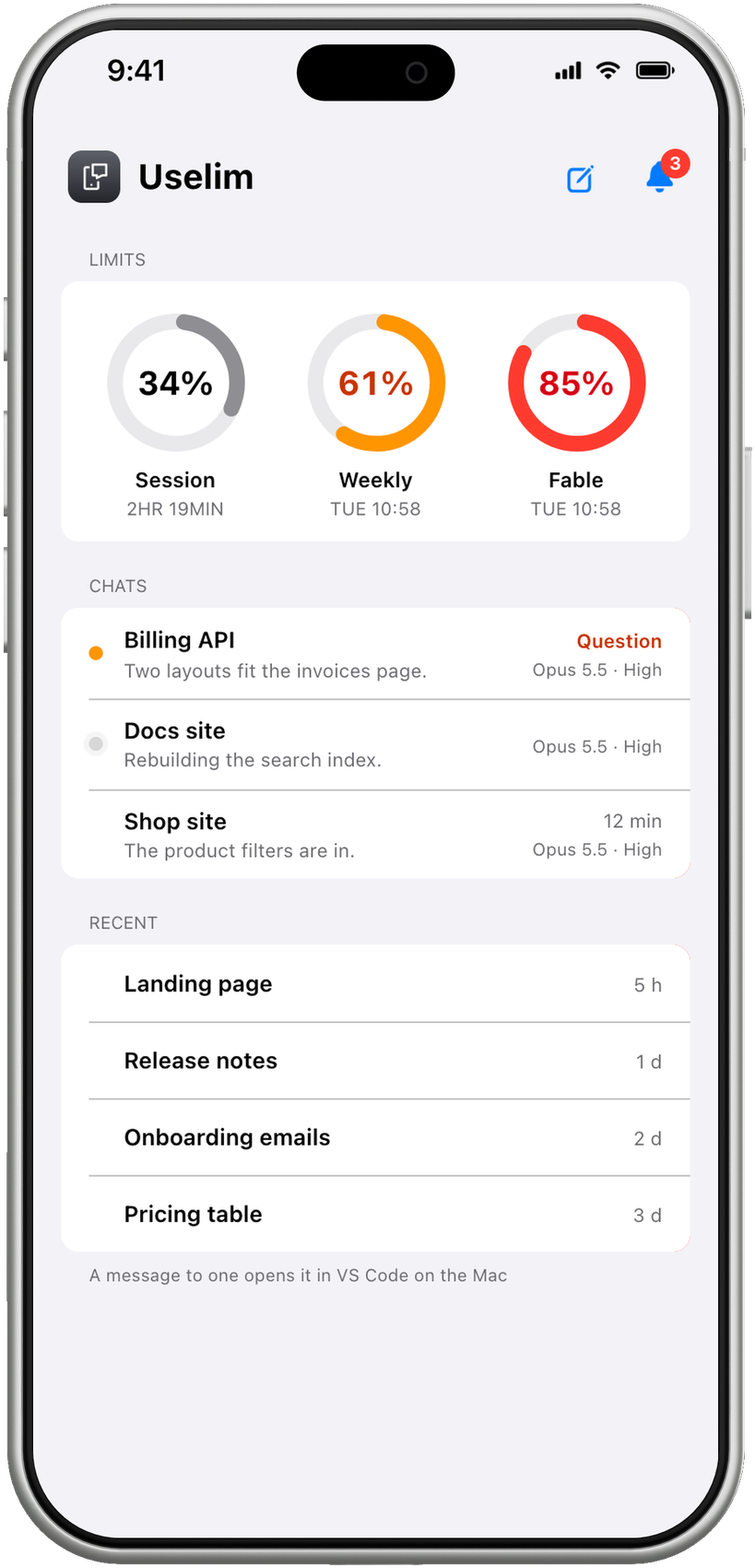
- Every open chat on the phone, with its replies, its tool calls and its history.
- A message from the phone that enters the chat exactly as typed words.
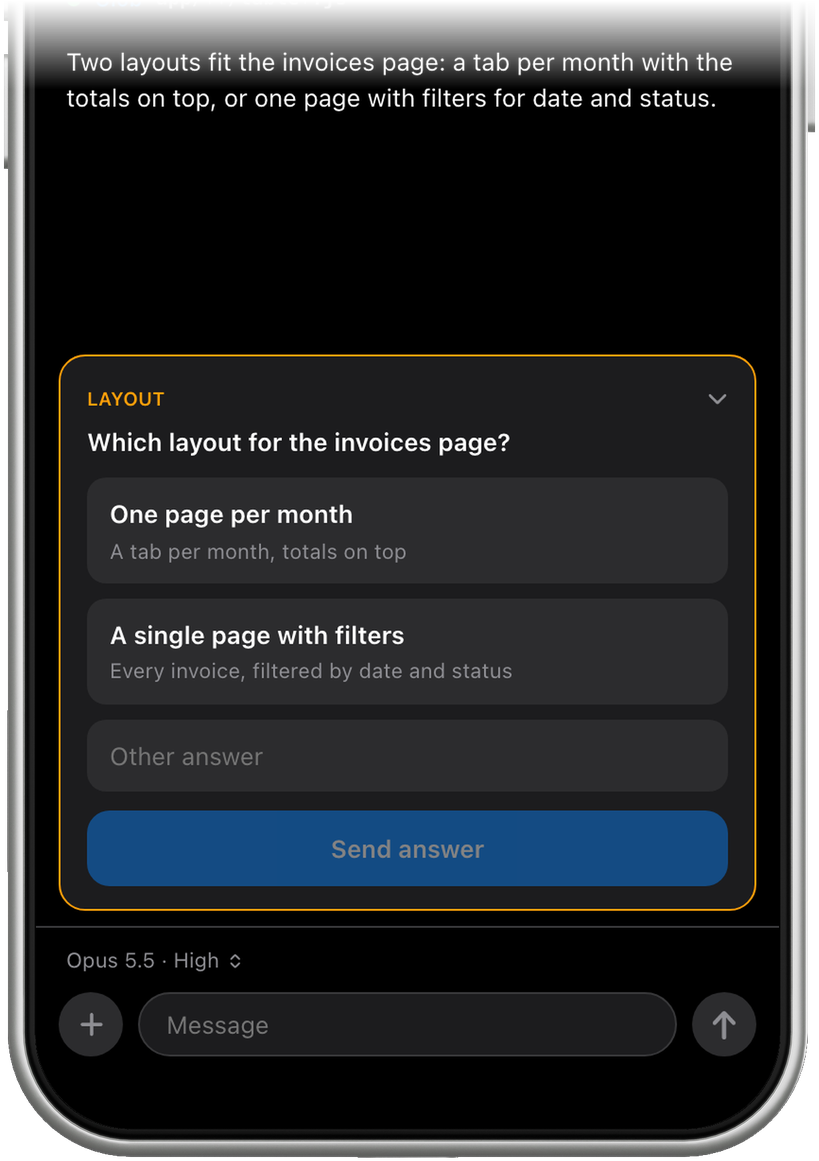
- Questions and permissions answered from the phone or the Mac, whichever comes first.
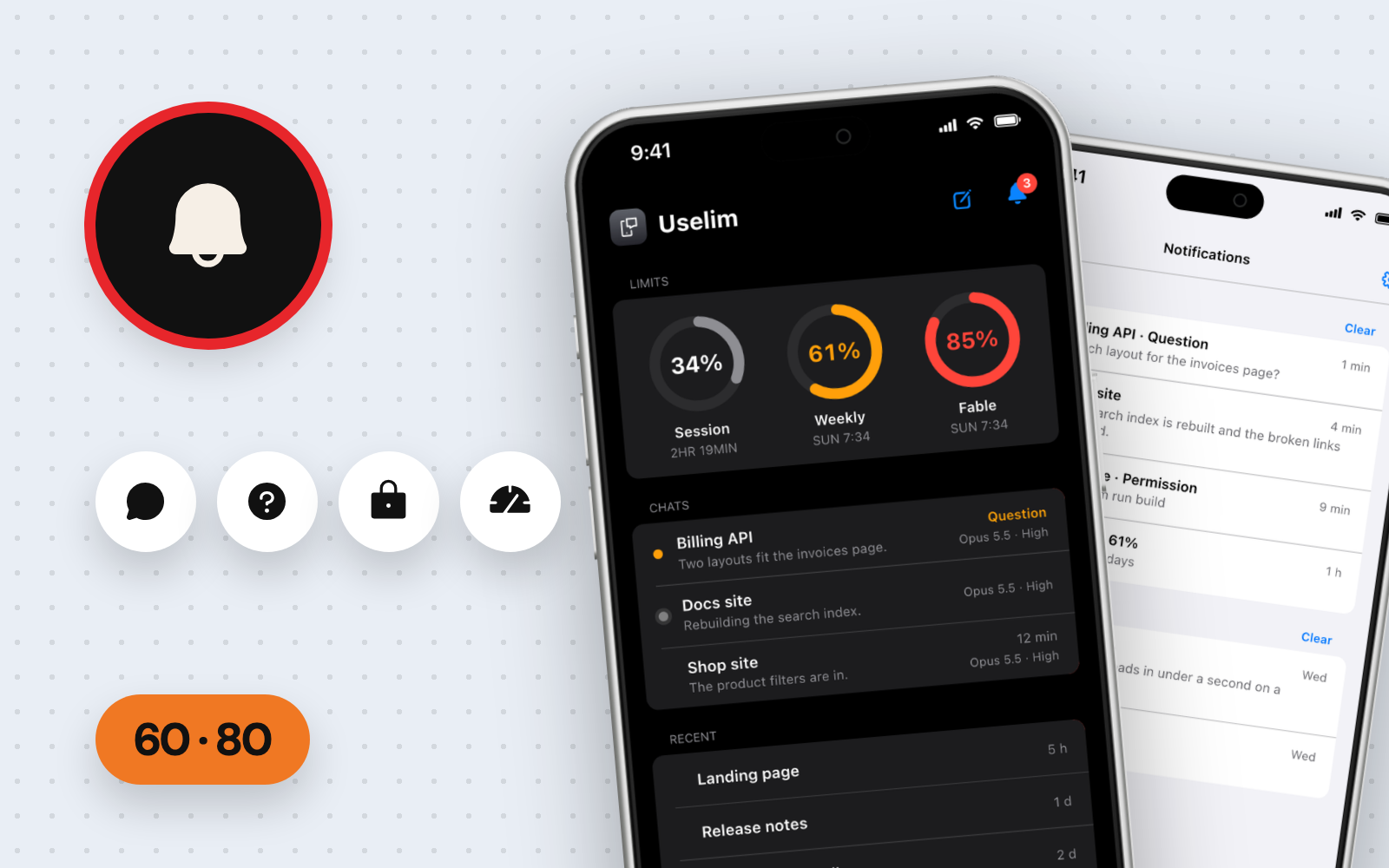
- A notification for each reply, question and permission.
- The relay on the Mac and a private network of the person's own devices, with zero hosting and zero app store; Claude Code itself keeps talking to Anthropic and any services it is set up to use.
Ways into a running Claude Code chat
| Way in | What it does | Where it fits |
|---|---|---|
| Remote Control | `/remote-control` in a chat, the VS Code extension included, connects it to claude.ai/code and the Claude app; the session keeps running on the machine | The quickest road, through Anthropic's app, one chat at a time; for Pro, Max, Ultra, Team and Enterprise plans |
| Cross-session messages | A local program writes to a session, and an idle chat starts a turn | The chat reads the text as a message from another session |
| Settings hooks | Shell commands at events: answer a question, allow or deny a permission, read the last reply at the turn's end | Strong for questions and permissions; entering a new prompt takes more |
| Mods | Code inside Claude Code: `$.prompt.submit({ text, asUser: true })` enters text as the person's own words; timers run between turns | The relay's core: the phone's words arrive exactly as if typed in the panel |
The relay pairs a mod, for messages and the chat's state, with a settings hook for permissions, which Episode 7 covers in depth; Episode 1 covers the menu bar side, Episode 3 files from the phone and Episode 6 its notifications.
How the parts fit
- 1
The phone: a Home Screen web app, paired once and holding a key of its own
- 2
Tailscale: a private HTTPS address on the tailnet
- 3
Tailscale Serve on the Mac, forwarding to 127.0.0.1:47472
- 4
The small web server inside the menu bar app
- checks the phone's key and the Mac's Tailscale login on every call from the tailnet
- serves the web app and its JSON API
- holds long polls open while a chat waits on the phone
- 5
The relay folder: small JSON files the app and the mod exchange
- 6
The mod inside each Claude Code chat in the VS Code extension
- enters the phone's messages as typed prompts
- writes history, replies, questions and permissions
- Claude Code's own requests to Anthropic go out on its own connection
A Claude Code mod inside every chat
A mod is a plugin whose JavaScript or TypeScript module registers event handlers inside Claude Code. Each handler receives the mods API as $, the event as e and the next handler as next, so it can observe an event, rewrite it or answer it. Mods run in the CLI, the Desktop app's Code tab and the VS Code extension. The hooks module runs on the mods API alone, with zero Node.js APIs or timers of its own: files go through $.fs, requests through $.http.fetch and repeated work through $.clock.every. The plugin's repository doubles as its own marketplace, laid out below. The Mac app carries a copy of both, and Uselim --setup adds that marketplace and installs the plugin for the user; /reload-plugins brings it into a chat that was open before.
uselim/                      the repository, which is also its own marketplace
├── .claude-plugin/
│   └── marketplace.json     lists one plugin, source ./mod
└── mod/
    ├── .claude-plugin/
    │   └── plugin.json      name, version, description
    └── hooks/
        ├── hooks.json       { "modules": ["./register.ts"] }
        └── register.ts      the hooks module
When a session starts, the mod registers the chat in a shared folder and checks the phone's inbox every two seconds:
// hooks/register.js: the chat registers itself, then checks the phone's inbox every 2 seconds
let chat

export function register(on) {
  on('session.start', async ($, e, next) => {
    const started = await next(e)
    const home = await $.env.get('HOME')
    const dir = `${home}/Library/Application Support/Uselim/relay`
    const session = await $.session.id()
    chat = { session, cwd: e.cwd, status: 'idle', at: await $.clock.now() }
    await $.fs.write(`${dir}/chats/${session}.json`, JSON.stringify(chat))
    $.clock.every(2_000, () => poll($, dir))
    return started
  })
}
A message from the phone goes in through $.prompt.submit with asUser: true, which makes it the person's own words, free of the sentence that names a mod as the sender. The call waits for the chat to go idle, so messages that arrive during a turn enter together after it.
// a message from the phone enters the chat as the person's own typed words
async function deliver($, texts) {
const joined = texts.join('\n\n')
// a plugin's text that opens with a slash would run a command, so words that only look like one
// go behind a zero-width space, unchanged to the eye
const text = joined.trimStart().startsWith('/') ? `${joined.trimStart()}` : joined
const result = await $.prompt.submit({ text, asUser: true })
// refused after an interrupt, until the next typed prompt: try again later
return result.drop === undefined
}As each turn ends, the mod writes the recent conversation and the last reply into the folder, and a tool.call hook keeps the running tools current for the phone's Working line.
The relay folder
The mods API and hooks are documented Claude Code interfaces; the relay folder and the web app's API are Uselim's own. The Mac app and the mods share one folder of small JSON files. Each side writes its own files atomically and reads the other's, so a half-written file reads whole on the next round.
| File | Written by | Holds |
|---|---|---|
| `chats/<session>.json` | The mod | The chat: folder, opening words, working or idle, running tools, model and effort |
| `history/<session>.json` | The mod | The recent conversation, with a row per tool call |
| `replies/<session>.json` | The mod | The last answer, for the notification |
| `inbox/<session>.json` | The Mac app | Messages from the phone, each with an id in sending order |
| `inbox/<session>.ack` | The mod | The id of the last message the chat took |
| `asks/<session>.json` | The mod or the hook | A question or a permission held for the phone |
| `files/<session>/` | The Mac app | Files and photos from the phone |
| `pairing.json` | The Mac app | The six-digit code a phone pairs with |
A small web server inside a Mac app
The phone needs one address that serves the web app, answers its API calls and holds a request open while a chat waits. Apple's Network framework gives a menu bar app all of that with zero dependencies: an NWListener bound to the loopback address, so only programs on the Mac reach it.
import Network

// a TCP listener bound to the loopback address alone: programs on this Mac reach it, other machines stay out
func startServer(port: UInt16, accept: @escaping (NWConnection) -> Void) throws -> NWListener {
    let params = NWParameters.tcp
    params.allowLocalEndpointReuse = true
    params.requiredLocalEndpoint = .hostPort(host: .ipv4(.loopback), port: NWEndpoint.Port(rawValue: port)!)
    let listener = try NWListener(using: params)
    listener.newConnectionHandler = { connection in
        connection.start(queue: .main)
        accept(connection)
    }
    listener.start(queue: .main)
    return listener
}
HTTP/1.1 is simple enough to read by hand for one client. The server keeps one request per connection: it reads until the blank line that ends the head, takes the body by its Content-Length, hands the request to a route and closes the connection after the answer. The head is looked for in the first 16 KiB alone, and bodies have a ceiling, 1 MiB for the API and 200 MiB for an upload.
import Foundation

// one request per connection: wait for the blank line that ends the head, then for the whole body
enum Parsed { case partial, malformed, tooLarge, request(head: String, body: Data) }

func parse(_ buffer: Data, headLimit: Int = 16_384, bodyLimit: Int = 1_048_576) -> Parsed {
    let window = buffer.startIndex..<min(buffer.endIndex, buffer.startIndex + headLimit)
    guard let end = buffer.range(of: Data("\r\n\r\n".utf8), in: window) else {
        return buffer.count >= headLimit ? .malformed : .partial
    }
    let head = String(decoding: buffer[buffer.startIndex..<end.lowerBound], as: UTF8.self)
    var length = 0
    for line in head.components(separatedBy: "\r\n").dropFirst() {
        let parts = line.split(separator: ":", maxSplits: 1)
        if parts.count == 2, parts[0].lowercased() == "content-length" {
            length = Int(parts[1].trimmingCharacters(in: .whitespaces)) ?? -1
        }
    }
    guard length >= 0 else { return .malformed }
    guard length <= bodyLimit else { return .tooLarge }
    guard buffer.distance(from: end.upperBound, to: buffer.endIndex) >= length else { return .partial }
    let body = buffer[end.upperBound..<buffer.index(end.upperBound, offsetBy: length)]
    return .request(head: head, body: Data(body))
}
Every answer carries its length and closes the connection. Pages and API answers stay out of every cache, and the HTML adds a strict Content Security Policy.
import Network

// the answer, then the connection closes: one request, one response
func send(status: Int, type: String, body: Data, on connection: NWConnection) {
    var head = "HTTP/1.1 \(status) \(status == 200 ? "OK" : "Error")\r\n"
    head += "Content-Type: \(type)\r\n"
    head += "Content-Length: \(body.count)\r\n"
    head += "Cache-Control: no-store\r\n"
    head += "X-Content-Type-Options: nosniff\r\n"
    head += "Referrer-Policy: no-referrer\r\n"
    head += "Connection: close\r\n\r\n"
    var out = Data(head.utf8)
    out.append(body)
    connection.send(content: out, completion: .contentProcessed { _ in connection.cancel() })
}
A route can answer later, which turns a plain request into a long poll. A wait holds the request open up to 20 seconds and answers waiting when the time runs out, so the caller asks again; the phone's answer releases every wait at once. This is how a chat waits an hour for the phone with a request alive at every moment and zero sockets left behind.
import Foundation

// a long poll: the answer at once if it already came, else the request stays open up to 20 seconds
final class Waits {
    private var waiters: [String: [(id: Int, reply: ([String: Any]) -> Void)]] = [:]
    private var answers: [String: [String: Any]] = [:]
    private var next = 0

    func wait(for key: String, reply: @escaping ([String: Any]) -> Void) {
        if let answer = answers.removeValue(forKey: key) { return reply(["state": "answered", "answer": answer]) }
        next += 1
        let id = next
        waiters[key, default: []].append((id, reply))
        DispatchQueue.main.asyncAfter(deadline: .now() + 20) { [weak self] in
            guard let self, var list = self.waiters[key], let at = list.firstIndex(where: { $0.id == id }) else { return }
            let waiter = list.remove(at: at)
            self.waiters[key] = list.isEmpty ? nil : list
            waiter.reply(["state": "waiting"])
        }
    }

    // the phone's answer releases every open wait, or waits for the next one
    func answer(_ answer: [String: Any], for key: String) {
        if let list = waiters.removeValue(forKey: key), !list.isEmpty {
            for waiter in list { waiter.reply(["state": "answered", "answer": answer]) }
        } else {
            answers[key] = answer
        }
    }
}
Tailscale Serve sends a body of unstated length chunked, so the server also reads Transfer-Encoding: chunked: it decodes the chunks once the closing empty line has arrived, under the same ceiling.
Keeping it private: loopback, Tailscale Serve and four guards
Tailscale is a private network of the person's own devices, built on WireGuard. Each device keeps one name on any Wi-Fi or mobile network; at home the devices talk directly, and away Tailscale finds a direct path or relays the encrypted traffic. Tailscale Serve gives a local port a private HTTPS address that only devices on the tailnet reach, with a certificate issued for it. The server stays on the loopback address, and Serve carries it to the phone. Tailscale decides who can reach that address, following the tailnet's access policies, and encrypts the link between phone and Mac; the app's own checks, below, decide what a request may do, and Claude Code's traffic with Anthropic travels on its own connections.
The Phone switch in Uselim's menu sets this up, and it stays off until turned on. Turning it on brings in Tailscale's own installer where Tailscale is missing, checks its signature and opens it; the admin password, the VPN approval and the sign-in stay the person's own steps. Then the switch puts the relay behind Serve, each step showing as one line under it. A tailnet with HTTPS certificates off answers with Tailscale's link to turn them on, one click for the tailnet's owner, and the command finishes by itself once they are on. The command the switch runs:
# carry 127.0.0.1:47472 to the tailnet over HTTPS, in the background
tailscale serve --bg 47472

# what it serves
tailscale serve status
# https://your-mac.your-tailnet.ts.net (tailnet only)
# |-- / proxy http://127.0.0.1:47472
Serve keeps the relay inside the tailnet. Funnel, Tailscale's way to publish a service to the whole internet, stays off for a private relay.
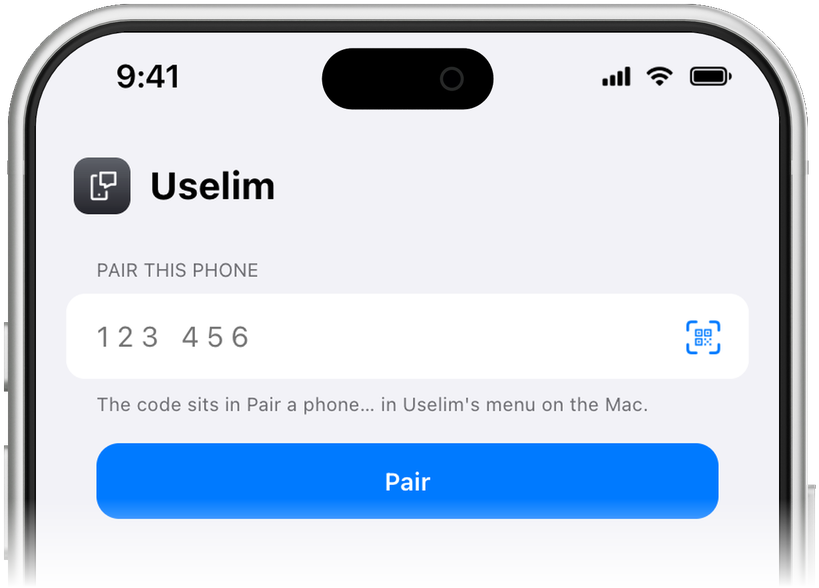
Four guards close the doors a browser or another device could open. Every request must name a host the server knows, which turns away DNS rebinding, where a hostile page points its own name at 127.0.0.1. Every API call must carry a custom header: a page on another site can add one only after a CORS preflight, and this server approves zero preflights; the web app's own fetch calls add the header on every request. Every call carries a key. Pair a phone… on the Mac shows six digits from the system's secure random source, in large type beside a copy button and a QR code whose link carries them in its fragment; the phone's pairing screen reads the QR code through the scan icon in its field, or takes the digits typed in. Within ten minutes the digits pair that one phone, which trades them for a key of its own, 32 random bytes the Mac keeps as a hash beside the phone's name, and fresh digits follow. Pair a phone… lists the paired phones, each with Remove, which ends its key and its notifications, and Uselim's own parts on the Mac carry a local key that only the user's account can read. And requests through Tailscale name the tailnet login behind them, so a login other than the Mac's own is refused. A device that sends five wrong keys waits a minute, doubling with each further one up to an hour, devices yet to pair share one such count, and the long polls the mods use answer the Mac's own processes alone.
// condensed from check() in Relay.swift (Uselim 1.1.0), before any route answers: a known Host, the custom header
// and a known Origin on every API call; from the tailnet, the Mac's own Tailscale login and a key on every call
guard hostKnown(request.headers["host"]) else { return reply(.text("Host refused", status: 403)) }
if request.path.hasPrefix("/api/") || request.path.hasPrefix("/relay/") {
    guard request.headers["x-uselim"] == "1" else { return reply(.text("Header missing", status: 403)) }
    if let origin = request.headers["origin"], !originKnown(origin) {
        return reply(.text("Origin refused", status: 403))
    }
}
if isRemote(request) {
    if request.path.hasPrefix("/relay/") { return reply(.text("Local only", status: 403)) }
    if request.path.hasPrefix("/api/") {
        // Tailscale Serve names the tailnet login behind each request: one naming another login stops here
        if let login = request.headers["tailscale-user-login"]?.lowercased(),
           !tailnetLogin.isEmpty, login != tailnetLogin.lowercased() {
            return reply(.text("Login refused", status: 403))
        }
        let from = device(request)
        let key = keyOf(request.headers["x-uselim-key"], path: request.path)
        if key == .blank { return reply(.text("Pairing needed", status: 401)) }
        if let wait = pausedFor(from) {
            return reply(.json(["error": "Too many tries", "wait": wait], status: 429))
        }
        // … wrong or spent keys count per device and across devices yet to pair, each count with its own pause
        switch key {
        case .phone(let id): know(from); see(id)       // a paired phone's own key
        case .pairCode, .legacy: know(from)            // the six digits, or the code from before 1.1.0
        default: return reply(.text("Pairing needed", status: 401))
        }
    }
} else if request.path.hasPrefix("/api/") || request.path.hasPrefix("/relay/") {
    // from the Mac itself: Uselim's own parts carry a local key that only the user's account can read
    guard isLocalKey(request.headers["x-uselim-key"]) else { return reply(.text("Key needed", status: 403)) }
}
Replies render through an escaper first, then a fixed set of tags, so a reply that quotes HTML stays text inside an app that can send prompts.
The phone app: a Home Screen web app
Added to the Home Screen from Safari, a web app opens full screen with its own icon, and from iOS 16.4 it can receive web push. A few tags in the page and a manifest are all it takes. viewport-fit=cover lets the layout run under the rounded corners, and interactive-widget=resizes-content shrinks the page when the keyboard opens, so the message box stays in view.
<meta name="viewport" content="width=device-width, initial-scale=1, viewport-fit=cover, interactive-widget=resizes-content">
<meta name="apple-mobile-web-app-capable" content="yes">
<meta name="apple-mobile-web-app-title" content="Uselim">
<meta name="theme-color" content="#f2f2f7" media="(prefers-color-scheme: light)">
<meta name="theme-color" content="#000000" media="(prefers-color-scheme: dark)">
<link rel="manifest" href="/manifest.webmanifest">
<link rel="apple-touch-icon" href="/icon.png">{
"name": "Uselim",
"short_name": "Uselim",
"start_url": "/",
"scope": "/",
"display": "standalone",
"background_color": "#000000",
"theme_color": "#000000",
"icons": [{ "src": "/icon.png", "sizes": "512x512", "type": "image/png", "purpose": "any" }]
}
Choices and what each costs
| Choice | Taken | The other side |
|---|---|---|
| Phone app | A Home Screen web app: free, push notifications, updates arrive with the Mac app | A native SwiftUI app: free signing expires every 7 days, and push needs the Apple Developer Program at USD 99 a year |
| Network | Tailscale: free for personal use, one sign-in per device, private | Home Wi-Fi alone, with a self-made certificate trusted on the phone; a public tunnel, where a passcode becomes the only lock; a cloud middleman, where the chats' text sits on a third party's servers |
| Serve settings | HTTPS certificates on, Funnel off | Funnel opens a service to the whole internet |
Why VS Code over Cowork
Anthropic's Cowork takes multi-step work inside Claude Desktop, and its Dispatch agent takes a task from a phone. This setup takes the other road: Claude Code itself, in VS Code, in the repositories, with a relay of its own. The strengths below sit against what Cowork's own documentation shows, so the comparison stays fair.
| Strength | This setup | Cowork, as its docs describe it |
|---|---|---|
| Chats that work together | Many chats side by side in VS Code, each owning a topic, messaging each other live with a code per hand-off, so a piece of work is done once | A project holds folders, instructions and a memory store shared by the sessions inside it; Dispatch runs child tasks under one conversation, and child tasks spawn zero children of their own; a task messaging another task sits outside what the reviewed docs describe |
| Real code, real tools | Full Claude Code in the repositories: git, builds, the dev server, the terminal, hooks | Built for files and everyday work in Claude Desktop with a built-in browser; Dispatch hands coding work to Code, against a workspace set up beforehand |
| The phone reaches the same chats | Reply, stop a turn, send files and photos, answer questions and permissions, the first answer standing | Dispatch: one conversation with the agent, phone to desktop, with the desktop open, awake and online; a permission left ten minutes goes as denied |
| A notice per chat | Each chat's reply, question or permission as its own notice; the chat open on the screen stays quiet | Progress and results in the Dispatch sidebar, on either device |
| Limits in sight | The 5-hour and weekly limits in the menu bar and on the Touch Bar, orange at 60%, red at 80% | The product page says Cowork consumes limits faster than chat; the figures live in the usage panel |
| Private by construction | The Mac and a Tailscale network of your own devices, zero hosting | Cloud tasks run on Anthropic's servers ("close your laptop, it keeps going"); a local mode runs on the computer |
| Work that survives | Handoff notes, memory files and full transcripts; a chat resumes by its opening words | Project memory persists across the sessions of one project, on the computer; a Dispatch child task keeps its transcript in the sidebar |
Where Cowork wins
- Zero setup beyond the desktop app: this relay takes a mod, a Mac app, a web app and Tailscale.
- Cloud tasks keep going with the laptop closed; this setup needs the Mac on.
- Built for people who work in documents, spreadsheets and decks rather than code, with plugins, skills and connectors from one Customize menu.
- Scheduled tasks on any cadence, unattended.
Things to know
- A chat open before the plugin is installed loads it with
/reload-plugins; that path skips the session's start, so the mod also registers the chat at its next turn. - Phone starts off on a new install, and on by itself where a phone already subscribed to notices.
- Tailscale's macOS package installs a system part and asks for the Mac's password once.
- The first request to a new Serve address can time out while its certificate is issued; the next one answers at once.
- An HTTPS certificate puts the device's name in public Certificate Transparency logs. The name shows; access stays with the tailnet.
- The phone reaches the chats while the Mac is awake with Uselim running, and both devices are online on the tailnet.
- Web push encryption is worth proving against an independent decoder before any phone subscribes, since a notice that fails to decrypt arrives blank.
Sources: Claude Code's mods overview, mods API and Remote Control pages; Tailscale's Serve documentation and pricing; Apple's Developer Program; Apple's Network framework; the Cowork overview, Dispatch, projects and the Cowork product page.
- ClaudeClaude Code in VS Code
- Swiftthe Mac app
- Tailscalethe private network
- VS Codethe chats
- Published
- Author
- Simon Booban
- Category
- AI & Automation