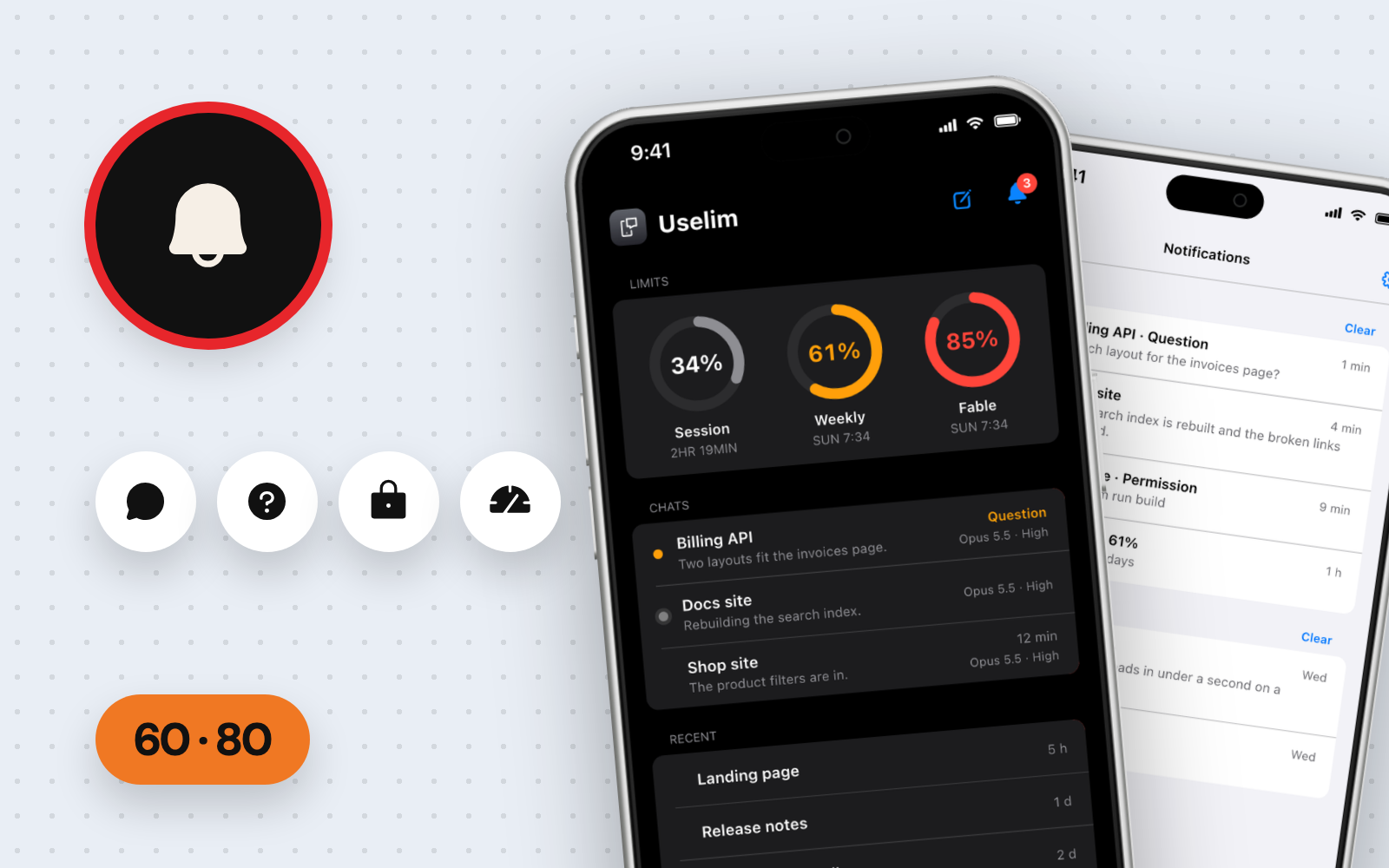
Web push notifications on an iPhone, sent from a Mac
A web app added to the Home Screen, a Progressive Web App (PWA), receives iOS web push notifications on iOS 16.4 and later (WebKit), with zero App Store and zero developer account; web apps reach a narrower set of platform features than native ones. This episode follows one notice end to end, on the relay from Episode 2: the phone subscribing, the Mac sending an encrypted request to Apple's push service, and the service worker showing it. Then the app around it: a log of every notice behind a bell, a switch per kind, a chat that stays quiet while it is on screen, and the usage limits drawn as rings.
Get the app: everything here ships in Uselim, free on GitHub. Culpmit installs it from its Claude limits switch, and How to Use Uselim walks through the setup.
The goal
- A notification for every reply, question, permission and limit step, each kind with a switch; Episode 7 covers answering the questions and permissions themselves.
- Every notice kept in the app, read or unread, whatever the switches send to the lock screen.
- Quiet for the chat already open on the phone's screen.
- The usage limits at a glance on the home screen.
Subscribing: permission inside a tap
iOS asks for notification permission in answer to a tap, in a web app opened from the Home Screen over HTTPS. Inside that tap the page asks for permission, registers its service worker and subscribes with the server's VAPID public key. The subscription holds an endpoint URL at Apple's push service and two keys for encryption; the page sends it to the Mac, which keeps it in the relay folder.
// inside the tap: iOS asks for permission only in answer to one
async function turnOnPush(serverKey) {
  const permission = await Notification.requestPermission()
  if (permission !== 'granted') return false
  const registration = await navigator.serviceWorker.register('/sw.js')
  await navigator.serviceWorker.ready
  const subscription = await registration.pushManager.subscribe({
    userVisibleOnly: true,
    applicationServerKey: keyBytes(serverKey),   // the server's VAPID public key
  })
  // the endpoint and keys go to the Mac, which sends every notice through them
  await fetch('/api/push', {
    method: 'POST',
    headers: { 'X-Uselim': '1', 'Content-Type': 'application/json' },
    body: JSON.stringify({ subscription: subscription.toJSON() }),
  })
  return true
}

function keyBytes(text) {
  const plain = text.replace(/-/g, '+').replace(/_/g, '/')
  const raw = atob(plain + '='.repeat((4 - (plain.length % 4)) % 4))
  return Uint8Array.from(raw, c => c.charCodeAt(0))
}
userVisibleOnly: true promises a visible notice for every push, which Safari requires. The VAPID key travels as base64url text, and the browser takes it as bytes, hence keyBytes.
The service worker
The service worker wakes for each push, shows the notice and sleeps again. A tap on the notice opens the app at the chat it names. A tag replaces an older notice with the same tag, so a chat's newest reply takes the place of its last.
// sw.js: shows each pushed notice, and a tap opens the chat it names
self.addEventListener('push', event => {
  const data = event.data ? event.data.json() : {}
  event.waitUntil(
    self.registration.showNotification(data.title || 'Claude', {
      body: data.body || '',
      tag: data.tag || undefined,
      data: { url: data.url || '/' },
    }),
  )
})

self.addEventListener('notificationclick', event => {
  event.notification.close()
  const url = new URL(event.notification.data?.url || '/', self.location.origin).href
  event.waitUntil(self.clients.openWindow(url))
})
The payload is a small JSON document: a title with the chat's name and kind, the words, the address inside the app and the tag.
{ "title": "shop · Question", "body": "Which header height?", "url": "/#chat=<session>", "tag": "<session>-ask" }Sending web push from a server: aes128gcm and VAPID
The Mac sends each notice as one HTTP POST to the subscription's endpoint, shaped by three standards on top of the push protocol itself, RFC 8030:
- RFC 8291 encrypts the payload for one subscription: a fresh key pair per message, an ECDH secret with the phone's public key, and the phone's auth secret, sealed with AES-128-GCM.
- RFC 8188 frames the result as one
aes128gcmrecord whose header carries the salt, the record size and the fresh public key. - RFC 8292, VAPID, signs the request: a JWT signed with ES256 whose audience is the push service's origin, valid twelve hours, sent beside the server's public key.
Each layer does its own job: the RFC 8291 encryption keeps the payload readable by the phone alone, HTTPS protects the request on its way to the push service, and VAPID identifies the sending server to that service.
POST <the subscription's endpoint>
Content-Encoding: aes128gcm
Content-Type: application/octet-stream
TTL: 86400
Urgency: high
Authorization: vapid t=<a JWT signed with ES256, audience the push service, 12 hours>, k=<the VAPID public key>

<one aes128gcm record: the payload encrypted for this one subscription>
TTL keeps an undelivered notice for a day, and Urgency: high asks for delivery at once. Push is asynchronous and best-effort: delivery time and receipt depend on connectivity, platform behaviour and the phone's notification settings. A 404 or 410 from the push service means the subscription has retired, and the Mac drops it from its list.
Errors in the encryption stay hidden on the phone: a notice that fails to decrypt arrives blank or stays away. Checking the record and the JWT against an independent implementation, Node's crypto for one, before any phone subscribes saves a blind hunt.
A log of every notice, behind a bell
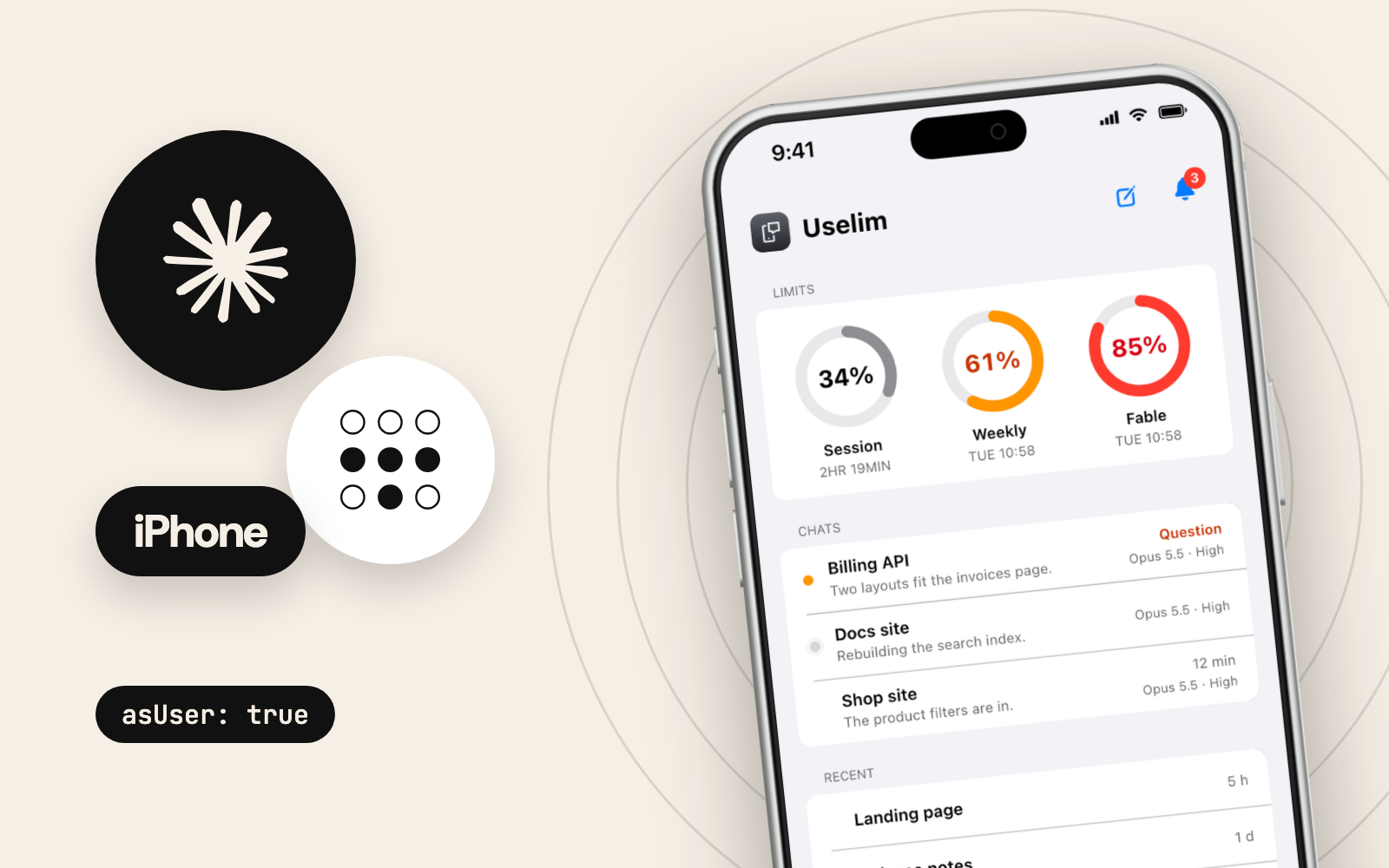
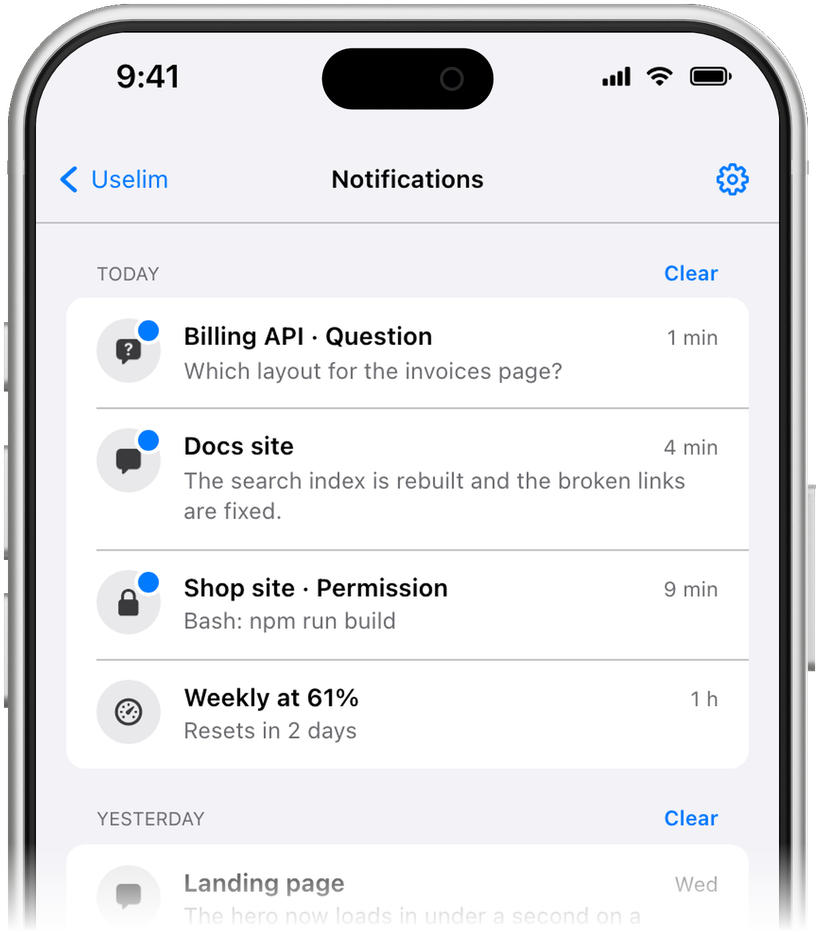
Banners come and go; the app keeps the record, a log of Uselim's own beside iOS's Notification Center history. The Mac writes every notice it would send as a row (kind, title, words, time and a read flag), whatever the switches say, for two weeks and 300 rows at most. The bell on home carries the unread count and opens Notifications: a card per day (Today, Yesterday, a weekday, then a date) with Clear beside it, a grey mark per kind and a blue dot while unread.
A notice counts as read once opened: a tap on it, or its chat opened on the phone, from a push's tap included. A tap opens the chat, and a limit's notice opens home. The phone asks for the log with a version stamp, so an unchanged log stays off the network.
Switches: a main switch and one per kind
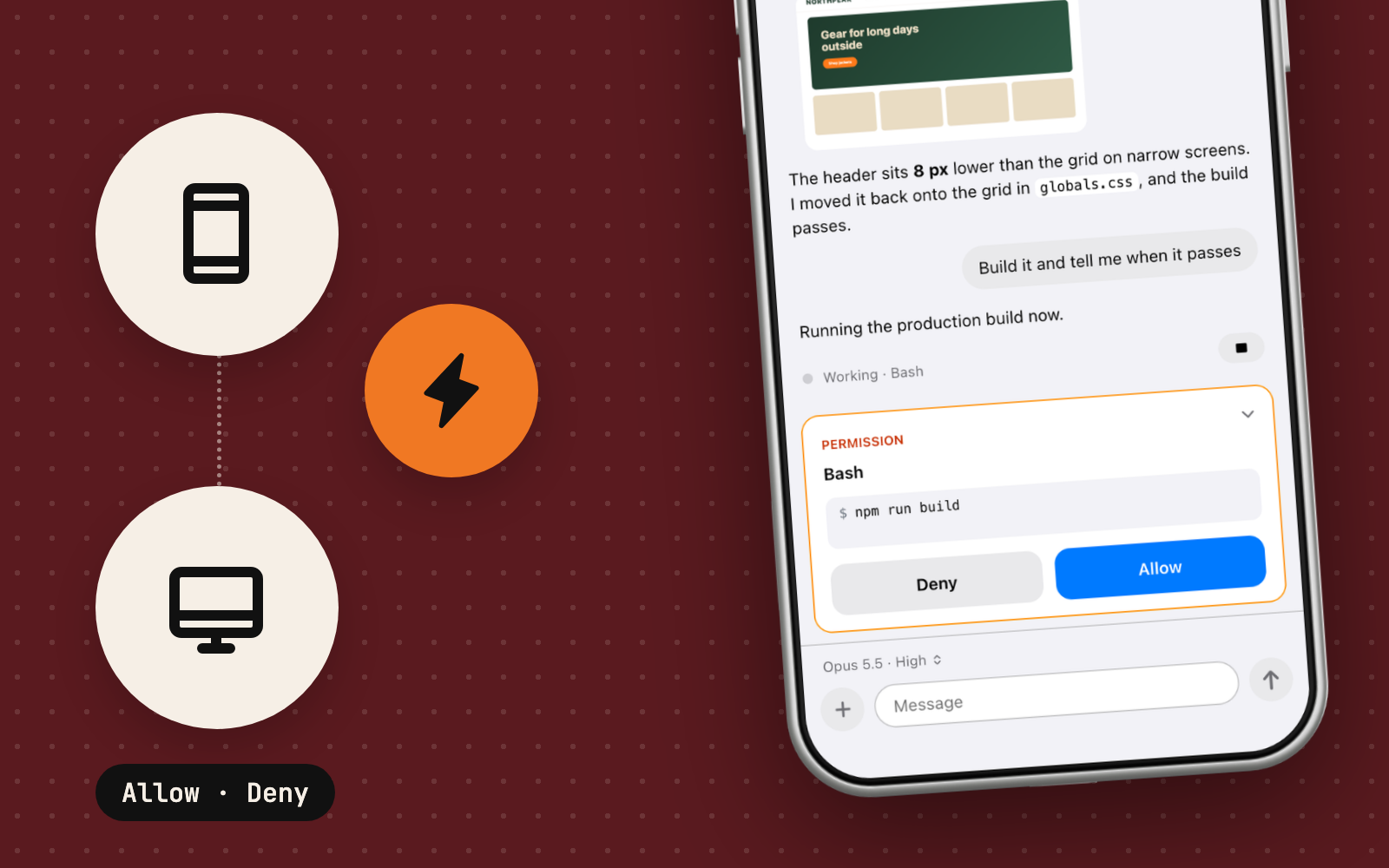
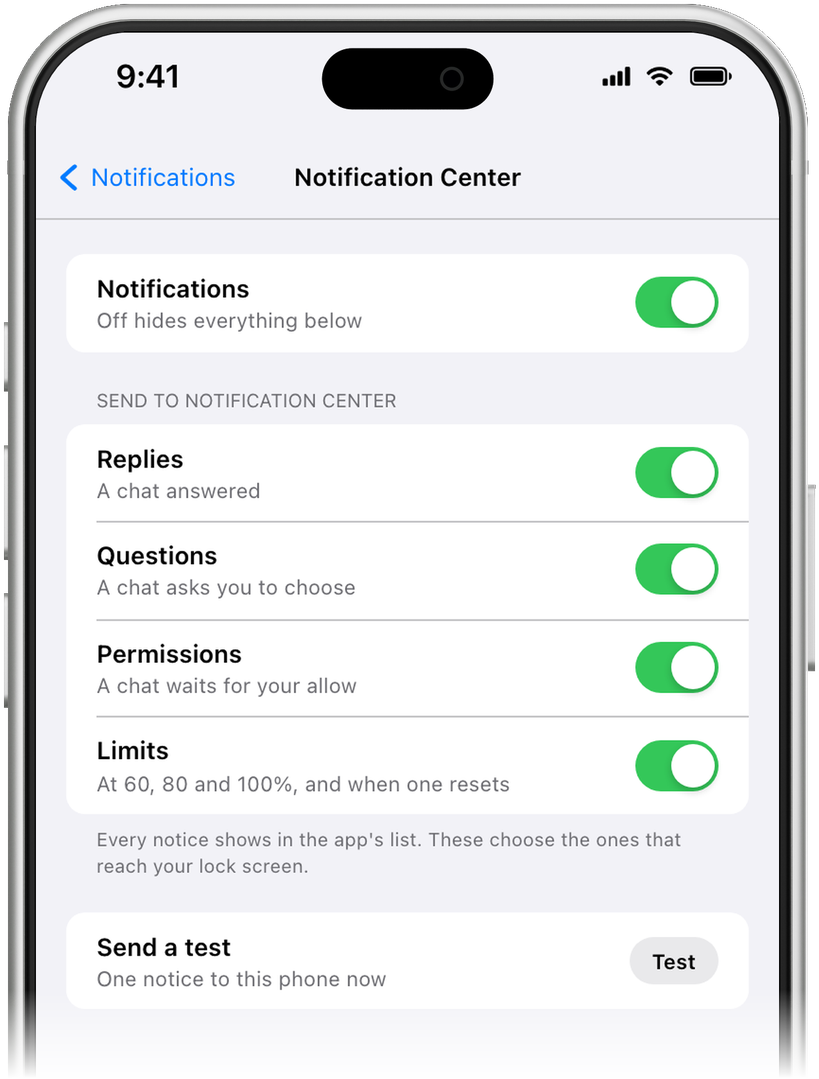
The gear opens Notification Center. The main switch carries the subscription too: on a phone yet to subscribe it reads off, and turning it on asks iOS for permission inside that same tap. Off stops every push at the source, on the Mac, while the log keeps filling. Under it sits a switch per kind (replies, questions, permissions, limits) and Send a test, one notice to this phone now. A phone that blocked notices, or a Safari tab outside the Home Screen app, shows the switch dimmed with its reason.
A quiet chat: muting notices for the chat on screen
A chat open on the phone's screen already shows its replies, so a banner for them is noise, and Uselim mutes them by an app-level rule of its own. While a chat is open, the phone asks the Mac for it every three seconds. The Mac remembers the last chat asked for, and a reply or question from that chat within eight seconds of the last ask skips the push and logs as read. Another screen of the app, or eight seconds with zero asks, ends it. Limits notify as usual.
Usage limit rings on the home screen
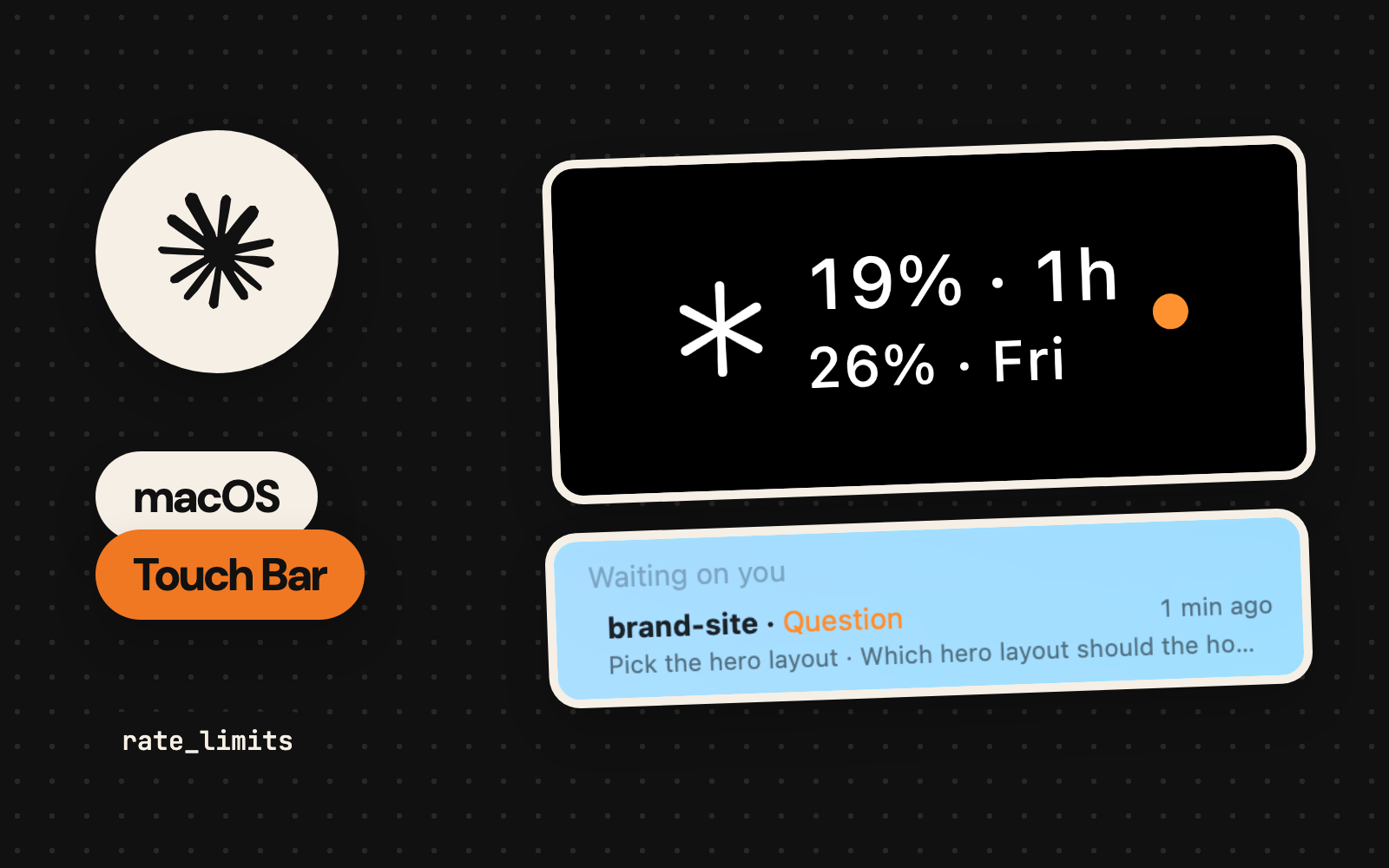
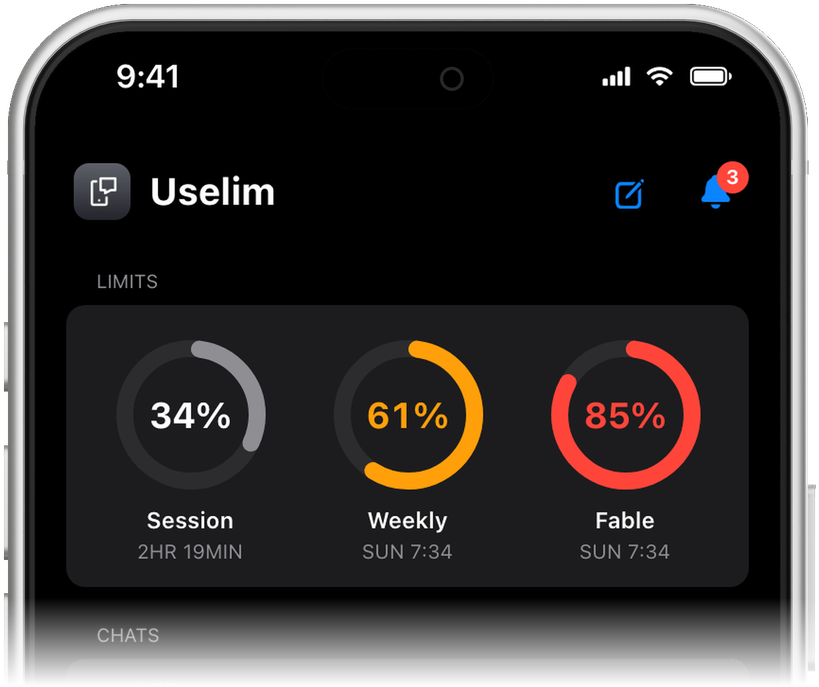
Home draws each Claude usage limit as a ring, from the most recently retrieved figures: the share inside, the short name beneath (Weekly for Weekly (7 days)) and the time to its reset: 2HR 23MIN within a day, and past a day the reset's weekday and time in the phone's clock style. Rings are grey, orange from 60% and red from 80%, the same lines as the menu bar (Episode 1), and grey throughout once the figures are ten minutes old.
A ring is two SVG circles on one centre: a light track and a coloured arc drawn with stroke-dasharray, a dash as long as the share of the circumference, then a gap. Round line caps reach half the stroke width past each end of the dash, so the dash is one stroke width shorter and starts half a stroke in; the arc then ends at its true share, and 98% keeps its gap. A full ring is one plain circle. With a radius of 35 and a stroke of 9, the circle measures about 220 units, and 61% draws a dash of about 125.
Things to know
- Apple's push service carries the notice to the phone wherever it is; the private network carries the app's pages and API alone.
- iOS keeps a Home Screen icon from the day the app was added; a new icon shows after removing the app and adding it again, and the main switch then asks for permission once more.
- The phone's limit notices use short names (Weekly at 61%); the Mac's own notices keep the full names.
clients.openWindowin the service worker opens an address inside the app's scope, so a tap lands on the chat in the Home Screen app.
Sources: WebKit's Web Push for Web Apps on iOS and iPadOS; Apple's Sending web push notifications in web apps and browsers; MDN's Push API and showNotification pages; RFC 8030, 8188, 8291 and 8292.
- Swiftthe push sender
- ClaudeClaude Code
- Tailscalethe private network
- Published
- Author
- Simon Booban
- Category
- AI & Automation