Culpmit
Culprit Limiter for Intel Macs that run hot.
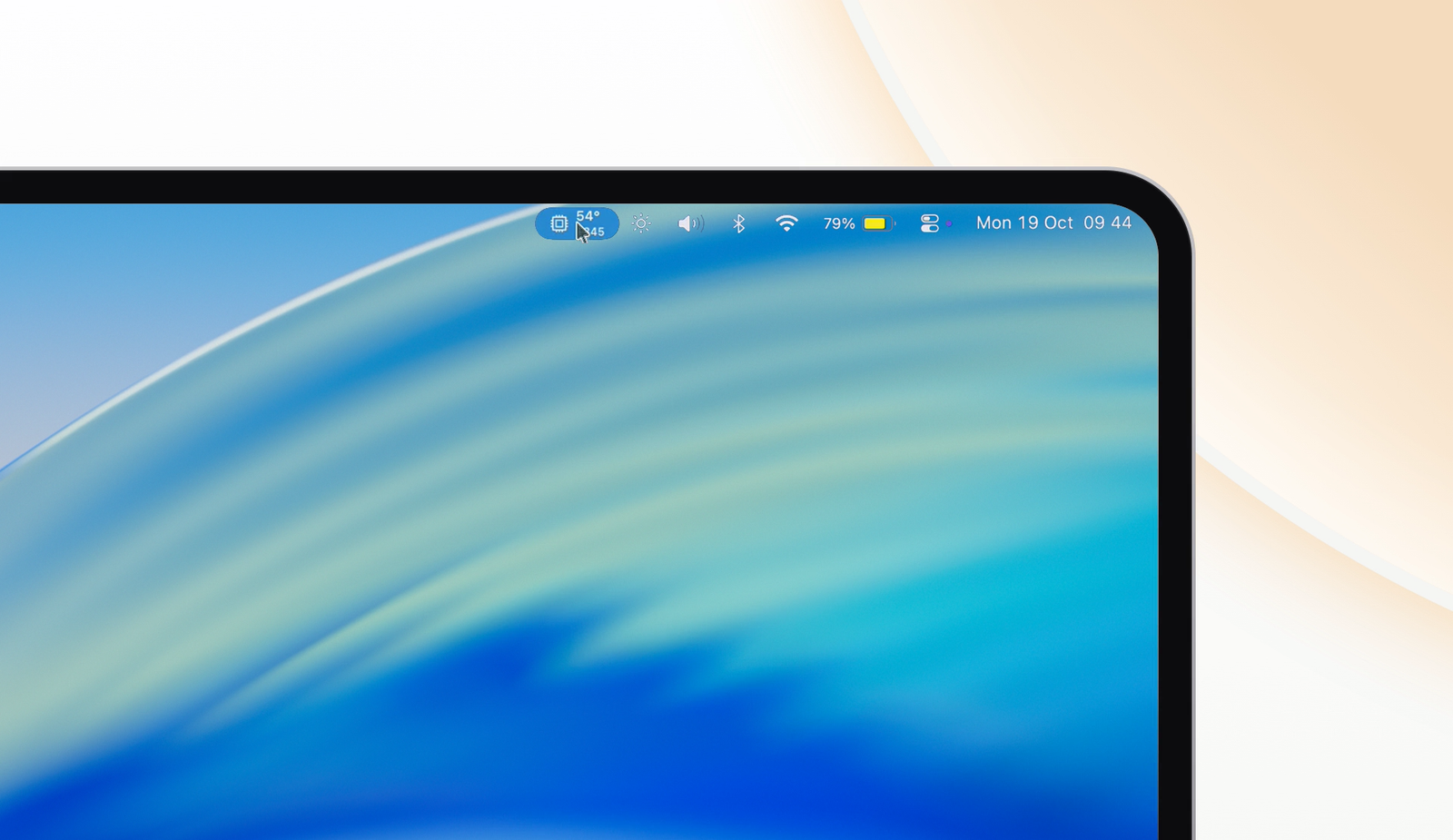
Culpmit sits in the menu bar with the CPU temperature over the fan speed. When something heats the Mac, it names the app and holds it to a share of the processor, so the fans settle and the work carries on.
On this page
What it does
Readout
The CPU temperature over the faster fan's speed in the menu bar, live every second; each figure turns orange at its alert's line and red at 90%.
Busy apps
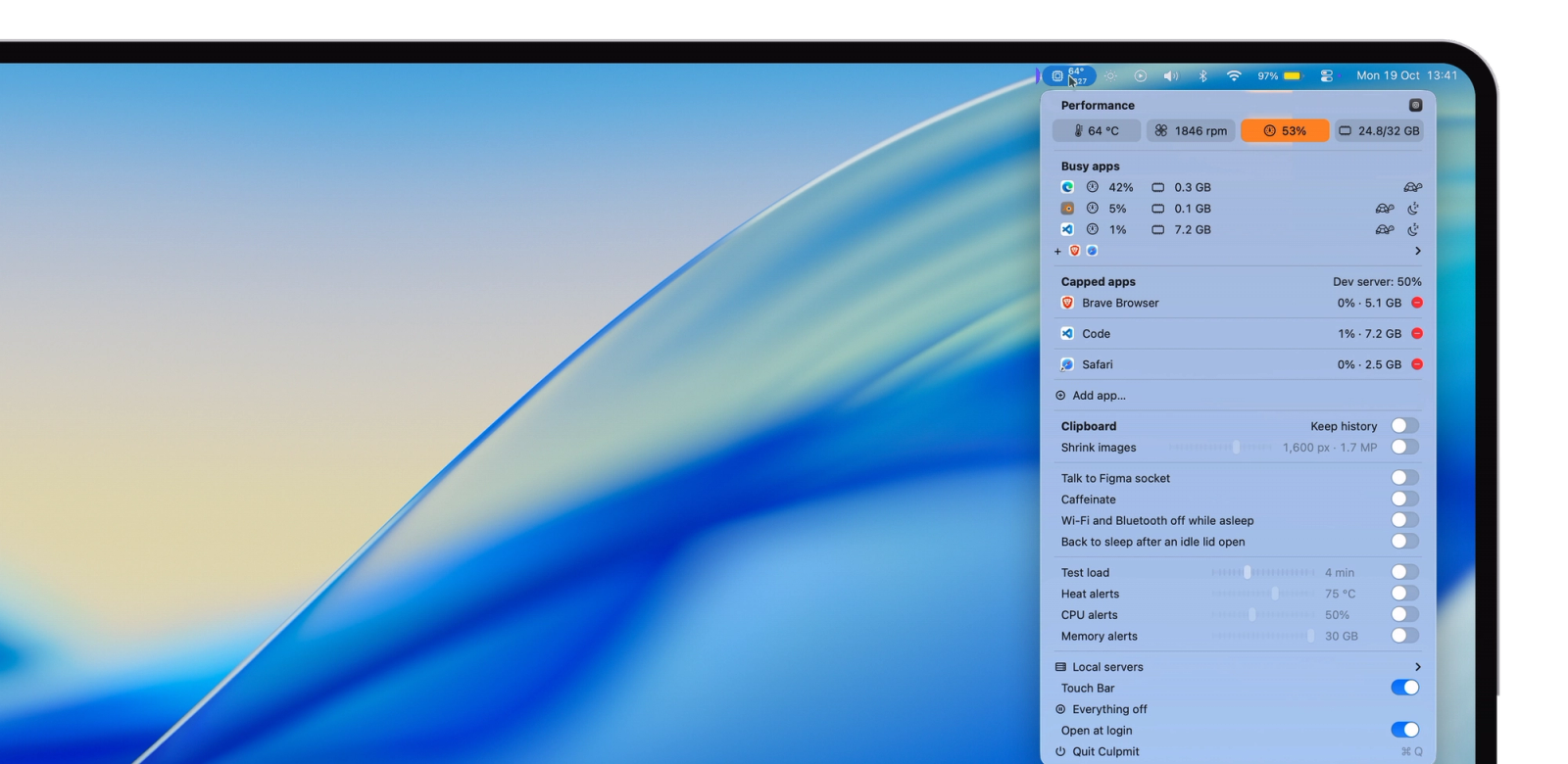
Apps using half a core or more, plus the three holding the most memory, each with a tortoise to cap it and a moon to idle it.
Capped apps
Every app you cap, with every process it starts, held to a share of the Mac from 5% to 80%, beside its memory line.
Memory alerts
When memory used stays past your line, or macOS keeps moving memory to swap, a notification names the heaviest app with Idle.
CPU alerts
At a line you set from 25 to 90% of the whole Mac, held for a minute, a notification names the busiest app with Cap and Idle.
Red alerts
A figure at 90% for a minute brings one more alert while its switch is on; with the switch off, the figure turns red in silence.
Heat alerts
At a line you set from 50 to 90 °C, held for a minute, a notification names the busiest app with Cap and Idle.
Test load
Seven small test apps for one to thirty minutes, so you can watch Busy apps fill, the alerts arrive and Cap and Idle at work.
Shrink images
Each screenshot on the clipboard shrinks to a size you choose, 800 to 2,000 px on its long side, so it pastes light into chats and docs.
Clipboard history
The last ten items, text and images, held in memory; text copied on an iPhone, iPad or another Mac joins the list.
Sleep
Caffeinate on demand, Wi-Fi and Bluetooth off while the Mac sleeps, and a list of the apps keeping the Mac awake.
Dev tools
Every local server listening on the Mac, one click to open, a cap on a next dev run and a switch for the Talk to Figma socket.
Touch Bar
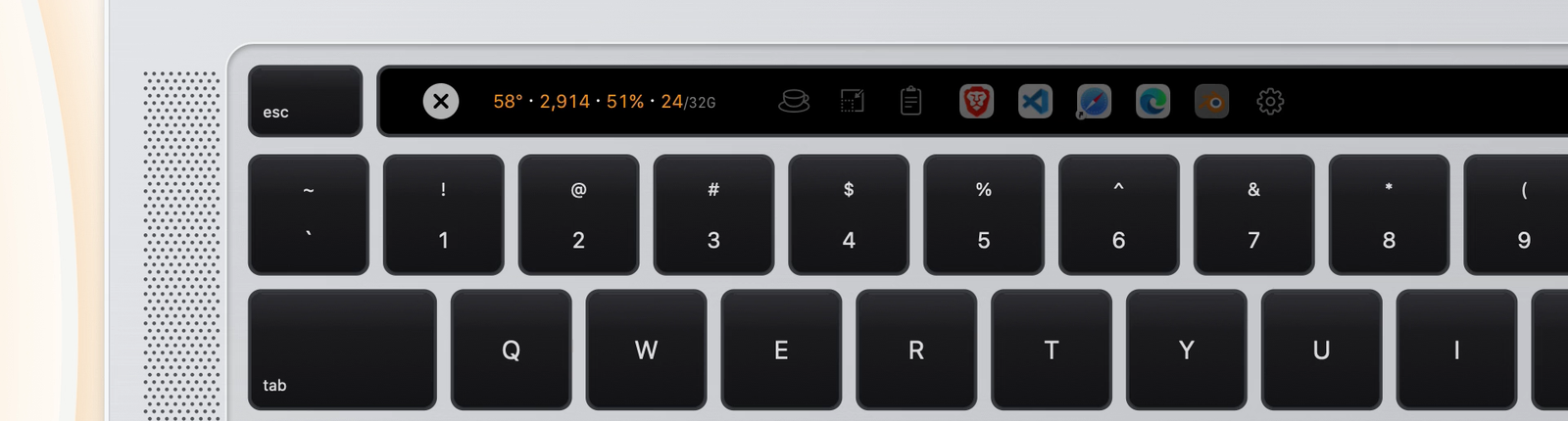
The readout, the switches, the clipboard and a row of apps: a tap does the item's action, a hold opens its details.
Everything off
One click turns every switch and cap off and wakes idled apps; Everything back turns on what was on before.
Touch Bar and clipboard history


Install
Download
curl
curl -fsSL https://raw.githubusercontent.com/booban1/culpmit/main/install.sh | bashHomebrew
brew tap booban1/culpmit https://github.com/booban1/culpmit brew install --cask culpmitThe first open asks for the same one-time confirmation as a download.
npx
npx github:booban1/culpmit
Requirements
- An Intel Mac with macOS 13 Ventura or later. Apple silicon support comes in a later version.
- The Touch Bar strip appears on MacBook Pros with a Touch Bar.
Privacy
- Clipboard history lives in memory and clears when Culpmit quits.
- The one network call is the update check to GitHub releases.
- Settings live in ~/Library/Preferences/com.simonbooban.culpmit.plist and the log in ~/Library/Logs/Culpmit.log.