When a download keeps failing
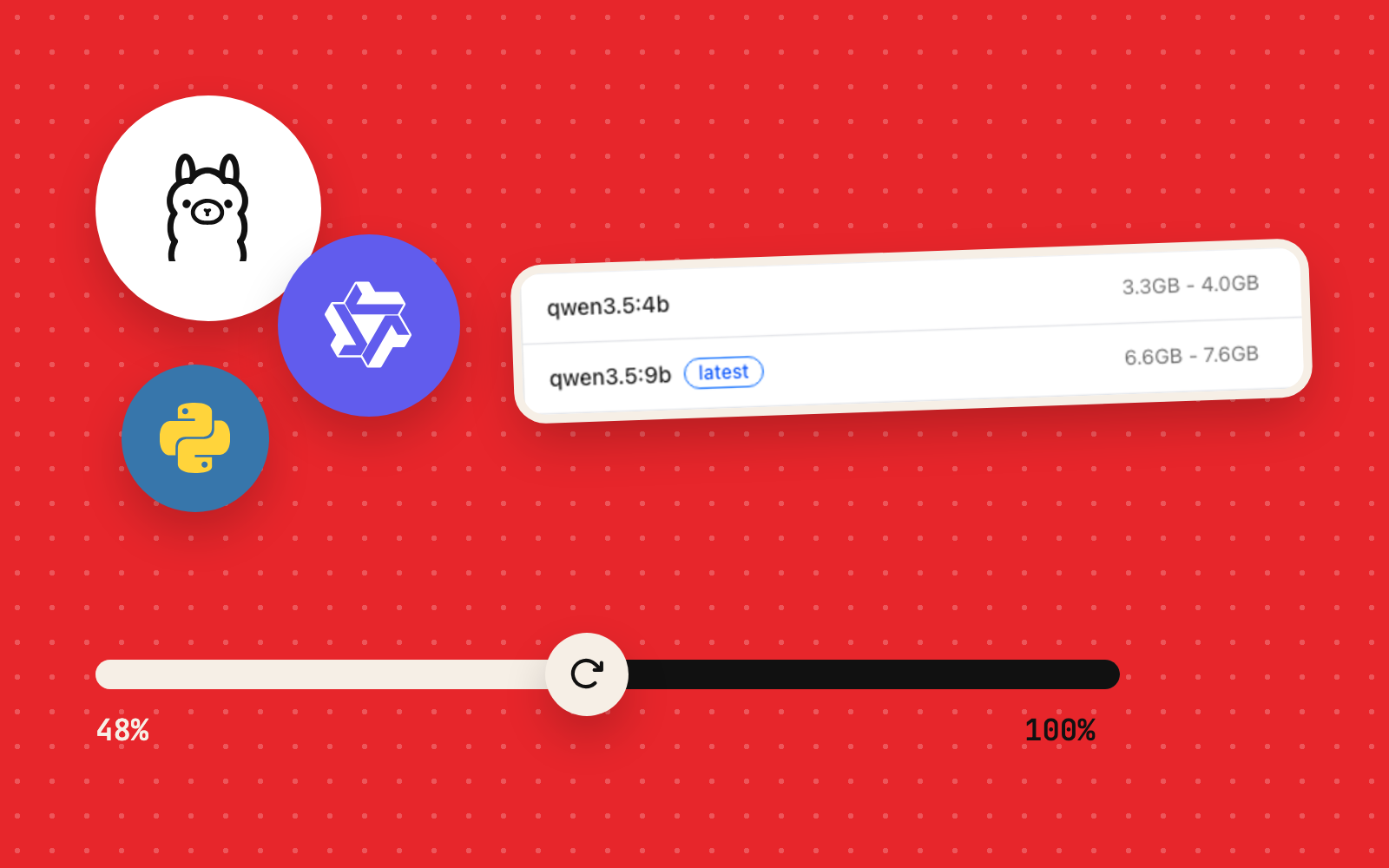
A dropped connection should cost a few seconds of a multi-gigabyte download. Here it cost whole transfers. Unreliable connectivity, large registry blobs and changing download behaviour turned a routine ollama pull into a cycle of partial transfers. Qwen3.5 4B stopped with 200 MB left in one large layer. Qwen3.5 9B later failed at 48% and again at 91% of its 5.6 GB model layer. The recovery came from a persistent, resumable Python downloader with integrity checks.
This guide covers the observed failures, a safe first-response checklist, what an HTTP resume mechanism must do, and how to verify that Ollama holds a complete model. It ends with the actual Python helper that finished the 9B download.
Both models made it in the end. Qwen3.5 4B installed after retries, and Qwen3.5 9B, about 6.6 GB with its vision component, completed overnight, as the helper’s cache records.
What you'll learn
- How to tell an interrupted download from a model that is installed and simply idle.
- Why the progress percentage of one blob differs from the progress of the whole model.
- How to retry conservatively while keeping reusable data and finished components.
- What
caffeinatefixes, and why broken network transfers sit outside its reach. - How HTTP byte-range continuation, strong integrity checks, and atomic finalization fit together.
- How to distinguish a completed transfer from a model registered and runnable in Ollama.
Test environment and the actual model sizes
| Component | Configuration |
|---|---|
| Computer | 2019 16-inch MacBook Pro; Intel Core i9; 32 GB RAM |
| Operating system | macOS Tahoe 26.0 |
| Model manager | Ollama 0.40.6 |
| Small working model | qwen3.5:0.8b-q8_0, about 1 GB |
| First interrupted model | qwen3.5:4b, about 3.3 GB in total |
| Difficult download | qwen3.5:9b, about 6.6 GB in total |
| Notable 9B blobs | Vision component about 921 MB; large model layer about 5.6 GB |
| Connection | Variable, with repeated interruptions during large transfers |
- Ollama0.40.6
- Qwen3.5 4B and 9B
- Pythonresume helper
- curlbyte-range resume
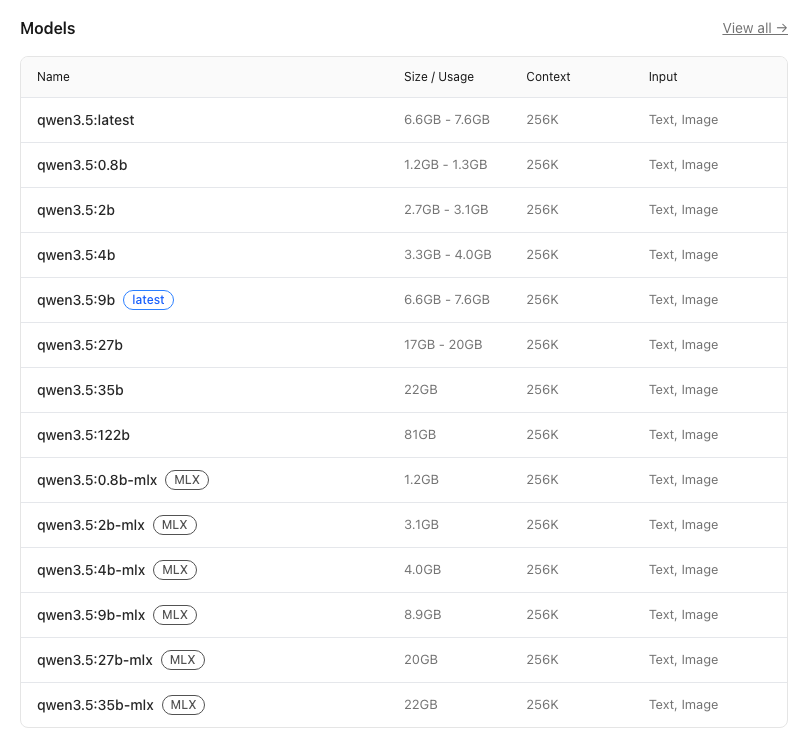
Total model size and individual layer size are different numbers. The 9B registry pull fetched several objects, including a 921 MB vision blob and a 5.6 GB model blob. The console showed progress for whichever object was transferring at that moment, one percentage per object. Sizes here are the rounded values Ollama reported.
1. Recognise the failure: unexpected EOF
Ollama's ordinary workflow starts with a manifest and then downloads the associated blobs:
ollama pull qwen3.5:9bOne failed attempt produced this output:
pulling f836f08f9211: 100%   921 MB/921 MB
pulling 02d45dc1cf45:  48%   2.7 GB/5.6 GB
Error: unexpected EOF
An EOF (“end of file”) error during transfer means the connection or stream ended before the expected data arrived. The cause could be a corrupt local file, a server closing the connection or an unstable network path; the error alone leaves that open. Treat it as a symptom to investigate.
The problem reached beyond 9B. An earlier 4B download had reached 2.4 GB of a 2.6 GB layer (about 92%) before reporting the same error. During another early attempt, 9B stopped at 2% of its large layer. At that stage, ollama list showed the completed 0.8B model alone; both partially fetched models were still unregistered.
2. Diagnose before retrying
Start with checks that leave files alone and start zero new transfers. Run these in a normal macOS Terminal:
ollama --version
ollama list
ollama ps
The commands answer different questions:
| Command | What it establishes |
|---|---|
| ollama --version | Which Ollama client version is installed |
| ollama list | Which model tags have completed installation and registration |
| ollama ps | Which already-installed models are currently loaded for inference |
An empty ollama ps means zero models are loaded at that moment, and your downloads may be perfectly intact. Equally, partial files on disk are separate from what ollama list recognises.
Check disk space before you retry:
df -h "$HOME"
du -sh "$HOME/.ollama/models" 2>/dev/null
A model download can need temporary space on top of its final installed footprint. A full disk can mimic network problems or stop completion. The default model directory on macOS is ~/.ollama/models, and a custom OLLAMA_MODELS setting can move it. Keep blobs, partial files and manifest directories in place while an install is incomplete: they may hold reusable data.
If you think a pull is still running, check the process; a frozen progress display can hide a live transfer or a dead one:
ps -axo pid,etime,command | grep '[o]llama pull'If the process has ended and the Terminal shows an error, a new ollama pull is a fresh retry of the job. Keep the model server running while diagnosing, unless something else calls for stopping it.
3. Try the simplest recovery first
For the 4B model, we chose the least disruptive route: retry the same tag, one model at a time.
ollama pull qwen3.5:4bWait for completion, then run:
ollama listOutcome: The 4B model eventually completed and appeared in Ollama's list. That success justified another attempt on 9B; whether the downloader resumes from the exact last byte remained an open question.
For 9B, we tried keeping macOS awake for the duration of the pull:
caffeinate -i ollama pull qwen3.5:9bcaffeinate -i holds off idle sleep while the wrapped command runs. Wi-Fi reliability, a remote server closing the connection and the fate of a partial blob after a failure all sit outside its reach. The 9B download kept failing with it in place.
If a pull stalls, run one copy of one download at a time. Here, saving bandwidth and diagnosing one failure at a time worked better than launching 4B and 9B together.
4. Why 91% fell short, and how retries wasted bandwidth
Later, the 9B transfer got dramatically closer to completion:
pulling f836f08f9211: 100%   921 MB
pulling 02d45dc1cf45:  91%   5.1 GB/5.6 GB
Error: unexpected EOF
A later attempt visibly began transferring the 921 MB blob again from 47 MB (5%), although that blob had already shown as complete. That observation was the turning point: rerunning ollama pull had stopped being a workable strategy on a bandwidth-constrained connection.
Ollama's download implementation has changed across releases and code paths. Issue reports describe both reuse of completed chunks and interrupted transfers that restart or discard incomplete chunks. So “Ollama always resumes” and “Ollama always restarts” are both unreliable rules. Watch what your client and server version actually do; the issue links in the references show both behaviours.
A misleading troubleshooting detour: Ollama's context-length settings (32K, 8K and 4K) also got tried while investigating inference performance. Context length affects model execution and memory use; registry download resumption is a separate system. Changing it left unexpected EOF exactly as it was.
5. A resilient download needs more than retries
The successful recovery used a Python helper located on the test Mac at:
~/Downloads/resume_qwen9b.pyThe helper keeps partial data across failed attempts and resumes the large transfer from the saved bytes. Its finished transfer passed integrity checks, and the 9B model became available in Ollama. The steps below are the algorithm; the complete script follows them.
The essential recovery algorithm
- Resolve the exact model version. Fetch its manifest and record the expected digest and byte count for each required blob; a tag can point to different bytes over time.
- Write to a stable partial filename. If a transfer ends early, keep the partial file on disk.
- Request only the remaining bytes. For a partial file of length
N, useRange: bytes=N-when the remote endpoint supports byte ranges. - Validate the server's response. A continuation must return the requested byte range (
206 Partial Content). A full200 OKbody in its place must be discarded, because appending it would corrupt the file; curl's--continue-at -stops with exit code 33 in that case. - Recover from transient failures. Reconnect with bounded retries and backoff, preserving the existing verified prefix.
- Verify the final blob. Check its complete length and its SHA-256 digest against the manifest's digest before moving it into place.
- Finalise safely. Hand each blob to Ollama once it is complete and verified, then let Ollama resolve the remaining layers and register the model.
The SHA-256 check is crucial. A file can reach exactly the expected size and still contain wrong bytes. A success-looking progress bar and an integrity check are different things.
The helper that finished the download
This is the complete script that completed the 9B download on the test Mac, saved as ~/Downloads/resume_qwen9b.py. It keeps its cache in ~/Downloads/qwen9b-resumable, talks to the registry over HTTPS alone, and hands each verified layer to the local Ollama server before asking Ollama to register the model.
#!/usr/bin/env python3
"""Download official Qwen3.5 9B layers with a persistent, resumable cache."""
import argparse
import fcntl
import hashlib
import json
from pathlib import Path
import re
import shutil
import subprocess
import sys
import time

MODEL = "qwen3.5:9b"
REGISTRY = "https://registry.ollama.ai/v2/library/qwen3.5"
OLLAMA = "http://127.0.0.1:11434"
CACHE = Path.home() / "Downloads" / "qwen9b-resumable"
CURL = shutil.which("curl") or "/usr/bin/curl"


def small_get(url, local=False):
    args = [CURL, "--fail", "--silent", "--show-error", "--location",
            "--connect-timeout", "15", "--max-time", "45",
            "--max-filesize", "262144"]
    if not local:
        args += ["--proto", "=https", "--proto-redir", "=https"]
    return subprocess.check_output(args + [url])


def validate_manifest(manifest):
    if manifest.get("schemaVersion") != 2 or "manifests" in manifest:
        raise RuntimeError("Expected the Intel-compatible GGUF manifest.")
    entries = [manifest["config"]] + manifest["layers"]
    kinds = {entry.get("mediaType", "") for entry in entries}
    if not {"application/vnd.ollama.image.model",
            "application/vnd.ollama.image.projector"}.issubset(kinds):
        raise RuntimeError("Expected both language weights and the vision projector.")
    for entry in entries:
        if not re.fullmatch(r"sha256:[0-9a-f]{64}", entry["digest"]):
            raise RuntimeError("Unexpected layer digest.")
        if not isinstance(entry["size"], int) or entry["size"] <= 0:
            raise RuntimeError("Unexpected layer size.")
    return entries


def sha256(path):
    digest = hashlib.sha256()
    with path.open("rb") as source:
        for block in iter(lambda: source.read(8 * 1024 * 1024), b""):
            digest.update(block)
    return digest.hexdigest()


def stored_in_ollama(digest):
    result = subprocess.run(
        [CURL, "--silent", "--show-error", "--head", "--max-time", "10",
         "--output", "/dev/null", "--write-out", "%{http_code}",
         OLLAMA + "/api/blobs/" + digest], capture_output=True, text=True)
    if result.returncode or result.stdout not in ("200", "404"):
        raise RuntimeError("Open the Ollama app, then run this script again.")
    return result.stdout == "200"


def download(entry):
    digest, size = entry["digest"], entry["size"]
    target = CACHE / (digest.replace(":", "-") + ".download")
    label = entry.get("mediaType", "layer").rsplit(".", 1)[-1]
    for attempt in range(1, 13):
        offset = target.stat().st_size if target.exists() else 0
        if offset > size:
            raise RuntimeError("Cached file exceeds the expected size: " + str(target))
        if offset == size:
            print("Checking SHA-256 for " + label + "...", flush=True)
            if sha256(target) != digest.split(":", 1)[1]:
                raise RuntimeError("Checksum mismatch. Cached file preserved at " + str(target))
            return target
        print("\n{}: {:.1f}% saved ({:,}/{:,} bytes), attempt {}/12".format(
            label, 100 * offset / size, offset, size, attempt), flush=True)
        result = subprocess.run([
            CURL, "--fail", "--location", "--show-error", "--progress-bar",
            "--proto", "=https", "--proto-redir", "=https",
            "--connect-timeout", "20", "--speed-time", "60", "--speed-limit", "1024",
            "--continue-at", "-", "--output", str(target),
            REGISTRY + "/blobs/" + digest])
        if result.returncode in (23, 33, 36):
            raise RuntimeError("Transfer stopped; saved bytes retained. curl exit code " + str(result.returncode))
        if result.returncode:
            print("Connection interrupted. Saved bytes retained; retrying in 10 seconds.", flush=True)
            time.sleep(10)
    if target.exists() and target.stat().st_size == size:
        if sha256(target) == digest.split(":", 1)[1]:
            return target
    raise RuntimeError("Retry limit reached. Run the same command later to resume.")


def main():
    parser = argparse.ArgumentParser(description=__doc__)
    parser.add_argument("--download", action="store_true", help="Download, verify, and register the model")
    args = parser.parse_args()
    CACHE.mkdir(parents=True, exist_ok=True)
    with (CACHE / "download.lock").open("a+") as lock:
        try:
            fcntl.flock(lock.fileno(), fcntl.LOCK_EX | fcntl.LOCK_NB)
        except BlockingIOError:
            raise RuntimeError("Another copy of this downloader is already running.")
        manifest_path = CACHE / "manifest.json"
        if manifest_path.exists():
            manifest = json.loads(manifest_path.read_text())
        else:
            manifest = json.loads(small_get(REGISTRY + "/manifests/9b"))
            validate_manifest(manifest)
            pending = CACHE / "manifest.pending"
            pending.write_text(json.dumps(manifest, indent=2))
            pending.replace(manifest_path)
        entries = validate_manifest(manifest)
        print("Model: " + MODEL, flush=True)
        print("Persistent cache: " + str(CACHE), flush=True)
        print("Official files: {:.2f} GB, including vision".format(sum(e["size"] for e in entries) / 1e9), flush=True)
        if not args.download:
            print("Add --download to start. This invocation checks metadata only.")
            return
        small_get(OLLAMA + "/api/version", local=True)
        for entry in entries:
            digest = entry["digest"]
            if stored_in_ollama(digest):
                print("Already stored in Ollama: " + digest[7:19], flush=True)
                continue
            target = download(entry)
            print("Verified. Adding " + digest[7:19] + " to local Ollama...", flush=True)
            subprocess.run([
                CURL, "--fail", "--silent", "--show-error", "--max-time", "600",
                "--request", "POST", "--header", "Content-Type: application/octet-stream",
                "--upload-file", str(target), OLLAMA + "/api/blobs/" + digest], check=True)
        current = json.loads(small_get(REGISTRY + "/manifests/9b"))
        current_entries = validate_manifest(current)
        if [(e["digest"], e["size"]) for e in entries] != [(e["digest"], e["size"]) for e in current_entries]:
            raise RuntimeError("The registry tag changed during transfer. Verified files remain saved for review.")
        print("\nAll layers are available locally. Registering the official model...", flush=True)
        subprocess.run([shutil.which("ollama") or "/usr/local/bin/ollama", "pull", MODEL], check=True)
        print("\nFinished. Confirm with: ollama list", flush=True)


if __name__ == "__main__":
    try:
        main()
    except KeyboardInterrupt:
        print("\nPaused. Saved files retained. Run the same command to resume.", file=sys.stderr)
        sys.exit(130)
    except (RuntimeError, subprocess.CalledProcessError, OSError, ValueError, KeyError) as error:
        print("\nStopped: " + str(error), file=sys.stderr)
        sys.exit(1)
Run it twice: first as a plain command, which reads the manifest and prints the total size, then with --download:
python3 ~/Downloads/resume_qwen9b.py
python3 ~/Downloads/resume_qwen9b.py --download
Three details carry the recovery. --continue-at - makes curl continue from the size of the saved file. --speed-time 60 --speed-limit 1024 abandons a transfer that crawls below 1 KB/s for a minute, so the next attempt starts sooner. And the final ollama pull finds every layer already present, so registration fetches the manifest and little else. On the test Mac, the 921 MB vision layer finished one evening and the 5.6 GB model layer the next morning.
Optional: use cURL to resume an individual verified blob
For advanced readers who already have a trusted, direct HTTPS URL for an individual blob and know its expected SHA-256, curl provides an established resume option:
curl --fail --location --retry 8 --retry-delay 5 \
  --continue-at - \
  --output "$HOME/Downloads/model-blob.part" \
  'https://EXAMPLE-TRUSTED-SERVER/path/to/exact/blob'
Here --continue-at - tells curl to take the byte offset from the existing output file. Replace the example URL with a real blob endpoint from the matching model manifest; the placeholder URL is deliberately unrunnable. The server must support resumed transfers. Rename, install or trust the file once its full SHA-256 matches the digest published by the registry.
You can calculate the digest using built-in macOS tooling:
shasum -a 256 "$HOME/Downloads/model-blob.part"This cURL example is a documented alternative to the Python helper above. It downloads one file and leaves Ollama's manifest to you, so it stays a fallback: for a plain install, the supported first choice remains ollama pull.
Why manually editing Ollama storage is risky
The default Ollama model store has a content-addressed blobs area and separate model manifests. Copying an incomplete blob into ~/.ollama/models/blobs or hand-editing a manifest can leave the store inconsistent. Change internal files only when you can verify the digests, understand the manifest format, and hold a complete backup or a documented recovery plan. The helper above avoids the problem: it hands each verified blob to Ollama through Ollama's own /api/blobs endpoint.
For a persistent network problem, retaining downloaded pieces and re-running a verified helper can be worthwhile. For a one-off transient EOF, retrying Ollama normally is simpler and safer.
6. Verify the result, beyond the progress bar
The real acceptance test is a locally registered model plus a successful inference request. After the complete 9B download and the subsequent Ollama registration, the test Mac had these models installed:
qwen3.5:0.8b-q8_0
qwen3.5:4b
qwen3.5:9b
Verify on your machine:
ollama listThen run a minimal prompt in a fresh Terminal session, outside any heavy coding-agent extension:
ollama run qwen3.5:9bAt the interactive prompt, enter Reply with exactly OK. and leave with /bye. If the model takes time to respond, separate the first load and CPU inference cost from a failed download. On this Intel Mac, Ollama ran models on the CPU; the separate Radeon and Vulkan acceleration follows in Episodes 4 and 5.
Final state: The 9B model's 5.6 GB GGUF layer and 921 MB vision component were present, and the full qwen3.5:9b model ran locally. Installation and coding-agent quality are separate questions; later episodes take up the second.
Troubleshooting matrix
| Symptom | Likely interpretation | Safe next action |
|---|---|---|
| Error: unexpected EOF | Network stream ended early; cause still open | Retry once, inspect logs and watch whether existing bytes are reused |
| Pull returns to 0% | Some part may be restarting; the display alone leaves the other layers' state open | Check whether completed blobs survive, and retry deliberately |
| ollama list lacks the model | Pull or registration is still unfinished | Treat partial files as unfinished; resume or retry the pull |
| ollama ps is empty | Zero models are loaded right now | Check ollama list; downloads are a separate question |
| Transfer freezes during sleep | Sleep or power management may have interrupted the operation | Keep Terminal alive with caffeinate -i, and check the network too |
| Disk nearly full | Temporary and installed files may exhaust capacity | Free space elsewhere and keep the Ollama store's partial downloads |
| Wrong checksum | Download is incomplete, corrupted or a different version | Hold the install; check the URL and manifest, then retry |
| Slow answer after installation | Inference or model-load performance, usually separate from the download | Test directly with Ollama before diagnosing an agent integration |
What this episode established
The case began with two large downloads failing before installation. Repeated pulls raised the progress percentage and left the unreliable transfer path in place; even a 91%-complete model blob could be lost. A persistent, resumable workflow with verified content produced a registered, usable Qwen3.5 9B installation, on the same Mac and at zero cost.
The durable lesson is simple: separate transfer progress, byte-level integrity, Ollama registration and actual model inference into four distinct verification stages. A working local model needs all four.
Next in the series: Episode 4: Run Local LLMs on an Intel Mac's AMD Radeon GPU. With the models downloaded, the next bottleneck was CPU-only inference, which sent the experiment towards Vulkan, MoltenVK and a custom llama.cpp build.
References and further reading
- Ollama: CLI reference: supported model-management commands.
- Ollama: macOS documentation: platform notes and storage locations.
- Ollama: FAQ: model storage, configuration and operations.
- Ollama GitHub issue #1036: historical
unexpected EOFdownload behaviour. - Ollama GitHub issue #13034: incomplete download chunks and observed resumption behaviour.
- Ollama GitHub issue #15320: differences between download code paths and interruption handling.
- Everything curl: resuming and ranges: the documented
--continue-atbehaviour. - Python
hashlibdocumentation: SHA-256 validation and incremental hashing.
- Published
- Author
- Booban Net.
- Category
- AI & Automation