Speed, measured
A local AI installation is only as useful as its measured behaviour. In earlier tests, Ollama ran Qwen3.5 4B entirely on the Intel CPU. A VS Code coding-agent task took 2 minutes 32 seconds at about 4.1 generated tokens per second, and direct CPU-only chats later reached roughly 7 to 8 generated tokens per second in different conditions. Those observations pointed at the graphics processor as the missing acceleration path. As measurements, they came from different tools and workloads, so they fall short of a controlled CPU-versus-GPU benchmark.
Episode 4 showed how a Vulkan-enabled llama.cpp build was compiled for the Mac's AMD Radeon Pro 5500M, with MoltenVK translating Vulkan calls to Metal. This instalment measures the resulting inference throughput. The key finding is straightforward: the GPU path worked and was substantially faster in interactive testing, and benchmark throughput and an AI coding agent's time to finish a task are two different measures.
Results at a glance
| Measurement | Qwen3.5 4B | Qwen3.5 9B |
|---|---|---|
| Existing GGUF model file, approximate | 2.46 GiB | 5.23 GiB |
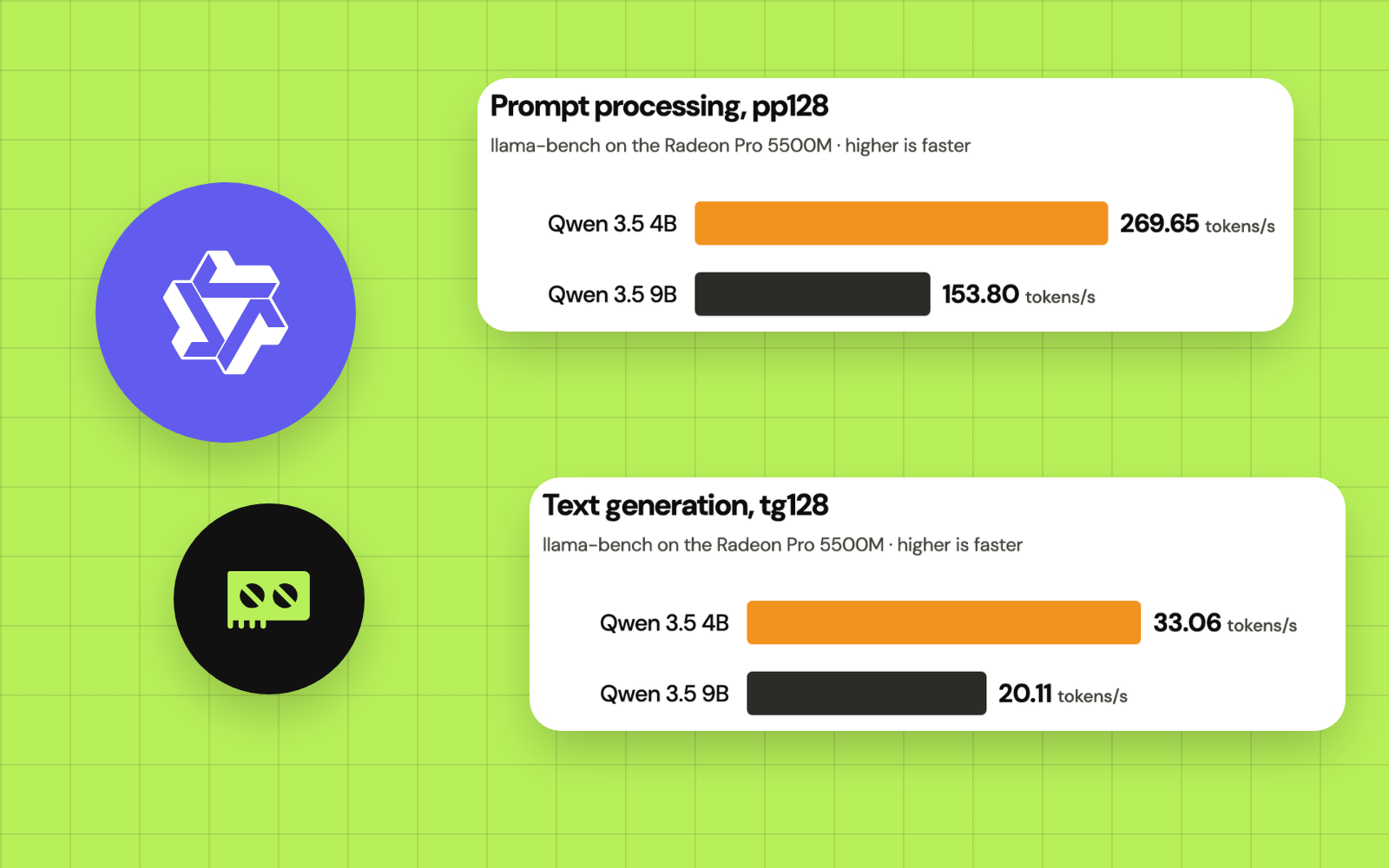
| Prompt processing, pp128 | 269.65 tok/s | 153.80 tok/s |
| Text generation, tg128 | 33.06 tok/s | 20.11 tok/s |
| Backend | llama.cpp Vulkan | llama.cpp Vulkan |
| Selected device | Vulkan0: Radeon Pro 5500M | Vulkan0: Radeon Pro 5500M |
| Requested GPU layers | -ngl 99 | -ngl 99 |
| Flash attention | Off (-fa 0) | Off (-fa 0) |
| Repetitions | 1 | 1 |
The results came from a single llama-bench run for each model, with a 128-token prompt workload and a 128-token generation workload. A single run works as a field measurement; variance, confidence intervals and long-context performance need more runs.
A three-repeat rerun after a full restart, with the same command plus -r 3, landed within 1% of these figures:
| Measurement | Qwen3.5 4B | Qwen3.5 9B |
|---|---|---|
| Prompt processing, pp128 | 270.58 ± 0.26 tok/s | 155.14 ± 0.10 tok/s |
| Text generation, tg128 | 33.71 ± 0.10 tok/s | 20.27 ± 0.08 tok/s |
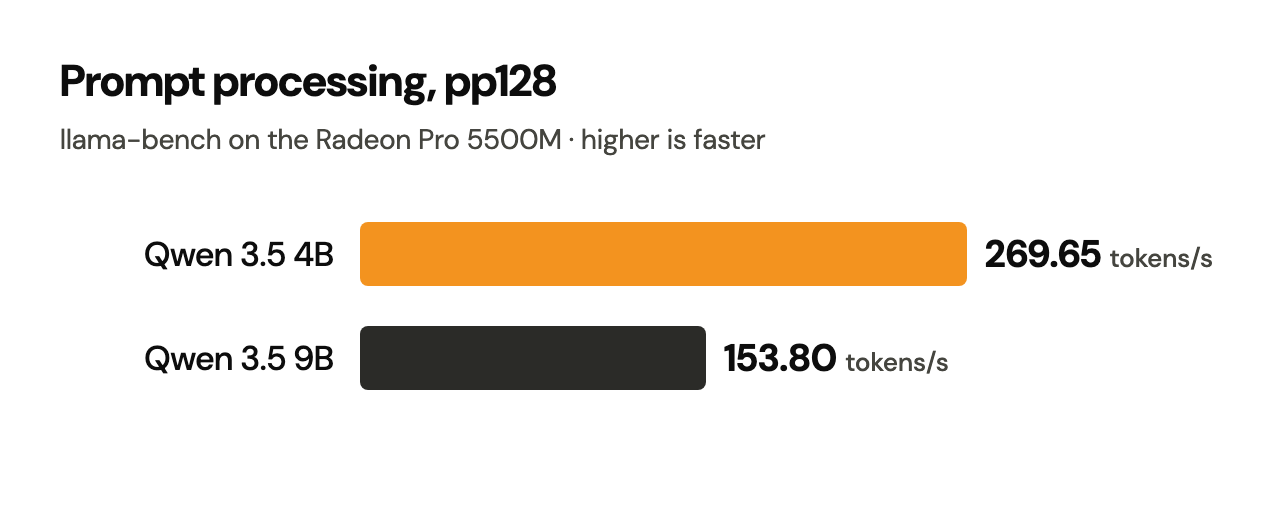
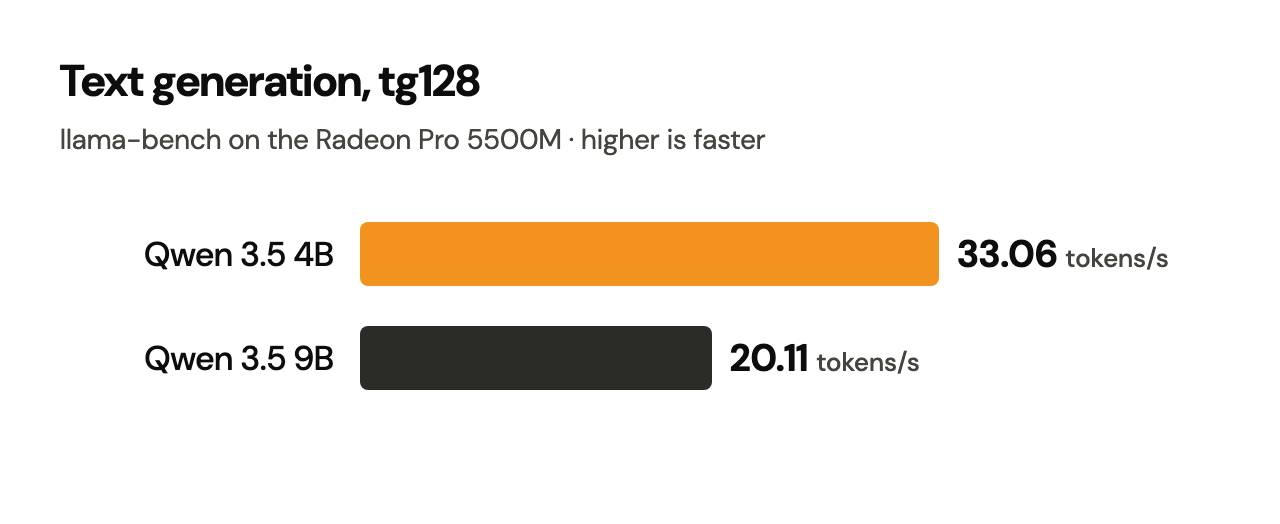
There are two different workloads in that table. Prompt processing, often labelled pp or prefill, measures how quickly a model consumes input tokens. Token generation, labelled tg or decode, measures how quickly it produces the continuation. The first can be hundreds of tokens per second while the second remains much slower; averaging those two figures into a single “AI speed” would be misleading. The official llama-bench documentation describes its benchmark arguments and output format.
Tested hardware and software
| Component | Setup |
|---|---|
| Computer | 2019 16-inch MacBook Pro; eight-core 2.3 GHz Intel Core i9 |
| RAM | 32 GB |
| Discrete GPU | AMD Radeon Pro 5500M, 8 GB VRAM |
| Secondary GPU | Intel UHD Graphics 630 |
| macOS | Tahoe 26 |
| Runtime | Source-built llama.cpp with GGML_VULKAN=ON, GGML_METAL=OFF |
| Vulkan translation | LunarG Vulkan SDK 1.4.363.0, MoltenVK |
| Build products | ~/Documents/app/llm/llama.cpp/build-vulkan-new/bin/ |
| Models | Locally stored Ollama Qwen3.5 4B and 9B model blobs, loaded directly as GGUF |
| Benchmark | llama-bench, -dev Vulkan0 -ngl 99 -p 128 -n 128 -r 1 -fa 0 |
- llama.cppllama-bench
- VulkanSDK 1.4.363.0
- Qwen3.5 4B and 9B
The models came from the downloads in Episodes 2 and 3, reused as they were. Their vision projector components were installed too; these measurements cover text inference, and image input gets its own test in Episode 10.
GPU selection is essential
A benchmark that runs successfully on an Intel Mac leaves open which processor did the work. The test explicitly selected Vulkan0 and requested GPU offload with -ngl 99. A separate, verbose model-load test confirmed that the 9B model offloaded 33 of 33 eligible layers to the Radeon. That is stronger evidence than counting processor cores or feeling a warm laptop.
Reproduce the benchmark
The following sequence uses the working paths and settings of the test setup. It assumes the completed Episode 4 installation. On a newer llama.cpp build, confirm the options with llama-bench --help, since flags can change.
1. Close other inference sessions
Stop any running llama-server or llama-cli workload with Ctrl+C in its own Terminal before rerunning benchmarks. Other processes using VRAM, CPU time, and memory can affect the results. Keep the two model runs sequential rather than concurrent.
2. Activate the Vulkan SDK
cd "$HOME/Documents/app/llm/llama.cpp"
source "$HOME/VulkanSDK/1.4.363.0/setup-env.sh"
export VK_DRIVER_FILES="$VULKAN_SDK/share/vulkan/icd.d/MoltenVK_icd.json"
The SDK version above is the one tested. Adapt the directory only if your installed SDK is different. Use the same Terminal for the subsequent commands.
3. Verify the benchmark executable and GPU device
./build-vulkan-new/bin/llama-bench --help
vulkaninfo --summary
Expected: llama-bench prints available options; Vulkan reports the AMD Radeon device. The benchmark's device name was Vulkan0 in our configuration. If the identifier differs on your machine, use the identifier shown by your llama.cpp Vulkan initialization messages rather than copying it blindly.
4. Point to the existing GGUF blobs
On the test Mac, the model blobs were:
MODEL_4B="$HOME/.ollama/models/blobs/sha256-a9d0a3e1d8c91732a3812becd31f8d4a8ff57414903f226306069f0437e2ac50"
MODEL_9B="$HOME/.ollama/models/blobs/sha256-02d45dc1cf451ba2475ac33b301c2dd8f985abe4c182ce04a1f2f5bf0260278d"
ls -lh "$MODEL_4B" "$MODEL_9B"
These are this Mac's Ollama cache entries; every installation has its own. If either is missing on yours, locate your actual model layer through the Ollama manifest under ~/.ollama/models/manifests/, or use a separately obtained llama.cpp-compatible GGUF and set MODEL_4B or MODEL_9B accordingly. Note your model's exact quantisation, file size and hash for a fair comparison.
5. Benchmark Qwen 4B
./build-vulkan-new/bin/llama-bench \
  -m "$MODEL_4B" \
  -dev Vulkan0 -ngl 99 \
  -p 128 -n 128 -r 1 -fa 0
Result on the test Mac: pp128 = 269.65 tok/s; tg128 = 33.06 tok/s. The result table's layout may differ between llama.cpp builds.
6. Benchmark Qwen 9B
./build-vulkan-new/bin/llama-bench \
  -m "$MODEL_9B" \
  -dev Vulkan0 -ngl 99 \
  -p 128 -n 128 -r 1 -fa 0
Result on the test Mac: pp128 = 153.80 tok/s; tg128 = 20.11 tok/s.
7. Save your own raw measurement alongside any screenshot
For a new verification run, capture the complete output with tee while keeping a visual Terminal record:
./build-vulkan-new/bin/llama-bench \
  -m "$MODEL_4B" -dev Vulkan0 -ngl 99 \
  -p 128 -n 128 -r 3 -fa 0 \
  2>&1 | tee "$HOME/Documents/app/llm/bench-qwen-4b.txt"
This three-repetition command is the follow-up method, and the rerun above used it. Run 9B with its own output filename and MODEL_9B. Save the build commit, model hash, backend, SDK, context settings and background workload with each result. llama-bench can also export machine-readable formats; check your version's --help.
What the numbers mean
Qwen 4B processed and generated tokens faster
Under the same short Vulkan benchmark settings, 4B was about 1.75 times as fast as 9B at prompt processing and 1.64 times as fast at token generation. That compares speed within one benchmark; programming and instruction-following skill are separate questions.
A small model can produce tokens faster while being less reliable at complex requests. Larger weight files also place greater pressure on the 8 GB GPU's memory budget, especially when context length, active sessions or vision inputs increase.
The CPU history is useful, and short of a controlled speedup test
The earlier baseline came from Ollama and a VS Code agent, a different program from llama-bench. Three distinct measurements exist:
| Observation | Reported throughput | Why the comparison is indirect |
|---|---|---|
| Twinny coding-agent task on 4B, earlier CPU setup | About 4.1 tok/s | Tool orchestration and large prompts add overhead |
| Direct Qwen 4B chat with Ollama on CPU | About 7 to 8 tok/s | Different runtime and workload from llama-bench |
| Qwen 4B, Vulkan llama-bench generation | 33.06 tok/s | 128-token synthetic generation test on the Radeon |
The earlier Ollama process in ollama ps, a record of where it ran, separate from any speed measurement:
NAME          ID              SIZE      PROCESSOR    CONTEXT    RUNNER      UNTIL
qwen3.5:4b    d8b0f5e9760c    4.2 GB    100% CPU     32768      llamacpp    Stopping...
To measure an actual CPU-to-GPU speedup, use the same GGUF file, same llama.cpp commit, same llama-bench prompt/generation settings, and the same Mac, changing only the offload configuration. For example, after recording the Vulkan run, an optional CPU-only test is:
./build-vulkan-new/bin/llama-bench \
  -m "$MODEL_4B" \
  -ngl 0 -p 128 -n 128 -r 3 -fa 0
This is a proposed comparison for your own run. CPU-only runs may take much longer; confirm that the output names a CPU backend.
Was the Qwen 9B model really loaded on the Radeon?
Yes. The verbose initialisation output showed:
| Model-loading observation | Reported value |
|---|---|
| Eligible transformer layers sent to GPU | 33/33 |
| Vulkan GPU model buffer | 4,812.25 MiB |
| CPU-mapped model buffer | 545.62 MiB |
| GPU device | AMD Radeon Pro 5500M, Vulkan0 |
The -ngl 99 flag requests extensive offloading; the loader's 33/33 message confirms what it did for this model. A CPU-mapped buffer describes where part of the model's memory sits; which processor does the arithmetic is a separate question. A run after a full restart logged the same 4,812 MiB GPU model buffer for this model.
Likewise, 4,812.25 MiB is the GPU model buffer at load time; the full VRAM footprint adds the KV cache, intermediate allocations, driver buffers and display memory. A model that fits a short benchmark can run out of memory with a large context or extra parallel requests, as Episode 10 measures.
Why benchmark speed and agent speed differ
A local coding agent does far more than generate text. The complete workflow may include reading files, loading a system prompt, formatting tool calls, obtaining user approval, launching shell commands, interpreting tool output, editing files, revisiting earlier context and producing a final answer. Each model call can require more prompt processing and generation.
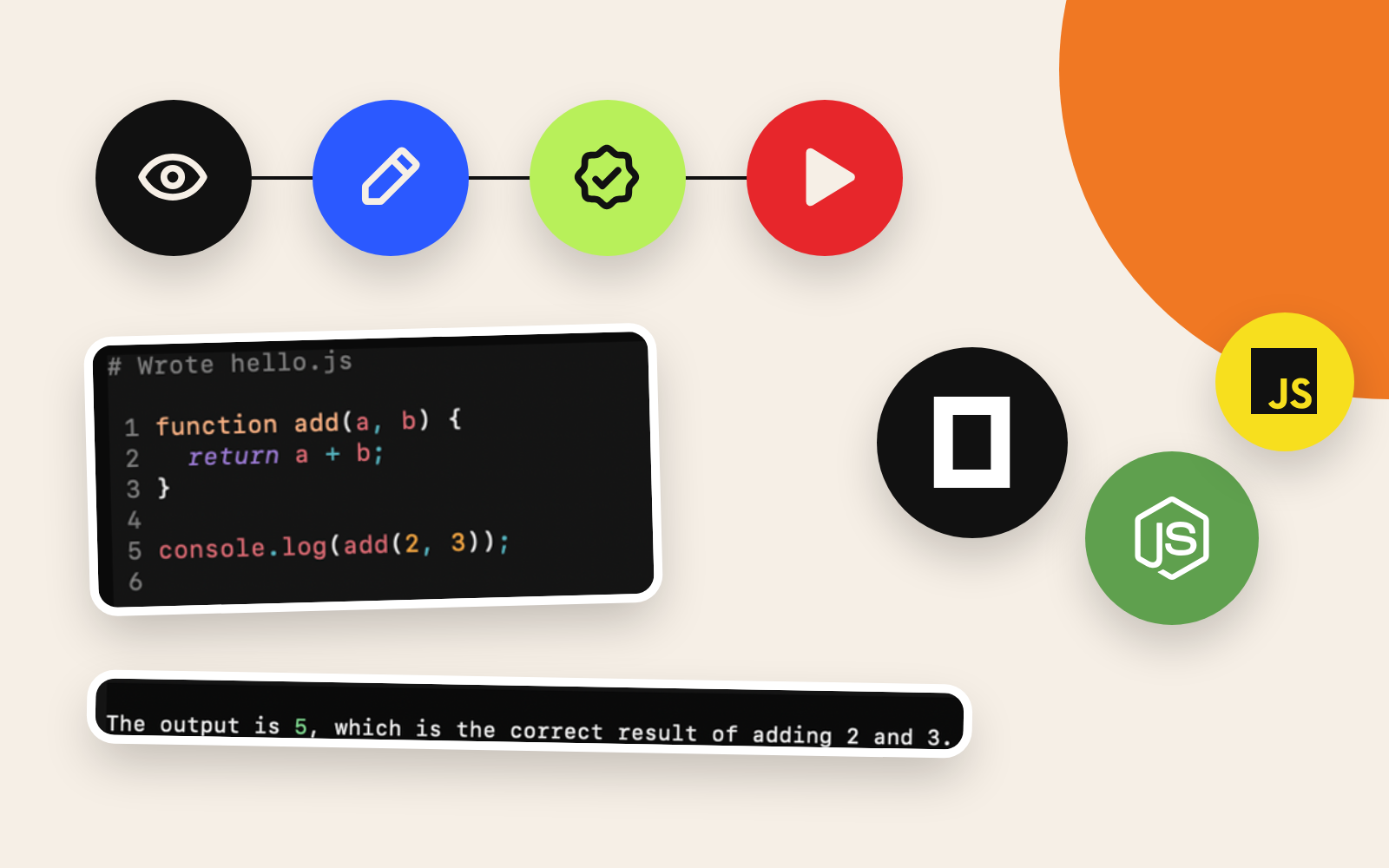
In the later OpenCode integration test, the same 9B GPU-backed model created hello.js and executed it with Node.js, and the command returned 5. The file-writing step took about 1 minute 34 seconds, with OpenCode reporting around 10.2 tok/s for that agent turn; the command-execution turn reported around 9.1 tok/s. Those OpenCode numbers and completion times measure a different workload from tg128 in llama-bench. Episode 8 covers the agent test in detail, and Episode 9 examines correctness on a harder programming task.
This distinction matters: 20 tokens per second in an isolated generation benchmark and a 20-second multi-step coding request are different things. If quality is poor, even a faster runtime may produce less useful work per minute.
Troubleshooting benchmark runs
| Symptom | First checks | Why it matters |
|---|---|---|
| llama-bench missing | Inspect build-vulkan-new/bin/; rebuild following Episode 4 | Keeps the benchmark on the Vulkan binary |
| Vulkan reports zero physical devices | Re-source the SDK; inspect VK_DRIVER_FILES and vulkaninfo --summary | Offload needs an enumerated device |
| The Intel GPU appears alone | Confirm discrete Radeon enumeration and device selection | Vulkan0 names different devices on different machines |
| -m fails to open the model | Confirm the exact cached blob or use your own GGUF | Model hashes differ across installations |
| GPU out-of-memory or allocation failure | Stop other GPU workloads, reduce active contexts, check VRAM | Total VRAM need exceeds the model file size |
| Result is much slower | Check the GPU device, offloaded layers, flash attention, thermals and concurrent work | Inference conditions may have changed |
| Large context fails after a passing tg128 | Test the actual server context, KV cache and session count separately | tg128 is a short test, far from a 32K-context stress test |
For Vulkan setup issues, follow Episode 4 and the official llama.cpp Vulkan build documentation. To benchmark other llama.cpp revisions, consult the versioned llama-bench README rather than assuming every CLI flag stays constant.
How to improve the benchmark methodology
The original runs prove the Radeon backend was working; they were single repetitions of very short workloads. For a claim fit for a comparative hardware review, expand the procedure:
- Repeat measurements, ideally at least three times, and report the mean and variation rather than selecting the fastest run.
- Record exact versions: llama.cpp Git commit, Vulkan SDK, macOS, quantisation and model hash.
- Include longer prompts and context depths, because
pp128andtg128stand far from a long coding session. - Use a controlled CPU baseline from the same
llama-benchbinary to calculate a defensible GPU speedup. - Track memory and resource pressure during the run; note whether background apps, screen rendering or thermal throttling may affect performance.
- Separate speed from quality, using reproducible coding tests with independently checked results.
The key principle is reproducibility: these values are field results for one configuration, separate from any universal specification for Intel Macs or Qwen versions.
Conclusion: a working GPU and a useful agent are separate milestones
The experiment established something technically significant: a 2019 Intel MacBook Pro with an AMD Radeon Pro 5500M, excluded from the typical Apple Silicon inference path, can accelerate compatible quantized LLMs through llama.cpp + Vulkan + MoltenVK. In the observed short-run benchmarks, Qwen3.5 4B generated 33.06 tok/s and Qwen3.5 9B generated 20.11 tok/s. The 9B loader confirmed 33/33 layers on the GPU.
Those results justify the time spent solving the backend problem. Whether either model reliably completes difficult coding tasks is a separate test. A convincing local AI evaluation measures two outcomes separately: how fast tokens appear and whether the final work is correct.
Next: Episode 6: Make a Local AI Installation Permanent: organising the local model workspace, rebuilding the relocated llama.cpp tree, preserving launchers and keeping the installation maintainable.
References and primary documentation
- llama.cpp:
llama-benchbenchmark documentation: CLI arguments, benchmark workloads and output formats. - llama.cpp: build guide, including Vulkan and MoltenVK: official build and backend instructions.
- LunarG Vulkan SDK: macOS setup guide: SDK setup and MoltenVK background.
- Published
- Author
- Booban Net.
- Category
- AI & Automation