1. Define what “working” means before testing
Coding-agent demonstrations often blur three different capabilities: generating code in chat, editing files in a project, and executing or validating that code through tools. The third matters most, because a model can claim working code it has yet to run.
This experiment tests the tool chain in a disposable project. A nine-billion-parameter model and a strong cloud coding service remain far apart, and an addition test predicts little about real applications.
| Test | Observable success criterion | Outcome |
|---|---|---|
| Read | OpenCode invokes a file tool and describes opencode.json from disk | Passed: file contents reported correctly after the 32K-context fix |
| Write | A real hello.js is created in the project directory | Passed: OpenCode reported the write; Finder showed a 64-byte file |
| Approve or decline | A human can reject an unwanted action and approve a later requested change | Observed: earlier shell action declined; later file creation approved once |
| Execute | The agent runs the script and returns actual process output | Passed: node …/hello.js returned 5 |
| Correctness on complex tasks | Nontrivial edge cases, precision and the interpretation of requirements | Open: examined in Episode 9 |
The distinction between a valid tool call and a trustworthy coding result is the central lesson of the test.
2. Tested environment and prerequisites
The test configuration:
| Component | Configuration |
|---|---|
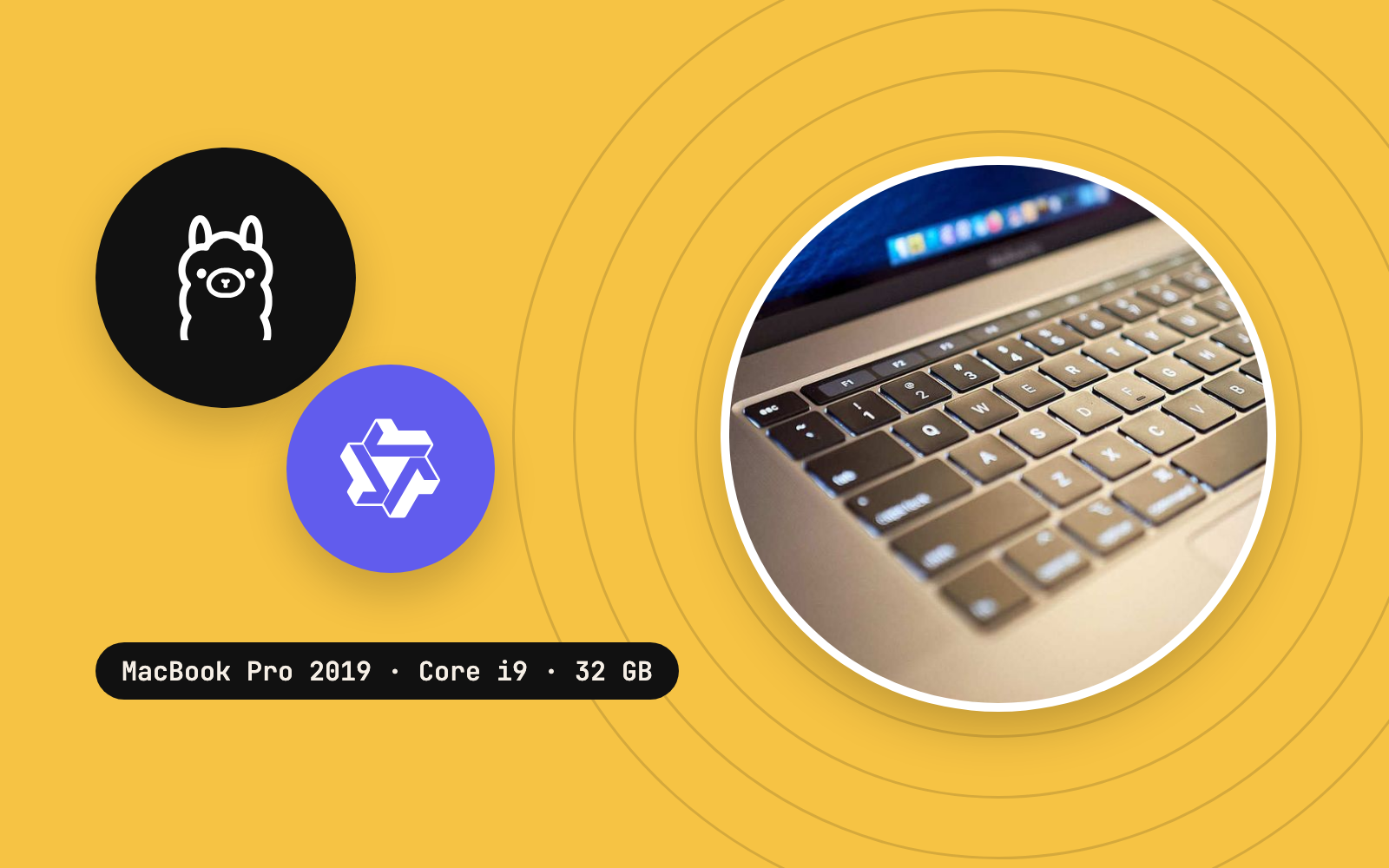
| Hardware | 2019 16-inch Intel MacBook Pro; eight-core Core i9; 32 GB RAM |
| GPU | AMD Radeon Pro 5500M, 8 GB, accessed through Vulkan and MoltenVK |
| Model | Qwen3.5 9B GGUF from Ollama's local blob cache |
| Inference runtime | Vulkan-enabled llama-server, alias qwen3.5-9b |
| Agent client | OpenCode 2.1.2, standard full-screen Terminal UI, Build mode |
| Context | Server -c 32768, one slot (-np 1); OpenCode model limit 32768 |
| Server URL | http://127.0.0.1:8080/v1 |
| Test folder | ~/Documents/app/llm/agent-test/ on the test Mac |
| Runtime for the test script | Node.js, already installed (v24.7.0) |
- OpenCode2.1.2
- llama.cppllama-server
- Qwen3.5 9B
- Node.js24.7.0
Prerequisite: Complete the server and agent setup from Episode 7 before starting this experiment. Episode 7 contains the tested llama-server startup command, the OpenCode V2 opencode.json provider definition, and the recovery from the original 8,192-token context failure.
Before opening OpenCode, confirm the local inference endpoint is responding:
curl --max-time 10 http://127.0.0.1:8080/healthExpected response:
{"status":"ok"}Confirm Node.js is available:
node --versionExpected: a version string beginning with v; the test Mac reports v24.7.0. If Node.js is missing, install a supported release from the official Node.js instructions first, so a missing JavaScript runtime stays distinguishable from a model failure.
Create or enter a disposable folder, and keep early tool-call experiments away from valuable uncommitted projects:
mkdir -p "$HOME/Documents/app/llm/agent-test"
cd "$HOME/Documents/app/llm/agent-test"
The test run used the existing opencode.json in that folder, so the project already held one file. On a fresh machine, set up that file as described in Episode 7 and confirm OpenCode lists the local provider.
3. Test A: can the agent read a project file?
Launch OpenCode inside the disposable project directory, with the model server running in a separate Terminal:
cd "$HOME/Documents/app/llm/agent-test"
opencode
Use Build mode and verify the selected model is your local Qwen3.5 9B Radeon rather than a hosted model.
Ask OpenCode:
Read opencode.json in the current project folder. Report the model, API base URL, context size, and whether editing and shell commands require approval. Do not modify files or run terminal commands.Result: after the model server restarted with a 32,768-token context and one slot, OpenCode used a file-reading tool to inspect opencode.json and correctly reported the local model and permissions configuration. The same session had failed earlier at an 8,192-token context, with KV exhaustion and a failed compaction attempt.
This proves the agent could request and use actual file content from the tool layer. Reading a complex repository correctly is a harder, separate test.
4. Test B: can it create a real file with approval?
Next, use a deliberately small task with an objectively testable result:
Create a file namedhello.jsin the current project folder. The file should contain a JavaScript function that adds two numbers, followed byconsole.log(add(2, 3)). Use your file-editing tool directly. Do not use the question tool or execute any terminal commands. If permission is required, use OpenCode's built-in approval system.
The wording mattered in this session. Earlier, an interactive question-tool dialog had contributed to a stuck Terminal UI, so the prompt explicitly asked for direct file editing. That is a workaround for this session; OpenCode's question tool may work fine elsewhere.
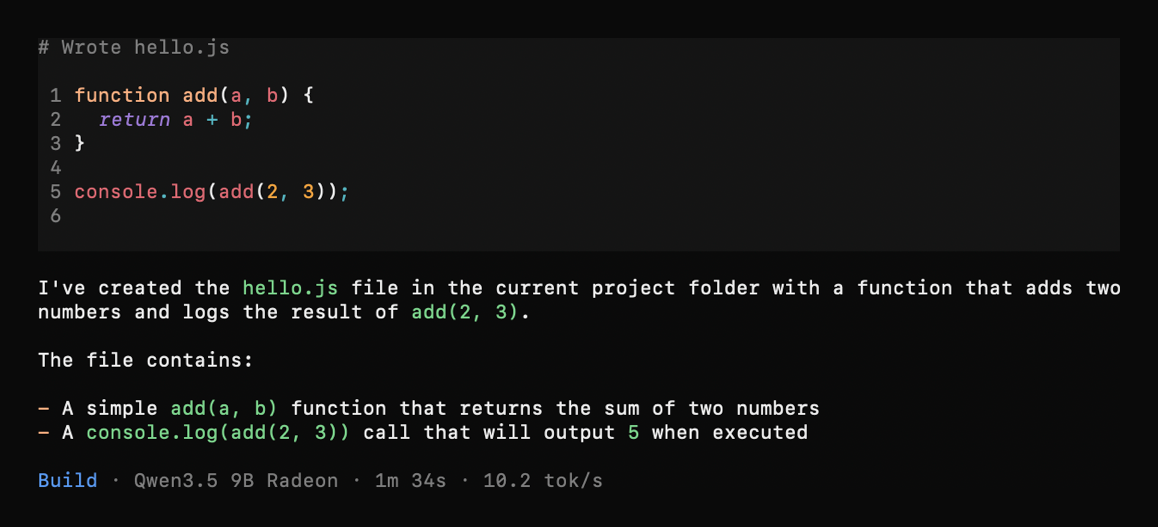
What the agent actually wrote
function add(a, b) {
  return a + b;
}

console.log(add(2, 3));
OpenCode displayed the tool result Wrote hello.js after the file write was approved once. The earlier refusal applied to a different proposed command.
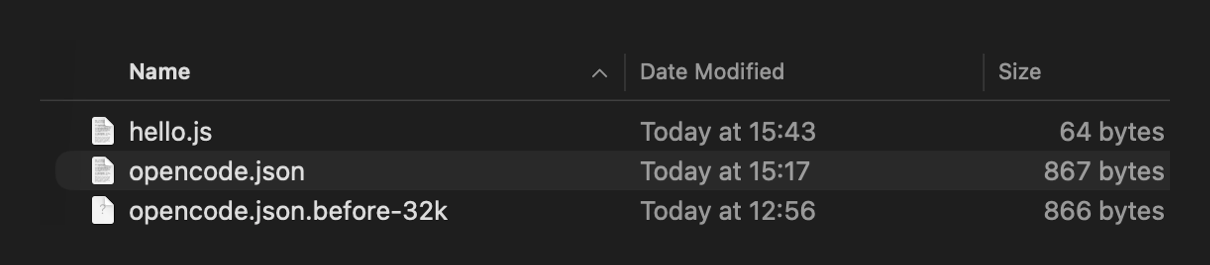
The Finder view independently confirms the file on disk. A full audit of permission decisions, and safe edits to a large existing repository, are separate questions.
Optional local verification outside OpenCode
For a separate verification of the saved file, these read-only commands are useful:
cd "$HOME/Documents/app/llm/agent-test"
ls -lh hello.js
cat hello.js
A successful run displays the file and the function above.
5. Test C: can it execute the file and report process output?
Once the file existed, a separate prompt asked the agent to run it and leave it unchanged:
Use your terminal tool to run node hello.js in the current project directory. Report the exact output. Do not modify or create any files. Use OpenCode's built-in approval system.OpenCode used its shell tool and executed the existing script via an absolute file path. The tool result contained the actual standard output:
5The agent then correctly reported that the program printed 5, as expected for 2 + 3.
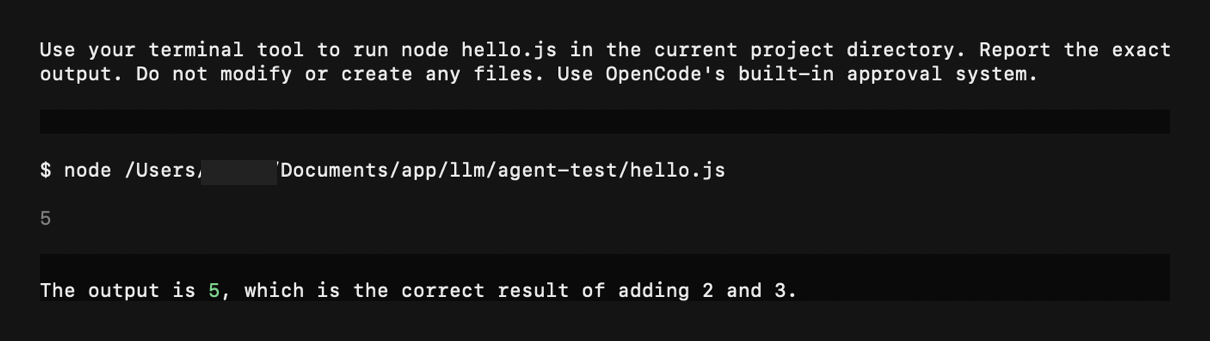
The screenshot shows the successful command execution. The approval on record is for the earlier file creation; any dialog for this shell call sits outside the screenshots.
End-to-end timing
| OpenCode action | Duration shown | Generation rate shown | Interpretation |
|---|---|---|---|
| Write hello.js | 1m 34s | 10.2 tok/s | The agent turn producing the file |
| Execute node hello.js | 12.3s | 9.1 tok/s | Agent turn including tool use and reporting the result |
| Node.js process | Untimed | n/a | The screenshot shows the output; the process runtime went unmeasured |
These OpenCode figures measure a different workload from the standalone llama-bench 9B generation result of 20.11 tok/s in Episode 5. Agent turns include prompts, tool schemas, file-system operations and response generation; a short benchmark measures a narrower workload. Total task completion time is the more relevant number for productivity.
6. Permissions: what the experiment demonstrated
A useful agent stays under your control. The OpenCode V2 configuration in this setup had explicit ask rules:
"permissions": [
  { "action": "edit", "resource": "*", "effect": "ask" },
  { "action": "shell", "resource": "*", "effect": "ask" },
  { "action": "external_directory", "resource": "*", "effect": "ask" }
]
This fragment belongs inside the complete opencode.json shown in Episode 7; on its own it is an incomplete JSON document. The OpenCode V2 permissions guide documents ordered { action, resource, effect } permission rules and the V2 name shell. Older V1 tutorials often use permission and bash, so a mixture of the two formats may misconfigure a project.
The approval sequence was limited and meaningful:
- An earlier proposed shell action was declined, and the UI labelled the call as declined.
- The later direct file-creation request was approved once.
- OpenCode wrote the file and later executed
node hello.jsin a separate step; the screenshots hold zero approval dialogs for that Node.js call.
Practical security guidance: inspect the full command and target paths before every approval, and prefer one-time approval to a blanket allow during evaluation. Use a disposable directory or a version-controlled repository, keep backups, and keep uncertain commands away from credentials and personal data. Local inference leaves the risks of local filesystem access fully in place.
7. Common failure modes and how to isolate them
| Symptom | First check | Recommended next step |
|---|---|---|
| OpenCode fails to read a file | The project folder, file path and context size | Check the real working directory; use a read-only prompt |
| It describes a file and calls zero tools | Agent mode and tool-support settings | Confirm Build mode, the local provider and the server chat template |
| A tool call is rejected | The approval dialog and the effective permission rule | Review the requested action; approval should be intentional |
| The folder stays empty after a successful “write” message | Real file contents on disk | Check Finder, then ls -lh and cat independently |
| node: command not found | JavaScript runtime missing from PATH | Check node --version; consult the Node.js installation docs |
| Cannot find module for hello.js | Wrong working folder or filename | Use pwd and ls; run the file with a verified path |
| Terminal UI becomes unresponsive | TUI input or dialog state | Recover as described in Episode 7; leave unrelated processes alone |
| A tiny task takes a long time | Large tool and context overhead | Compare end-to-end times and repeat the test before drawing conclusions |
The same environment also had a failed attempt at an 8K context and a later interactive-dialog glitch; both belong in the record beside the eventual success.
One more test: can the environment be reused?
After these tests, the setup moved behind the command layer from Episode 6. qwen9-agent starts the whole stack from a project folder, qwenoff stops it, and qwenstatus confirms the idle state. The context size moved from a fixed value to ctx16, ctx32 or ctx64, and switching between all three passed its test. A stack that starts, stops and reports its state through stable commands sits much closer to a tool than to an experiment rebuilt from Terminal history each time.
8. What the result proves, and what stays open
Proven within this test: The 9B model could participate in OpenCode's basic read → write → execute → report workflow. The JavaScript file existed on disk. A Node.js command executed it and printed 5. There was at least one intentional rejection of a prior action and one intentional approval of the later file creation. Episode 10 gives the same kind of task to each model after a restart.
Still open: whether the model could reliably debug a real application, respect complicated constraints, interpret screenshots, generate mathematically exact large integers, avoid loops, or decide correctly when more testing is needed. Model quality and end-to-end usefulness need separate measurement.
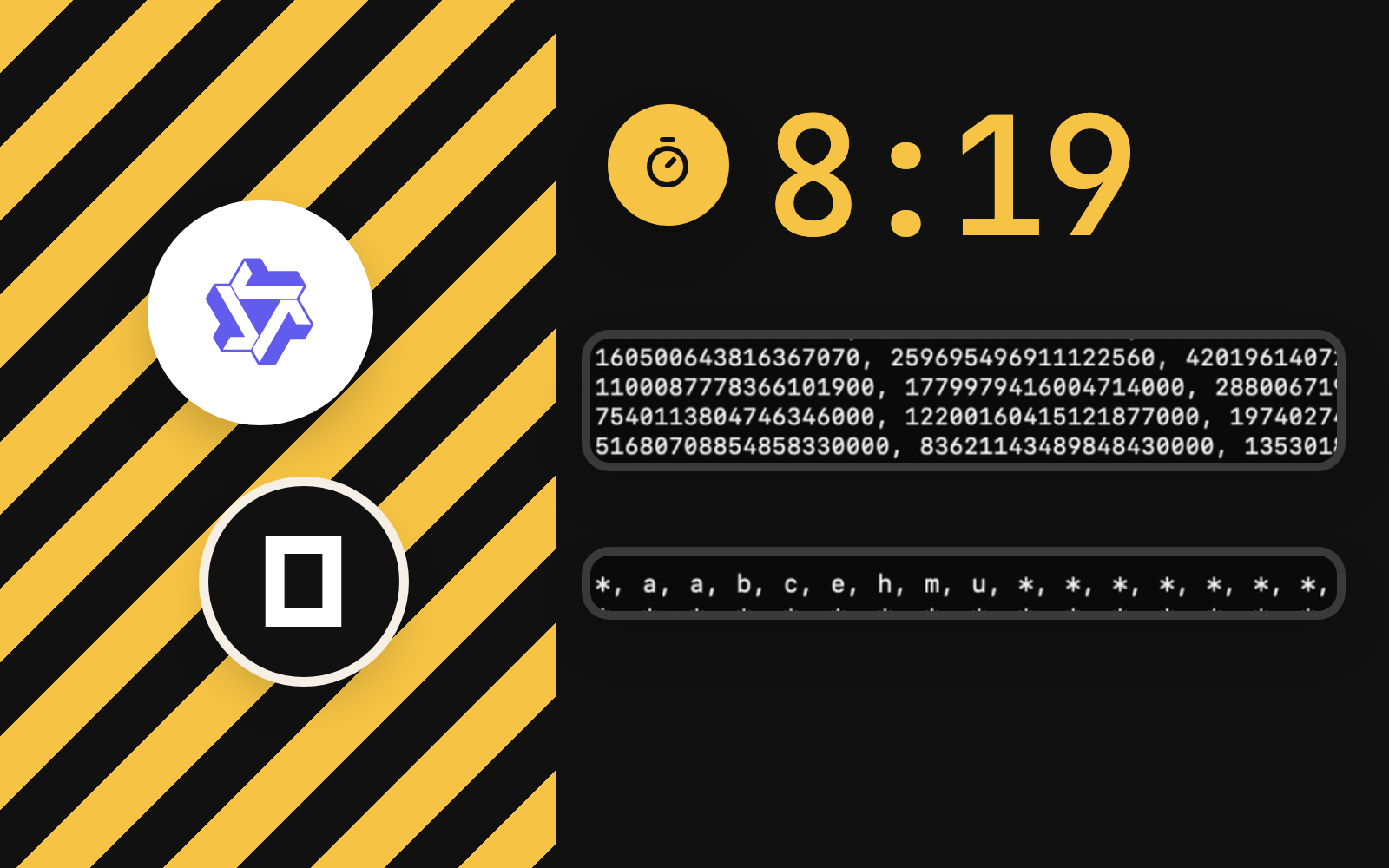
This distinction becomes decisive in the next experiment. The same agent that successfully ran a five-line script later spent 8 minutes 19 seconds on a Fibonacci task while producing incorrect large integer values, because it used ordinary JavaScript Number arithmetic. Episode 9 examines that failure: an elementary success here and correctness elsewhere are separate claims.
Conclusion
The local coding-agent tool chain worked: a Radeon-accelerated Qwen3.5 9B model controlled OpenCode tools well enough to inspect project context, create hello.js after approval, and run the file through Node.js. The actual result was 5, and the original screenshots substantiate the file and execution steps.
For a technically credible evaluation, the verdict is deliberately narrow: tool integration passed; general coding reliability is still to be shown. A useful coding assistant does more than execute a correct trivial example: it catches its own mistakes, handles ambiguity and delivers worthwhile results in reasonable time.
Next: Episode 9: Eight Minutes for Wrong Answers.
References
- OpenCode V2: permissions: documented V2
permissionsaction, resource and effect rules. - OpenCode V2: tools: file read and write and shell tool interfaces.
- OpenCode V2: agents: Build mode, tool access and agent behaviour.
- Node.js: command-line options: executing a JavaScript script with
node.
- Published
- Author
- Booban Net.
- Category
- AI & Automation