Before you install anything
An older Intel MacBook Pro can run local language models. Whether it can run a useful coding agent is a different question. Before downloading gigabytes of model weights or installing multiple editor extensions, check the hardware, understand the difference between a model and an agent, and set realistic goals for CPU and GPU inference.
This guide uses a real 2019 16-inch MacBook Pro with an Intel Core i9, 32 GB of RAM, and an AMD Radeon Pro 5500M with 8 GB of dedicated graphics memory. The eventual experiment succeeded in running local models and executing coding-agent tools, but it also exposed major limitations in speed and accuracy. This first instalment establishes the machine, the constraints, and the plan. Later episodes document the installation, failures, Radeon acceleration, benchmarks, and agent tests in full.
Who this guide is for
This series is for developers who have an older Intel Mac and want a free, locally hosted assistant for tasks such as:
- Writing and reviewing HTML, CSS, JavaScript, and small application components.
- Reading an existing project and proposing edits.
- Creating files, running tests, and debugging using an approval-based coding agent.
- Eventually interpreting reference images or screenshots when the selected model and runtime support vision.
- Working on free local inference and, once everything is installed, fully offline.
A small offline model trades coding quality, autonomy and speed against a leading hosted service. The goal here is to measure what the hardware already on the desk can actually do.
The test hardware
The test machine, as reported by macOS System Information and Terminal:
| Component | Test configuration |
|---|---|
| Computer | Apple MacBook Pro (16-inch, 2019) |
| Processor | 2.3 GHz 8-core Intel Core i9 (i9-9880H) |
| Architecture | x86_64 (Intel) |
| System memory | 32 GB RAM |
| Dedicated graphics | AMD Radeon Pro 5500M, 8 GB VRAM |
| Integrated graphics | Intel UHD Graphics 630 |
| Storage | 1 TB SSD (APPLE SSD AP1024N); check free space separately |
| Operating system | macOS Tahoe 26.0 |
| Budget for inference software and models | $0 |
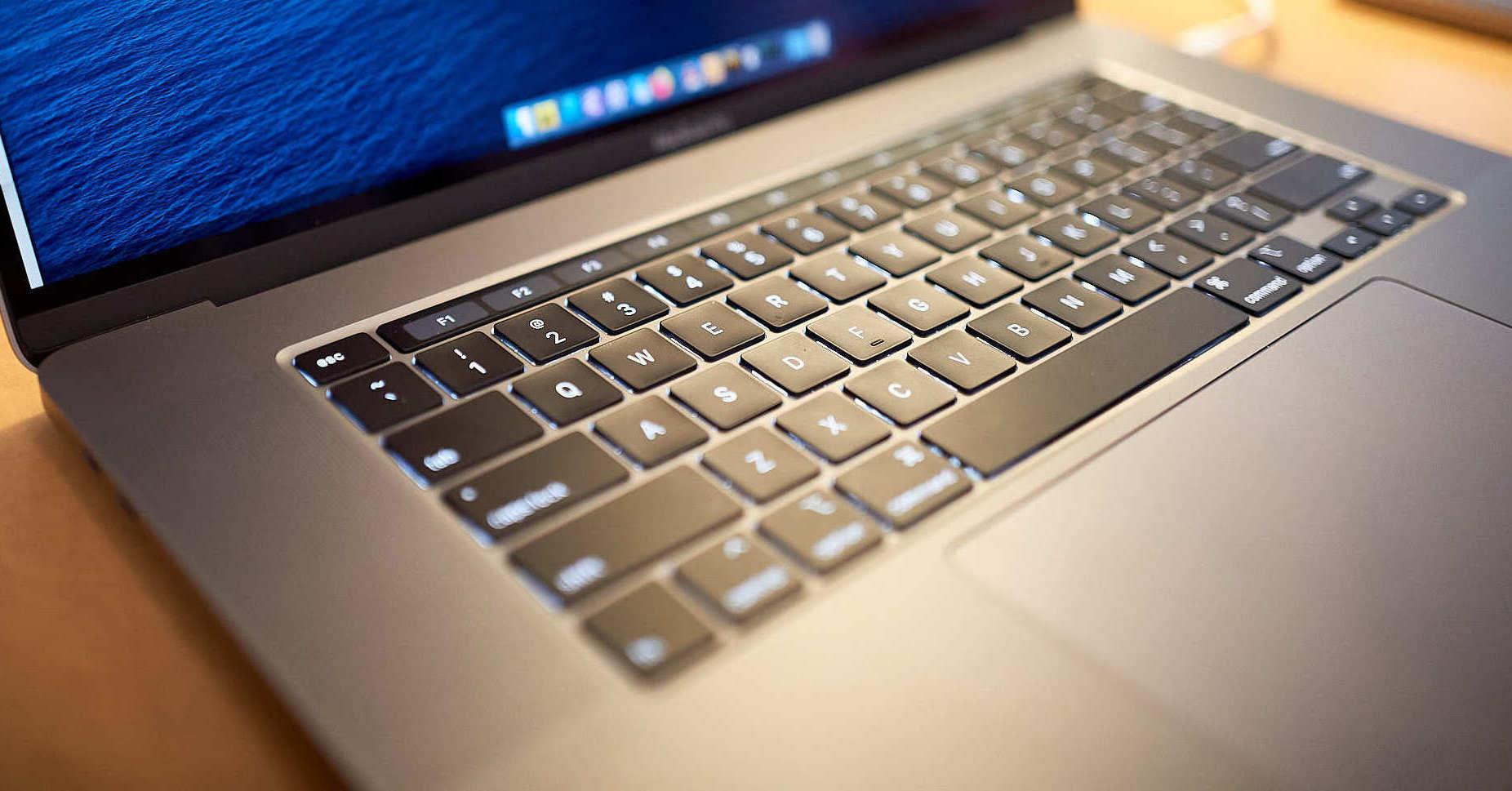
Apple lists the Radeon Pro 5500M among the graphics options for the 2019 16-inch model. A supported graphics card, its VRAM and Metal support describe the hardware; whether an AI runtime uses that GPU is a separate fact to test. Apple's technical specifications identify the hardware family, and the inference backend gets its own test.
Verify your own Mac before installing anything
Open the built-in macOS Terminal application and run:
uname -m
sw_vers
sysctl -n machdep.cpu.brand_string
sysctl -n hw.memsize
system_profiler SPDisplaysDataType
What to look for:
| Check | Expected on the test Mac | Interpretation |
|---|---|---|
| uname -m | x86_64 | Intel processor (Apple silicon reports arm64) |
| sw_vers | macOS version and build | Records the OS used for troubleshooting |
| machdep.cpu.brand_string | Intel Core i9 | Confirms the processor family |
| hw.memsize | 34359738368 bytes for 32 GiB | Reports system RAM in bytes |
| SPDisplaysDataType | Radeon Pro 5500M and Intel UHD 630 | Shows both GPUs and their video memory |
Metal Support: Metal 3 describes what the GPU and macOS offer. Whether a language-model runtime offloads its work to that GPU is application-level behaviour, and it needs its own check.
For available disk space, run:
df -h "$HOME"Record the Available column for the volume containing your home directory. This matters more than the SSD's advertised capacity. The machine may have a 1 TB SSD but much less unused space.
All commands in this section are read-only: they leave your software and settings exactly as they are.
Define what "local AI coding assistant" means
A local language model and a local coding agent are related, and they are separate components.
- 1
Developer
- 2
Chat interface / coding agent (Terminal or editor)
- May read project files
- May request file edits and commands
- Requires permission and safety controls
- 3
Local inference server (for example, Ollama or llama.cpp)
- 4
Downloaded model weights
- 5
CPU inference or GPU-accelerated inference
A model can propose a change. An agent client supplies the tools to open files, modify a repository, or run commands. The client must be configured to request approval before making changes, especially when it can access an existing project.
The software this series installs, and the episode where each piece arrives:
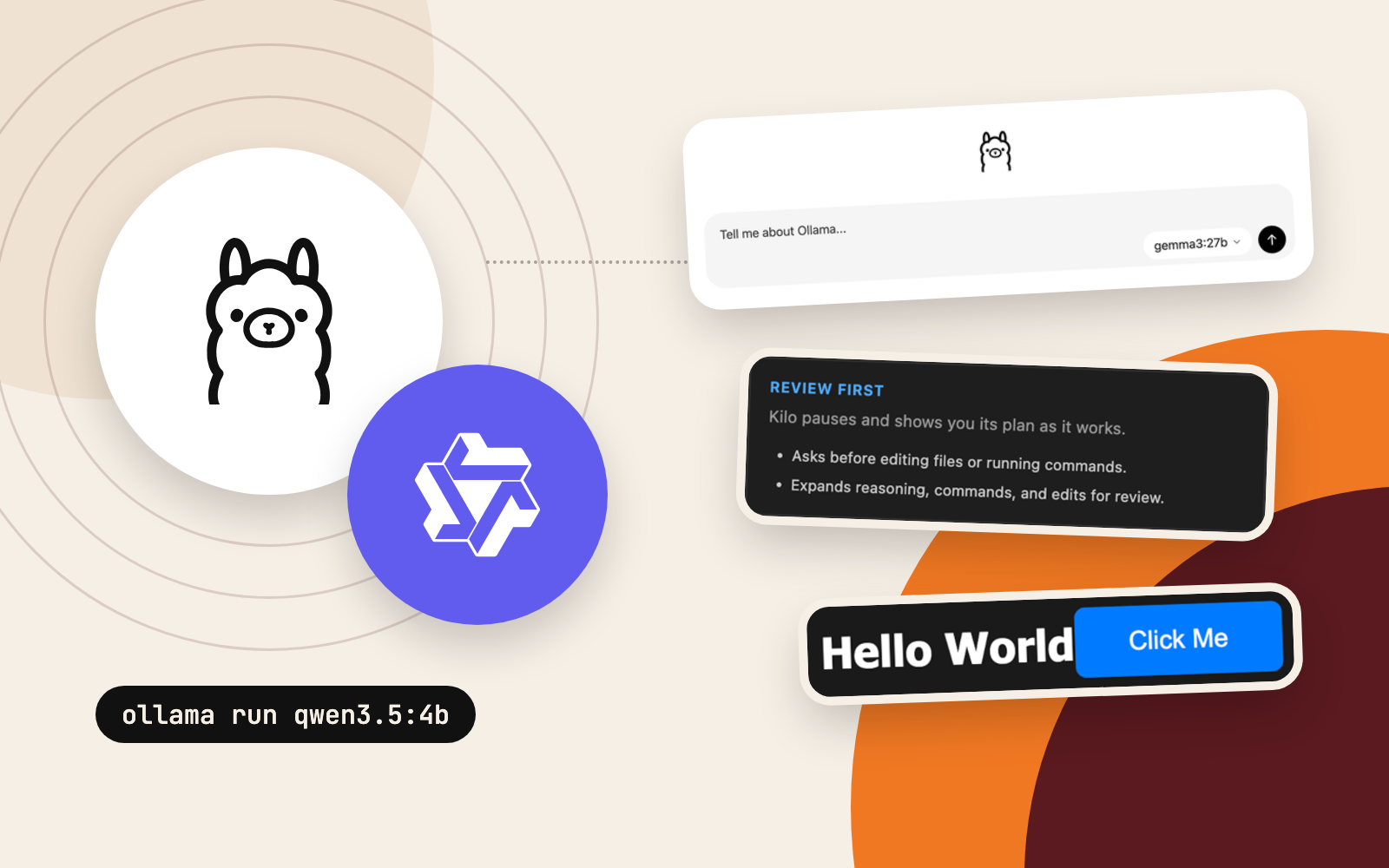
- Ollamamodel server, Episode 2
- Qwenthe models
- Kilo CodeVS Code agent, Episode 2
- TwinnyVS Code agent, Episode 2
- llama.cppRadeon engine, Episode 4
- VulkanGPU path, Episode 4
- OpenCodecoding agent, Episode 7
The goal reached beyond chat: web development, occasional macOS app work, browser-based 3D, Blender scripting, terminal commands, file editing and, eventually, reading screenshots. That breadth shaped every technology choice that followed.
What "local" covers, and what it leaves open
Once model weights and dependencies are downloaded, the inference itself runs entirely on the Mac. Four caveats remain:
- A coding agent may run a package installer or web-enabled tool that still accesses the internet.
- Some editor extensions offer optional cloud providers, telemetry, or hosted features. Review those settings separately.
- A locally running agent with unrestricted shell access can still damage files. Approval controls and backups stay essential.
- Per-token API fees disappear, while electricity, storage, time and hardware wear remain real costs.
For this series, the intended configuration was local inference with a $0 software/model budget, plus explicit approval before edits and terminal commands.
Choose a model size that suits the machine
The first shortlist focused on compact Qwen3.5 variants: start small, test increasingly demanding workloads, and leave the largest models for later.
| Model used in the experiment | Approximate installed size observed | Intended role |
|---|---|---|
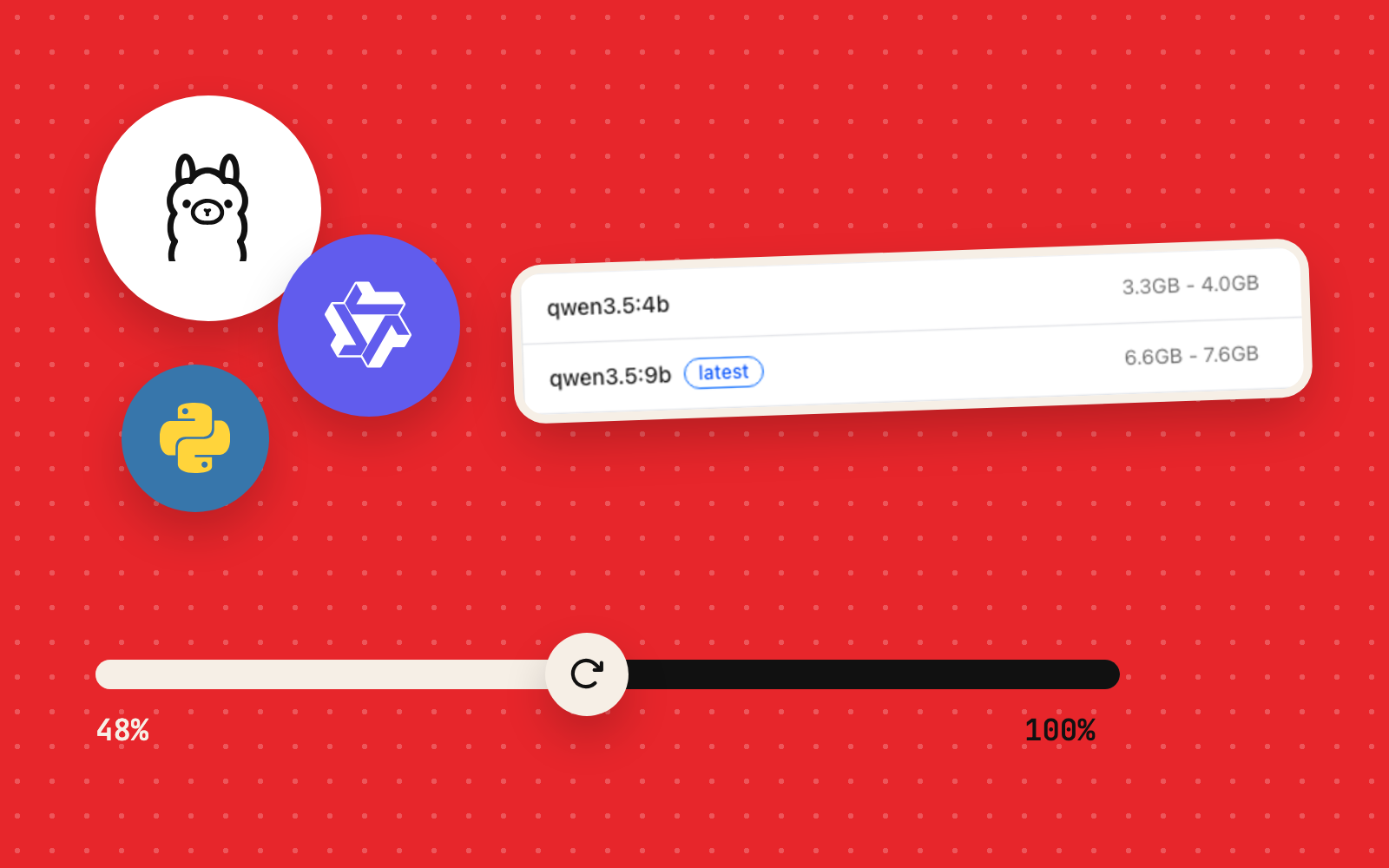
| Qwen3.5 0.8B Q8 | 1.0 GB | Minimal installation and connection test |
| Qwen3.5 4B Q4 | 3.3 GB | Faster everyday coding and chat experiments |
| Qwen3.5 9B Q4 | 6.6 GB | Higher-capacity tasks and agent experiments |
These are observed download sizes; RAM and VRAM use depend on more. Quantisation, the model package, vision components, context size and runtime allocations all shape actual resource use. Here, the larger packages also carried separate vision-related model data.
A larger model may follow instructions better as a tool-using agent, and it can also run slower, use far more context, or make mistakes that execution alone misses. Later episodes test those trade-offs on real coding tasks.
Estimate the storage budget realistically
The three Ollama model packages above came to roughly 11 GB of model data. Allow extra headroom for:
- Development tools and any AI client applications.
- Model download caches and incomplete downloads.
- Source builds, intermediate compilation artefacts, and SDKs if GPU experiments are planned.
- Test projects, screenshots, logs, and model variants added later.
A practical 20 to 30 GB of free space covers the multi-model experiment in this series. A single small model needs far less. Check the actual free space against your own plan.
Understand the CPU/GPU constraint before benchmarking
The test Mac has both an Intel integrated GPU and an AMD dedicated GPU. During the first Ollama tests, ollama ps reported the 4B model running on 100% CPU: a measured runtime state, and the first sign that the Radeon sat idle.
ollama psOn a machine where Ollama is already installed and a model is loaded, look for a PROCESSOR field such as:
NAME          PROCESSOR
qwen3.5:4b    100% CPU
The full output also shows model IDs, memory, context and runner details, which vary by version. An empty list means zero models are loaded at that moment; Ollama itself may be perfectly healthy.
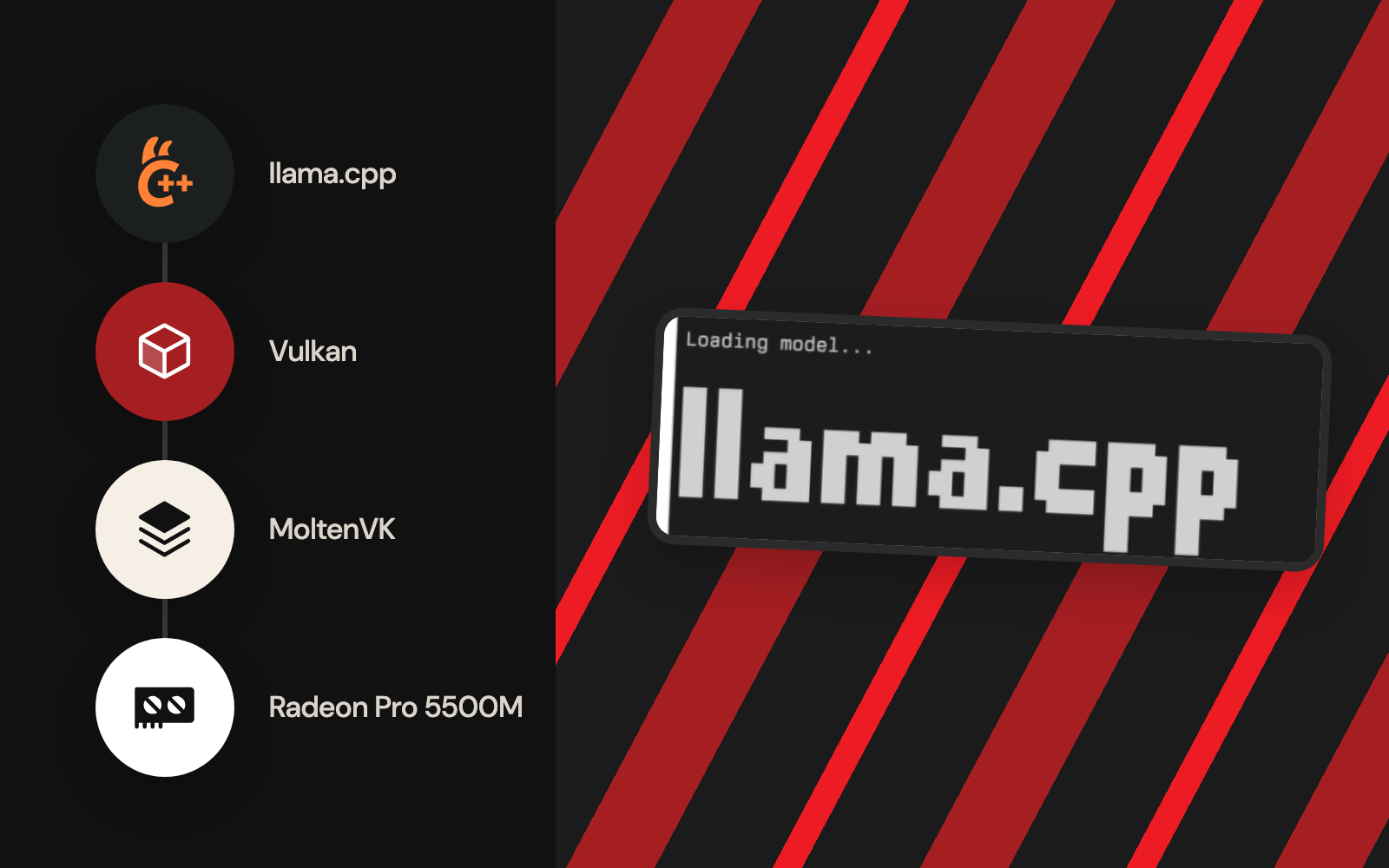
Later episodes test a separate route: llama.cpp compiled with Vulkan, using MoltenVK to reach the Radeon through Apple's Metal graphics system. It works on this Mac after its own installation and verification, covered in Episodes 4 and 5. See the llama.cpp build documentation for the maintained backend options.
A GPU can appear in System Information while the inference application runs entirely on the CPU. Proof of acceleration takes two pieces of evidence: the runtime detecting the device, and the model’s layers or compute buffers assigned to it.
Check the development tools already installed
The test Mac already had VS Code, Xcode and Node.js, so the first step is a check of what exists:
command -v git
command -v clang
command -v node
command -v code
command -v ollama
Each available command returns a path. An empty result can still hide an installed application: VS Code, for example, can be installed with its optional code shell command left off PATH.
Check Xcode developer tools separately:
xcode-select -pOn the test machine, this returned:
/Applications/Xcode.app/Contents/DeveloperFor a first experiment, install one layer at a time: the Vulkan SDK, CMake, editor extensions and large models each get their own step. Simultaneous downloads and setup tasks made troubleshooting far harder here, especially on limited bandwidth. Confirm one layer of the stack before adding the next.
Establish a safe testing strategy
Give generated code a disposable directory and keep untested agents away from existing repositories. Later in the project, a dedicated workspace lived under Documents/app/llm; the principle that matters is separation, whatever the path.
A sensible validation sequence is:
- Connectivity: Confirm the model server responds to a basic health or version request.
- Basic generation: Ask for a short, verifiable answer in plain chat, before any tools are involved.
- Code generation: Request a small function and execute a known test.
- Tool use: Allow the agent to read a test file, then create or edit one only after approving the request.
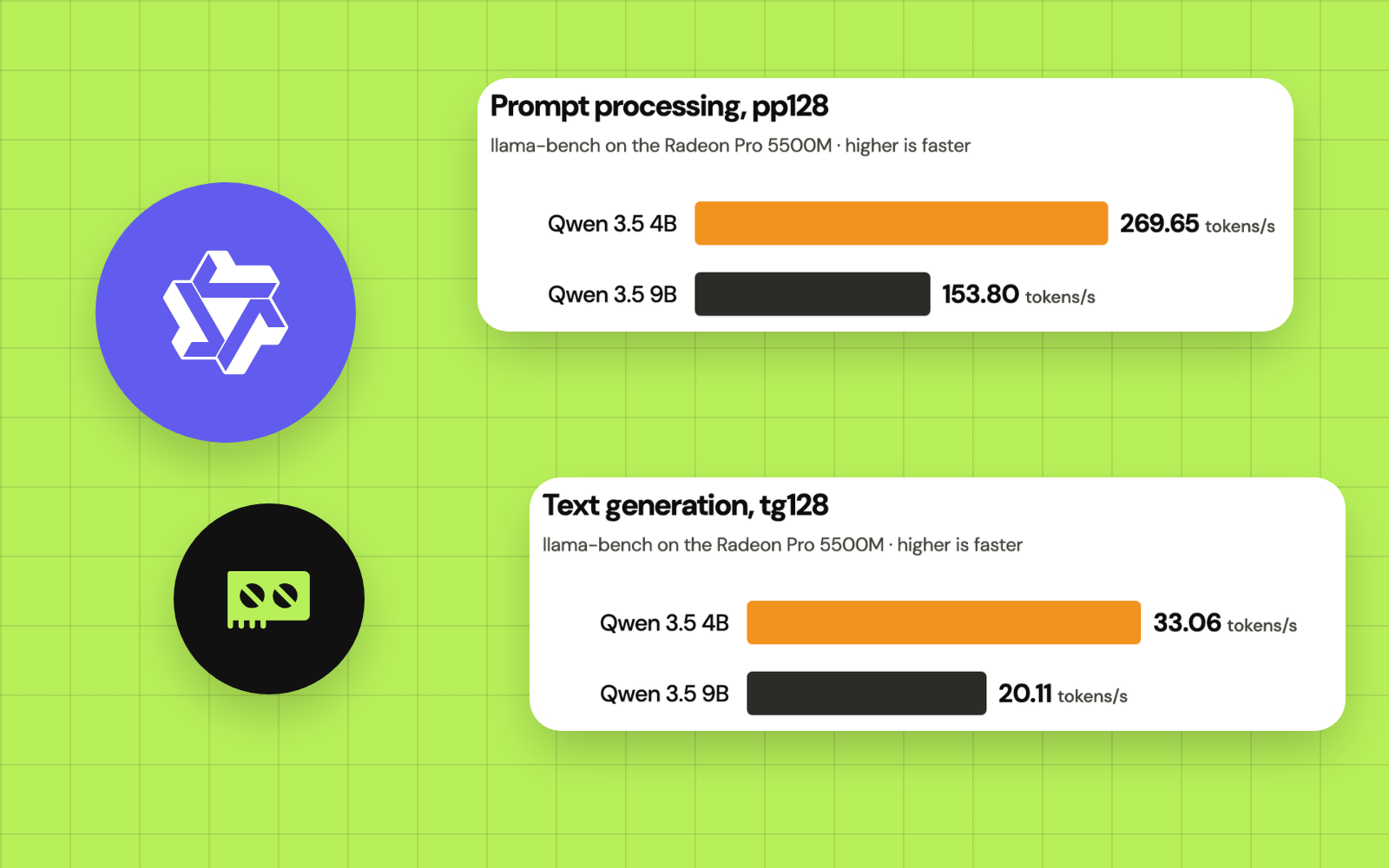
- Benchmarking: Record both prompt-processing speed and generation speed with explicit settings.
- Reliability: Check correctness on tasks that expose edge cases instead of trusting polished-looking output.
This order matters: the ability to return code, the ability to run code, and the ability to produce correct code are three separate claims.
Common misconceptions to avoid
| Misconception | Better interpretation |
|---|---|
| “The GPU has 8 GB, so an 8 GB model will always fit.” | Model weights are one part of GPU memory demand; context and compute buffers need space too. |
| “The Mac supports Metal, so Ollama must use the Radeon.” | The application backend and version decide actual accelerator use; verify the device in use. |
| “A model can write code, therefore it is an agent.” | File-system and shell operations come from an agent client and its permissions. |
| “A successful script run proves the answer is accurate.” | A program can run successfully and still contain a mathematical or logical error. |
| “Free inference means zero trade-offs.” | Download time, context overhead, power use, performance and model quality still matter. |
The hardware verdict
Yes, the 2019 Intel MacBook Pro is capable of running useful local model experiments. Its 32 GB of system memory and 8 GB Radeon GPU provide more room than many entry-level machines, but the route to GPU acceleration may require a backend other than the default inference path used during initial testing.
Cloud-model-level coding quality is a separate matter. The most valuable outcome went beyond getting a model to load: a repeatable way to separate hardware compatibility, measured throughput, agent functionality and correctness.
The next instalment starts at the software layer: installing Ollama, validating the local API, selecting the first model, and understanding why the earliest editor-based experiments were slow or unreliable.
Primary references
- Published
- Author
- Booban Net.
- Category
- AI & Automation