Next.js on Cloudflare Workers
Cloudflare Workers runs code on Cloudflare's network, in the data centre closest to each visitor, and its free plan allows business sites. Next.js reaches Workers through the OpenNext adapter, @opennextjs/cloudflare. The adapter runs Next.js on the Node.js runtime that Workers provides, so server components, route handlers and Node APIs work the way they do on a Node server. It supports every minor version of Next.js 16 and the latest minor of Next.js 15.
This part covers how the adapter works, the two files it needs, the cache choices, pictures, builds from GitHub, rollbacks and the errors that come up on the way. The example is the same as in the rest of the series, a one-page site for a logistics company, built with Next.js 16.4, @opennextjs/cloudflare 1.20 and Wrangler 4.161. Part 2 has the full setup in order; this part explains what each piece does.
What the adapter builds
- 1
npm run build
- next build writes the standard Next.js output to .next
- 2
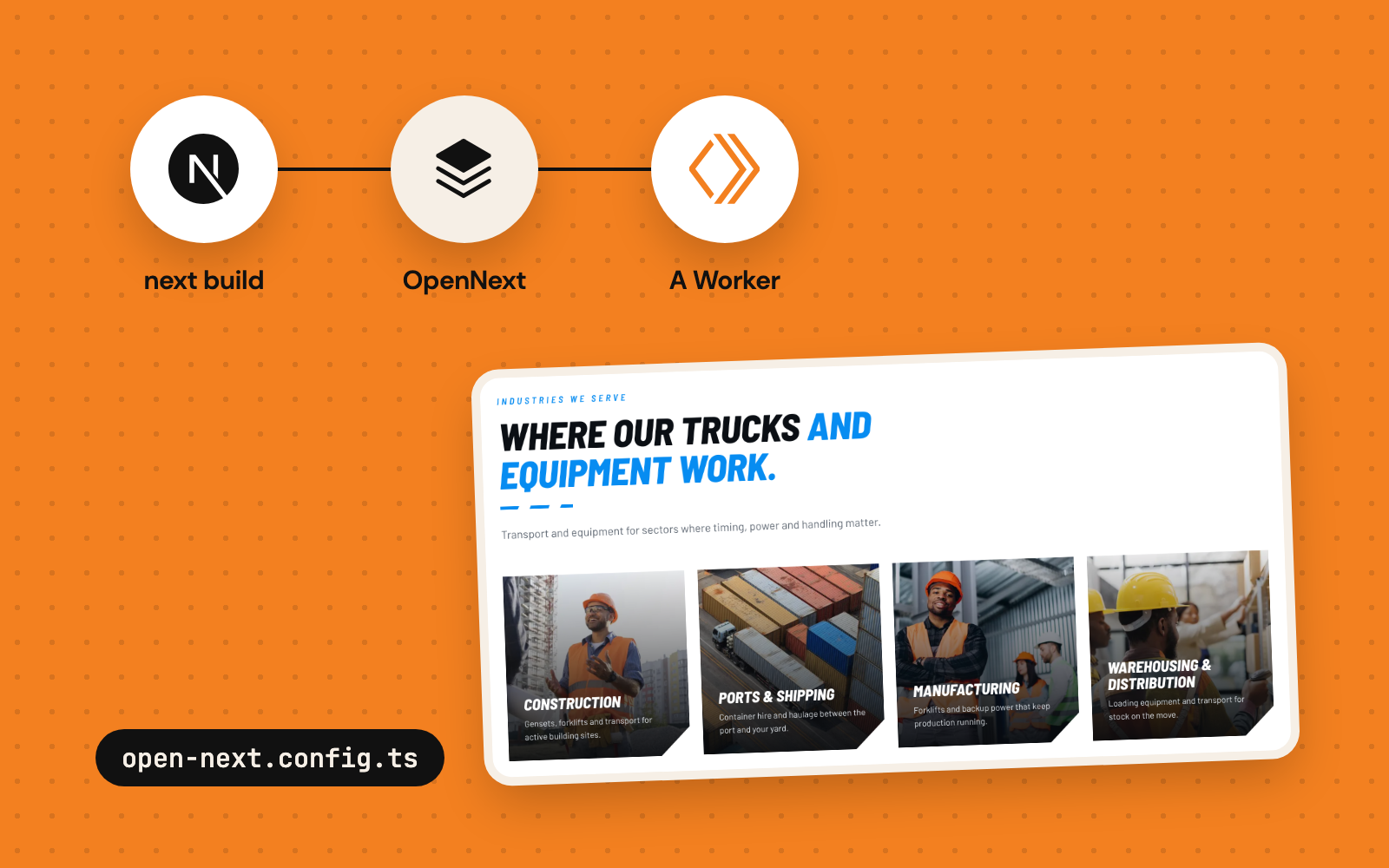
opennextjs-cloudflare build
- reshapes .next into .open-next
- .open-next/worker.js: routing, server rendering, image requests and the page cache
- .open-next/assets: scripts, styles, public/ and every page built in advance
- 3
opennextjs-cloudflare deploy
- fills the remote cache
- uploads both as one Worker version and serves it
At request time, each kind of request takes its own path:
/_next/static/…, /images/…   ->  Workers Static Assets, answered before the Worker runs
/                            ->  the Worker -> the page cache -> the HTML built at build time
/_next/image?url=…           ->  the Worker -> the IMAGES binding -> a resized WebP or AVIF
a page rendered per request  ->  the Worker -> Next.js server code
Requests for static files are free and unlimited on every plan. Requests that reach the Worker count towards the free plan's 100,000 a day. On a static site, scripts, styles and pictures all go to static assets, and the Worker answers the page itself and the resized pictures.
The packages
npm i -D @opennextjs/cloudflare wranglerFor an existing Next.js app, npx opennextjs-cloudflare migrate does the setup in one go: it installs both packages, writes wrangler.jsonc and open-next.config.ts, adds a .dev.vars file, updates the scripts in package.json, adds caching headers in public/_headers, adds .open-next to .gitignore and wires initOpenNextCloudflareForDev() into the Next.js config so next dev can reach Cloudflare bindings. A new app starts from Cloudflare's template:
npm create cloudflare@latest -- my-next-app --framework=next --platform=workersThe adapter's command-line tool has six commands:
| Command | What it does |
|---|---|
| build | Runs the project's npm run build, then converts the output for Workers |
| populateCache local or remote | Fills the configured cache, for local runs or for the deployed site |
| preview | Fills the local cache and starts wrangler dev |
| deploy | Fills the remote cache, deploys and serves the new version at once |
| upload | Fills the remote cache and uploads a version that waits to be deployed |
| migrate | Converts a standard Next.js project, as above |
wrangler.jsonc, line by line
{
  "$schema": "node_modules/wrangler/config-schema.json",
  "name": "my-site",
  "main": ".open-next/worker.js",
  "compatibility_date": "2026-11-01",
  "compatibility_flags": ["nodejs_compat", "global_fetch_strictly_public"],
  "assets": { "directory": ".open-next/assets", "binding": "ASSETS" },
  "images": { "binding": "IMAGES" }
}| Key | Job |
|---|---|
| name | The Worker's name, and its address: my-site.your-subdomain.workers.dev |
| main | The entry point the adapter writes |
| compatibility_date | Pins the Workers runtime's behaviour to a date, so a runtime update keeps the site as built |
| nodejs_compat | Turns on the Node.js APIs that Next.js server code uses: Buffer, streams, crypto and the rest |
| global_fetch_strictly_public | Sends every fetch from the Worker out the way a visitor's request travels, the setting the adapter's own template uses |
| assets | The folder of static files and the binding the Worker reads them through |
| images | The binding that resizes pictures for next/image |
The deploy log adds two notices: workers_dev and preview_urls default to on. Setting "workers_dev": false retires the workers.dev address once the site has its own domain, and "preview_urls": false turns off the preview links for uploaded versions.
open-next.config.ts and the page cache
import { defineCloudflareConfig } from "@opennextjs/cloudflare";
import staticAssetsIncrementalCache from "@opennextjs/cloudflare/overrides/incremental-cache/static-assets-incremental-cache";

// A static site: pre-built pages are served from Cloudflare's static file storage.
export default defineCloudflareConfig({ incrementalCache: staticAssetsIncrementalCache, enableCacheInterception: true });
The adapter's caching rests on three parts, each set in this file:
- an incremental cache, which stores pages built in advance and the data cache;
- a queue, which runs and de-duplicates time-based revalidations;
- a tag cache, which records
revalidateTagandrevalidatePathcalls for on-demand revalidation.
Pages rendered on every request work as they are; these settings concern pages built in advance and cached data. The site's kind decides the pieces:
| Site | Pieces in open-next.config.ts |
|---|---|
| Static: every page built at build time | staticAssetsIncrementalCache, a read-only cache read from the build's own files |
| Small site with revalidation | An R2 incremental cache, the Durable Object queue, the D1 tag cache |
| Large site that revalidates often | R2 with a regional cache in front, the Durable Object queue, the sharded Durable Object tag cache, and cache purge on a custom domain |
The static-assets cache suits a site like the example, where every change arrives as a new build. It serves build-time pages and leaves revalidation to the next build. The revalidating setups need their bindings in wrangler.jsonc as well: an R2 bucket, a self-reference service binding named WORKER_SELF_REFERENCE, and the Durable Object or D1 bindings the adapter's caching guide lists.
enableCacheInterception: true answers cached routes before Next.js loads the page's code, which trims cold starts on static and revalidated pages. Routes with Partial Prerendering fall outside it.
The live page carries the cache's own headers:
x-opennext-cache: HIT
x-nextjs-prerender: 1
cache-control: s-maxage=31536000, stale-while-revalidate=2592000
Static files and their headers
Static assets are answered before the Worker runs, so the headers option in next.config reaches the Worker's own responses alone. Cloudflare serves static files with max-age=0, must-revalidate by default: the browser keeps a copy and checks it on each visit. The files under _next/static change their names on every build, so the adapter's docs give them a year in public/_headers:
/_next/static/*
  Cache-Control: public,max-age=31536000,immutable
Pictures through the IMAGES binding
next/image sends each picture through /_next/image with a width and a quality. On Workers the adapter hands those requests to Cloudflare Images through the IMAGES binding, which returns the picture at that width in a modern format. On the example site, the 220,784-byte JPEG behind the hero, 2,400 pixels wide, comes back at w=828 as a 25,398-byte WebP.
Three details of the binding:
- It resizes PNG, JPEG, WebP, AVIF, GIF and SVG; other formats pass through as they are.
- It treats each picture as immutable or fresh, so
minimumCacheTTLinnext.configstays unused. - Cloudflare counts unique transformations per calendar month, and a repeat request for the same picture at the same size counts once. The free plan includes 5,000 a month. Past that, pictures already resized keep serving, new sizes answer with error 9422, at zero charge. Paid plans include the same 5,000 and then charge $0.50 per 1,000.
Pictures from another host need that host in images.remotePatterns, as in error 4 below.
A local run in Cloudflare's runtime
next dev stays the everyday tool. To see the build exactly as Workers runs it, the adapter builds for Workers and starts Wrangler, which runs the Worker in workerd, Cloudflare's own runtime, on the local machine:
npx opennextjs-cloudflare build
npx opennextjs-cloudflare preview
preview fills the local cache and starts wrangler dev. The same thing in three steps:
npx opennextjs-cloudflare build
npx opennextjs-cloudflare populateCache local
npx wrangler dev
Wrangler emulates both bindings locally, image resizing included; its start-up list shows the image binding as env.IMAGES Images local. A page that works here works on the network.
The four errors and their fixes
1. The page hangs: Cache Components
create-next-app for Next.js 16 turns on cacheComponents and partialPrefetching in next.config. Under Wrangler the example page hung, and the request ended in a 500:
Next.js cannot guarantee that Cache Components will run as expected due to the current runtime's implementation of `setTimeout()`.
Uncaught Error: The Workers runtime canceled this request because it detected that your Worker's code had hung and would never generate a response.
The adapter lists composable caching ("use cache") among its supported features; on this build, Next.js 16.4 with adapter 1.20, the runtime cancelled the request. The fix is classic rendering: remove both flags, take "use cache" and cacheLife out of the code, and keep the page a plain async server component. A page that reads its content at build time is still built in advance, and next build marks it ○, static, in its route table.
2. A 500 on a page built in advance
With Cache Components off and the incremental cache left unset, the Worker rendered the page again on every request. The page's data call went to the content server the build had used, which lives only at build time, and every request ended in a 500 with Network connection lost in the log.
The fix is the static-assets incremental cache in open-next.config.ts, as above. Locally the cache needs filling before wrangler dev, with populateCache local or preview; deploy fills the remote cache by itself. After the fix, the page answers from the cache with x-opennext-cache: HIT.
3. Workers Builds stops after three seconds: open-next.config.ts
Error: No `open-next.config.ts` file was found in the project root.

This file is required for OpenNext Cloudflare builds.
Run `opennextjs-cloudflare migrate` to create it, or see https://opennext.js.org/cloudflare/get-started for setup guidance.
Commit it and re-run the build.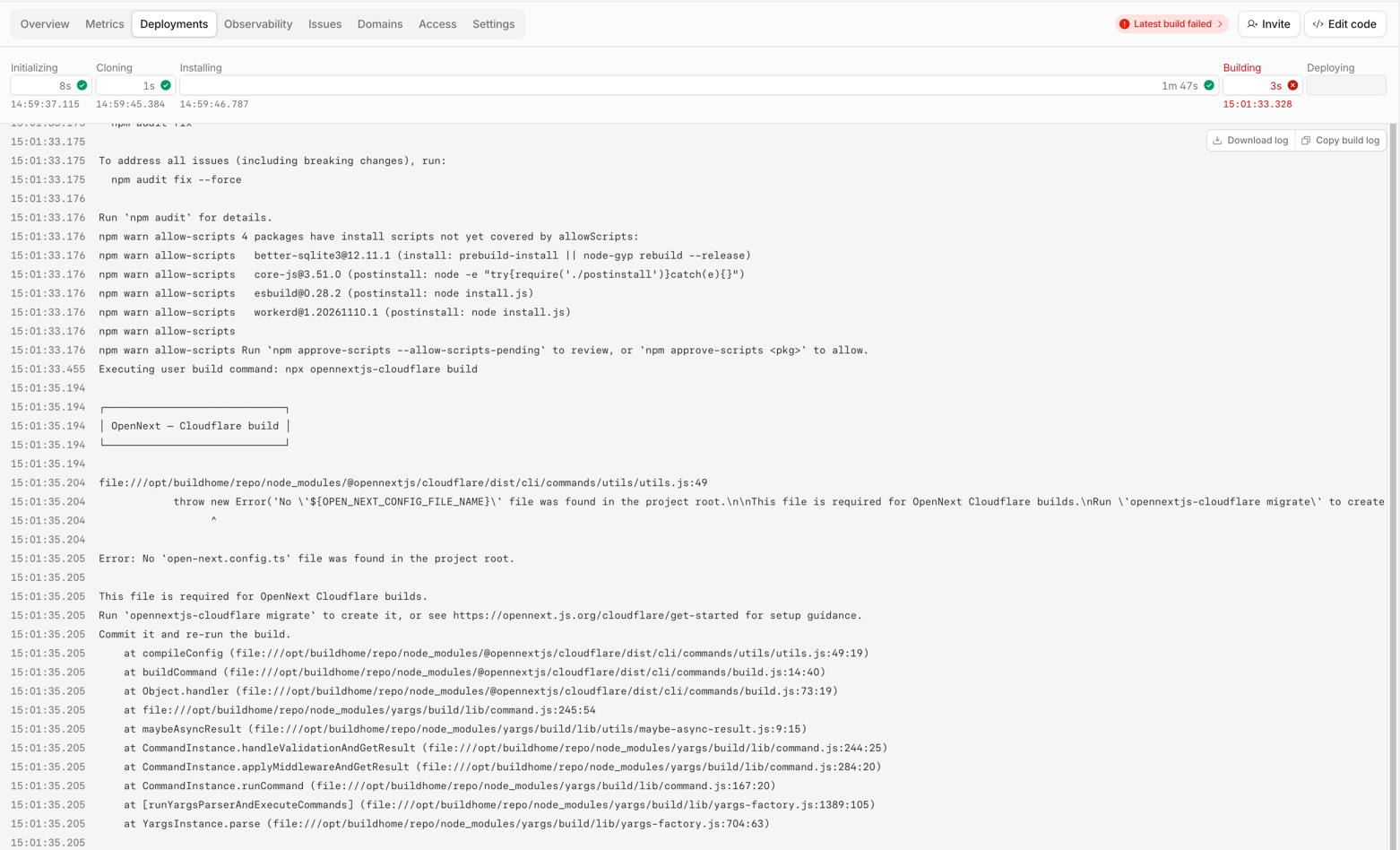
Locally, a config named open-next.config.js had worked, because the build command passed it with --openNextConfigPath. Workers Builds runs the plain command, which looks for open-next.config.ts in the project root. Renaming the file fixes the build.
4. Next.js image 400 for pictures on another host
GET /_next/image?url=https%3A%2F%2Fassets.tina.io%2F<clientId>%2Fhero-transport.jpg&w=1920&q=75 400 (Bad Request)next/image resizes pictures from hosts listed in images.remotePatterns and answers 400 for the rest. A CMS that serves pictures from its own image server is the usual case; TinaCMS serves them from assets.tina.io:
const nextConfig = {
  images: {
    remotePatterns: [{ protocol: "https", hostname: "assets.tina.io" }],
  },
};
Workers Builds: from a commit to a live version
Workers Builds connects the Worker to a GitHub repository and builds every commit to the production branch. The settings:
| Setting | Value |
|---|---|
| Build command | npx opennextjs-cloudflare build |
| Deploy command | npx opennextjs-cloudflare deploy |
| Preview command | npx opennextjs-cloudflare upload, for other branches |
| Build variables | Values the build reads, such as a CMS's client ID and token; encrypted ones stay hidden once saved |
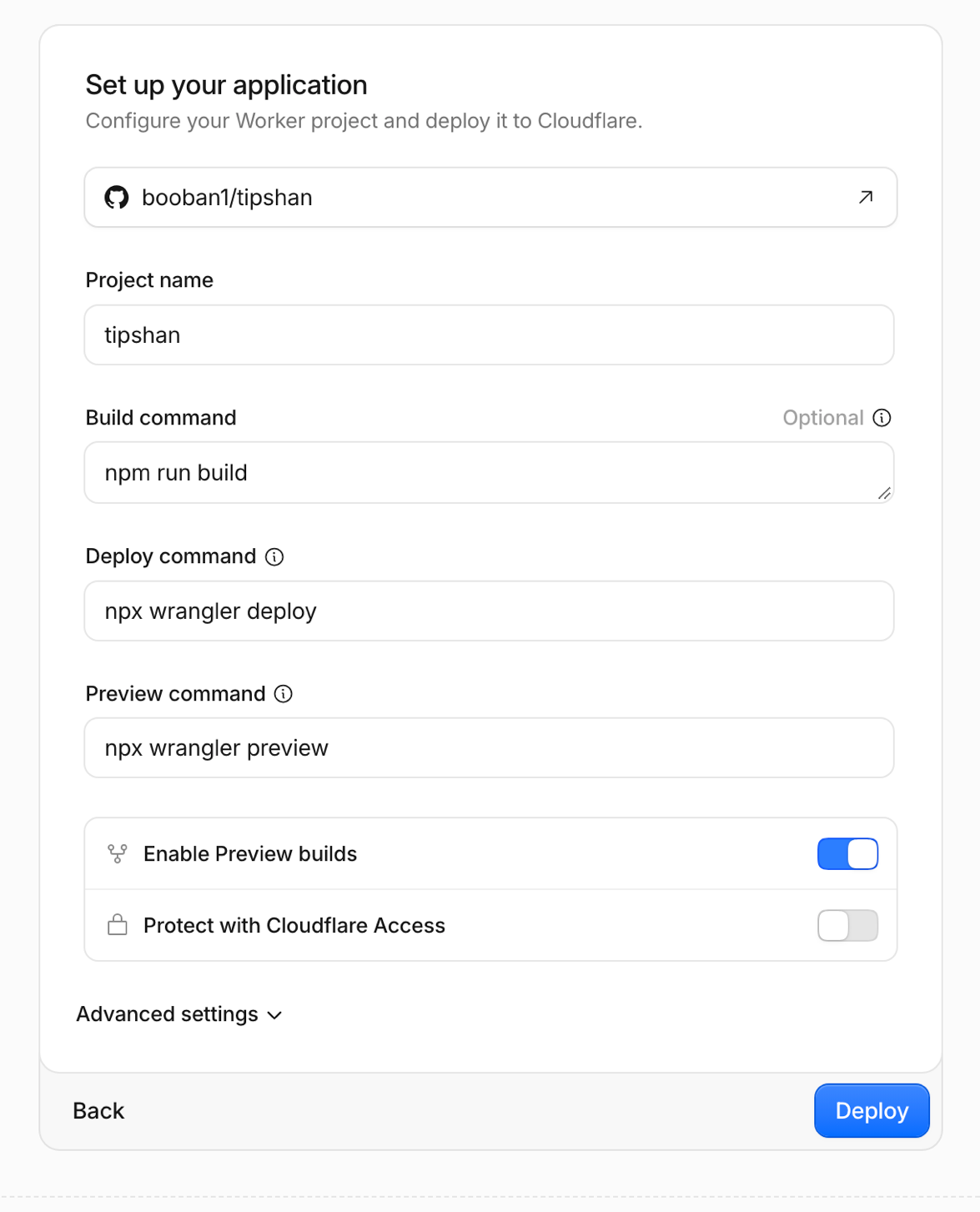
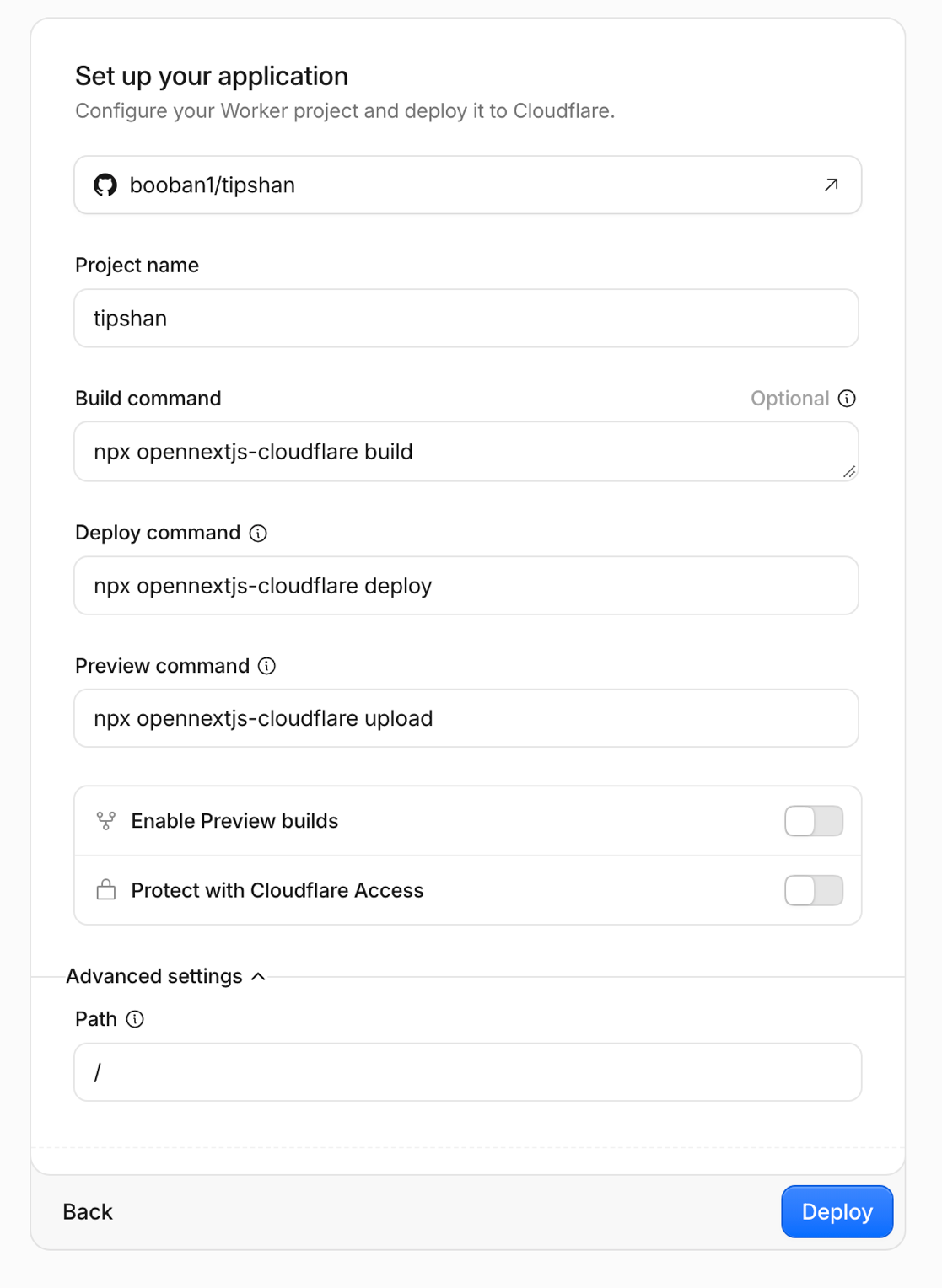
Build variables stay inside the build; values the running Worker reads go in the Worker's own variables and secrets. The example's CMS values are build variables, since tinacms build reads them while npm run build runs.
A build moves through five stages. On the example site's first full build they took:
| Stage | Time |
|---|---|
| Initializing | 10 s |
| Cloning | 2 s |
| Installing | 2 min 38 s |
| Building | 1 min 34 s |
| Deploying | 24 s |
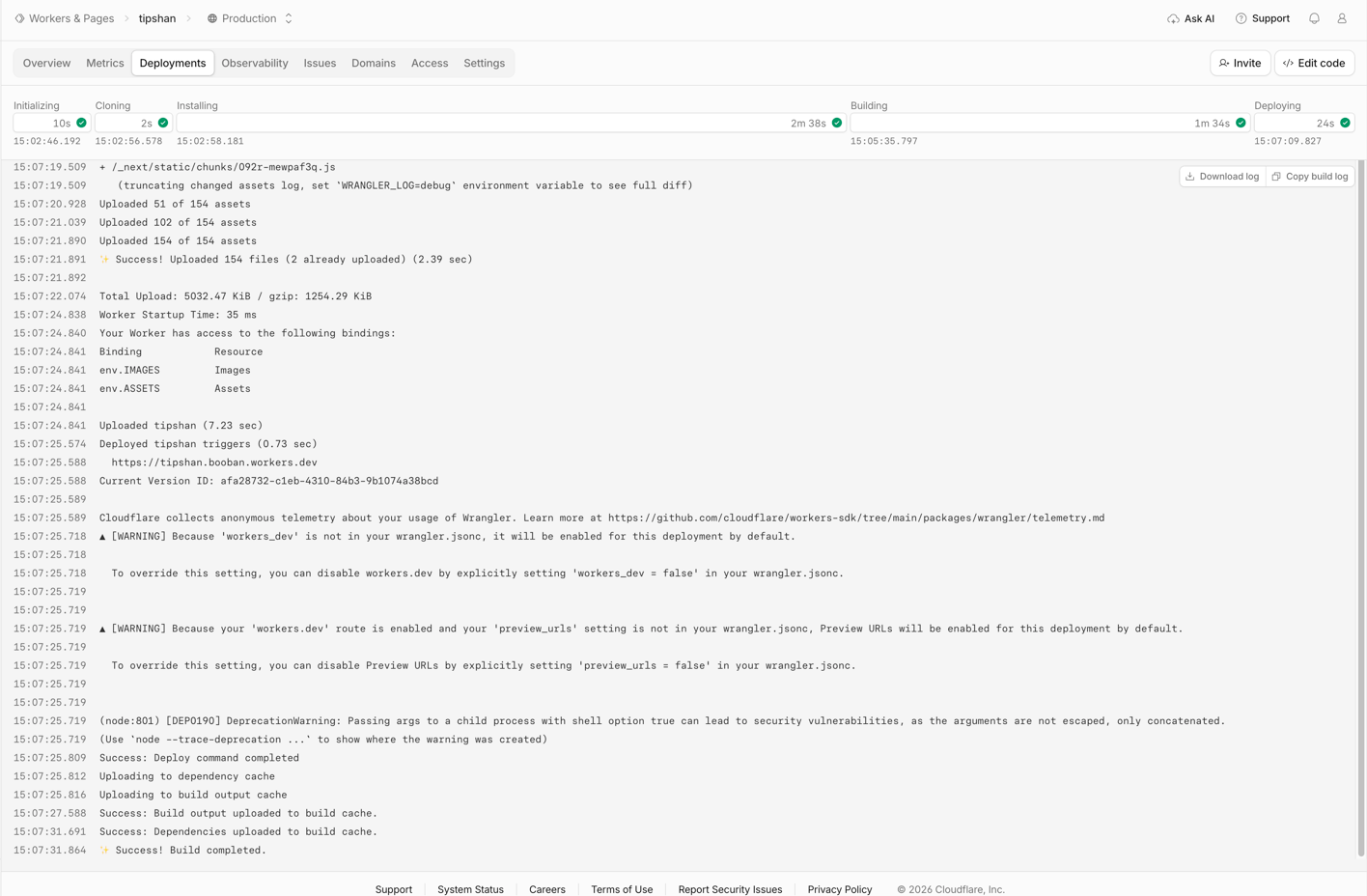
Build caching, under the Worker's Settings, Build, Build cache, keeps npm's package cache and Next.js's .next/cache between builds, so later builds install and build faster. Cloudflare keeps each cached artifact for seven days after it was last read, up to 10 GB per project, and Clear Cache on the same screen empties it.
The free plan runs one build at a time with a 20-minute timeout on 2 vCPUs and 8 GB of memory, and commits that arrive together build in turn.
GitHub shows each build as a check on its commit, named after the Worker, with the build's ID and the Worker version it made:
Workers Builds: my-site
Build ID: 23ffafb5-…
Script: my-site
Version ID: f6a7d8e3-…
That check is the quickest way to tie a commit, a CMS save among them, to the build and the version it produced.
Versions and rollbacks
Every deploy makes a new version of the Worker, code and static files together. The Worker's Deployments tab lists them, and the three-dot menu beside any of the last 100 versions offers Rollback; from a terminal, npx wrangler rollback does the same. A rollback swaps the code and leaves bindings and their data as they are. Visitors who loaded a page just before a rollback may still ask for files from the newer version, so a rollback suits a quiet moment.
upload in place of deploy makes a version that waits: it gets a preview address, and Cloudflare's gradual deployments move traffic to it in steps.
The limits that matter for Next.js
| Limit | Workers Free | Workers Paid, $5 a month per account |
|---|---|---|
| Requests to the Worker | 100,000 a day | 10 million a month included, then $0.30 per million |
| Requests to static files | Free and unlimited | Free and unlimited |
| CPU time per request | 10 ms | 30 seconds by default, up to 5 minutes |
| Worker size | 64 MiB uncompressed | 64 MiB uncompressed |
| Static files per version | 20,000, each up to 25 MiB | 100,000, each up to 25 MiB |
| Subrequests per request | 50 | 10,000 |
| Build minutes | 3,000 a month, one build at a time | 6,000 a month, six at a time, then $0.005 a minute |
| Picture transformations | 5,000 unique a month | 5,000 included, then $0.50 per 1,000 |
| Workers Logs | 200,000 events a day, kept 3 days | 20 million a month, kept 7 days |
Cloudflare's limits page counts the uncompressed bundle alone; the gzip figure in Wrangler's deploy log is for reference. Older guides quote 3 MiB and 10 MiB compressed.
Past 100,000 Worker requests in a day, Cloudflare answers with error 1027. Each route's fail mode decides what visitors see: fail open lets the request through as if the route had zero Workers, fail closed shows the error page.
Serving a page from the cache is light work. Rendering on every request, generating social images and heavy data work are what reach the 10 ms ceiling, and Workers Paid lifts it to 30 seconds.
Things to know
- Installs print notes. npm's install step on Workers Builds prints allow-scripts notes for packages with install scripts, such as esbuild and workerd; the build carries on.
- The Worker name is the address.
nameinwrangler.jsoncand the project name in Workers Builds become the workers.dev address, so both match from the first deploy. - Rename the account subdomain early. Cloudflare names the workers.dev subdomain after the sign-up email, and Workers & Pages, Account details renames it. Every preview address carries it.
- Save once per editing session. When a CMS commits to the repository, each save is a commit and each commit a build.
The series
- Part 2: The complete wiring: every file and account screen, in order.
- Part 4, this page: Next.js on Cloudflare Workers with OpenNext.
- Part 5: Vercel vs Cloudflare for Next.js: commercial use, features, limits and a move from one to the other.
Sources
- Published
- Author
- Simon Booban
- Category
- Websites & Apps